【GDC 2024】Anatomy of a Frame in Cyberpunk 2077
来源:PDF: D:\迅雷下载\Graphics Materials\GDC 2024 - Anatomy of a Frame in Cyberpunk 2077.pdf Video: D:\迅雷下载\Graphics Materials\GDC 2024 - Anatomy of a Frame in Cyberpunk 2077.mp4
提取时间:2026-05-16 22:59:09
Slide 1 — 00:01:11

📌 要点汇总
- 本次演讲旨在深入讲解《赛博朋克2077:幻影自由》中帧结构的实现细节
- 重点介绍任务链(job chain)的多线程实现方式
- 提到在CPU上实现良好可扩展性是一项挑战
- 基于2023年GDC演讲,进一步扩展讲解Red Engine 4的关键系统
All right. Anatomy of a frame in Cyberpunk twenty seventy seven: Phantom Liberty. So, why I’m making this talk? Well, I did a presentation in twenty twenty three and GDC, which was going through some of the key system of Red Engine four. And at the end of the presentation, a lot of people were asking, like, “Well, yeah, okay, but how did you multithread this system? Or how did you do for this other?”System, and well, and for that I thought, well, okay, I can do some presentation more broadly, going through the job chain and how we we made it. Also, we all know that achieving great scalability on CPU is pretty hard, and I think we didn’t do too much of a bad job. So, a quick recap about how we got to.
Slide 2 — 00:02:01
📌 要点汇总
- 2021年2月开始编写PS5和Series X的移植代码,一年后成功发布
- 首次实现充分利用主机CPU性能
- 初版Series X帧率为30Hz,实际测试为50.50 FPS,后续更新至60Hz
- 2021年9月发布的Edge Runner补丁大幅提升了玩家社区活跃度
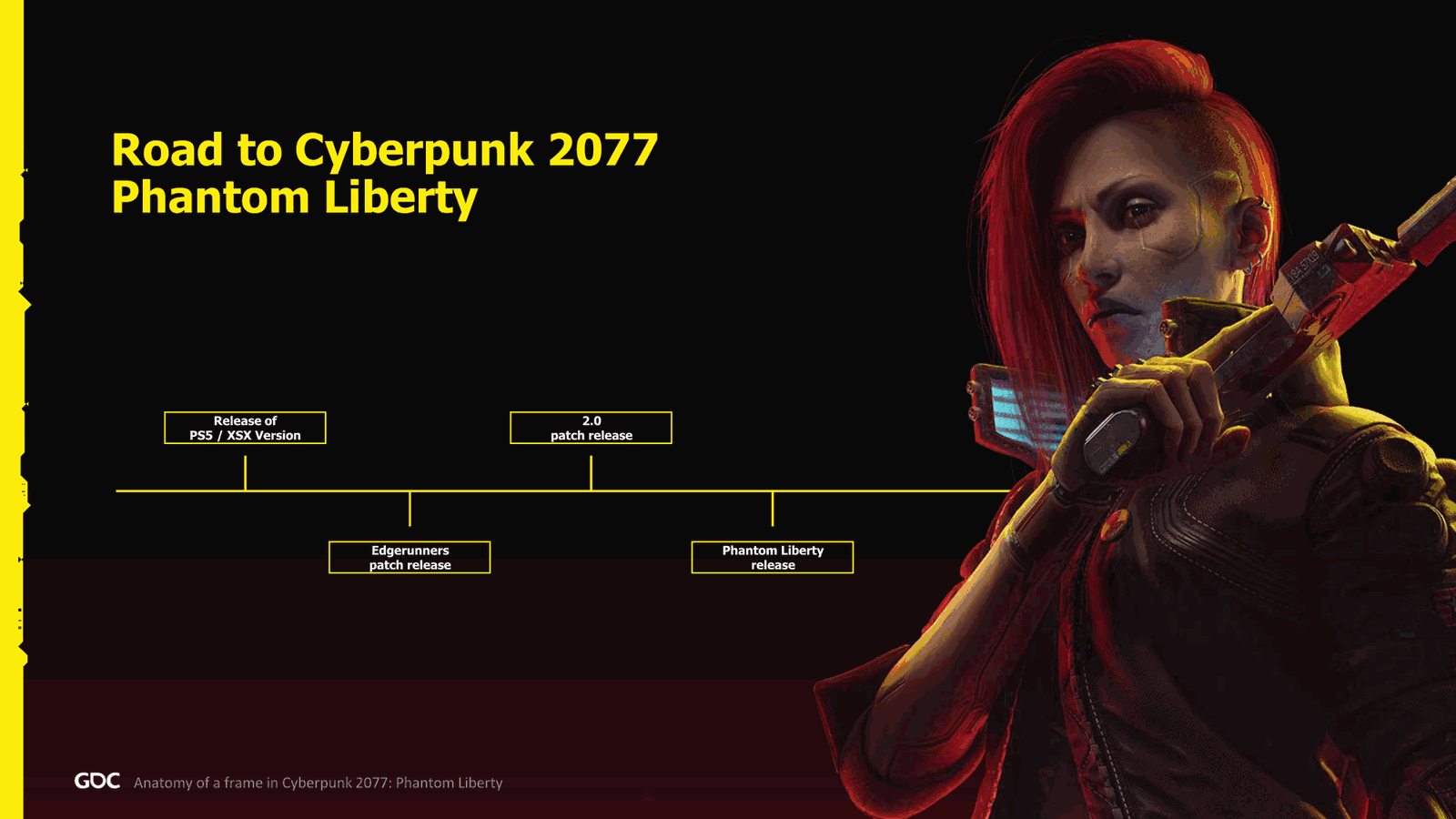
Phantom Liberty. So in February 2021, I laid out the first line of code to get the port for PS5 in Series X, and exactly one year later, we were released on PS5 in Series X Series. I was pretty happy about the result. It’s the first time that really we managed to maximize the use of the CPUs on console.
And fun fact, we release Series X at 30 hertz, and a lot of people were complaining about it. Then after a few check, we figure out like, well, we are at 50.50 FPS. So, and a few months later, we patched the 60 hertz version. Which, well, let’s just say that the 10 FPS we missed took a while, as always with this console.
September of the year, we had Edge Runner patch, which is quite a massive patch, but also the first patch that we did that really we saw the community come back to the game and get very excited.
Slide 3 — 00:02:51
📌 要点汇总
- 游戏 2.0 版本是对原游戏的全面重制
- Phantom Liberty 一个月后发布并获得好评
- 技术评测和 Digital Foundry 的反馈表现良好
- 本次演示将展示系统监控方法,但因技术问题无声音
Well, also thanks to the anime, which was pretty good on Netflix. One year exactly later, 2.0, which is a full revamp of the game, and now I think we had the full vision that we had from the game was finally, well, in your hands, in the hands of the gamers. And I think for the studio, it was quite a relief to get there. And exactly one month later, Phantom Liberty was finally released, and very good reviews. I was very glad to see all the digital foundry reviews, also, and all the technical review.
At least for me, not that I not interested about the score or Metacritic, but you know, different different interest. Right. So today I will show you a quick video about what I’m going to profile and explain how how we monitored a few systems. Unfortunately, there won’t be any sound because we have some technical issue, which is not the.
Slide 4 — 00:03:42
📌 要点汇总
- 演示中使用了游戏内性能分析工具(profiler)
- 当前画面显示约六个核心被使用
- 颜色用于表示不同性能指标,后续幻灯片将解释其含义
Over the people here, but actually my company, because there’s some security rights, and for some reason, doesn’t work. So, it will be in silence. If someone wants to make some audio noise in the background, feel free. There we go. So yeah, Max Stack is coming, and we are fighting. Okay, trying to narrate what’s going on.
So, and we cut, and I did the capture exactly, starting from here. So, very colorful. This is our in-game profiler. Here we have about six core being used. I will go through a little bit what the color means, because you will see them quite a few slides, so that you’re not too lost.
Slide 5 — 00:04:32

📌 要点汇总
- 演示了六个主线程和五个工作线程的分工情况,不同颜色代表不同系统任务
- UI 是最复杂的多线程系统,但未深入讲解
- 所有数据并非来自当前演示的 PC,可能来自其他测试环境
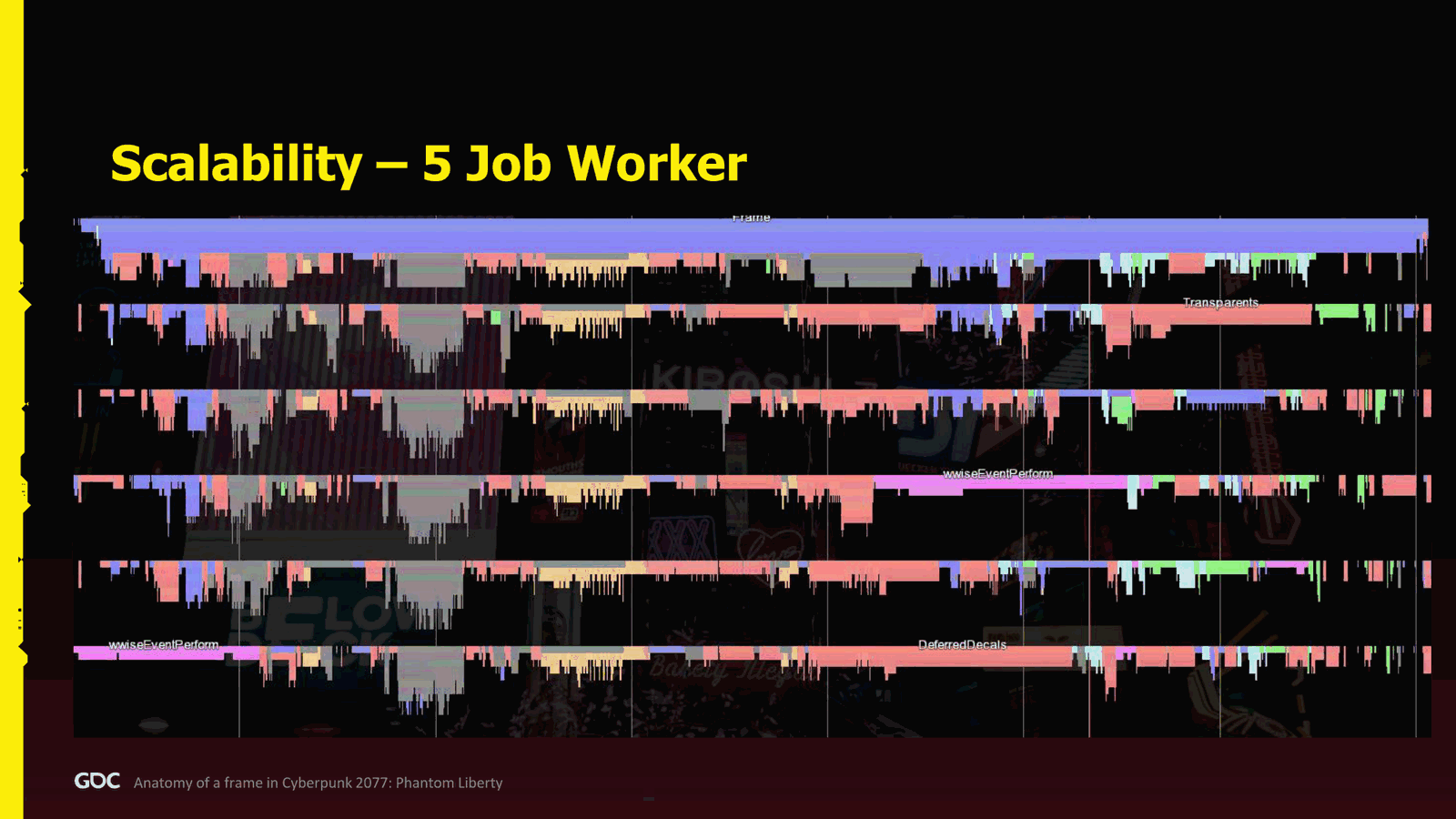
So here we have six core main thread plus five job worker. The blue, when you see any blue, it is general engine jobs running. The gray is all the gameplay and AI. The yellow is animation. The red is red, I guess orange is rendering. Pink audio, because pink. And the green physics. And the light blue, which is a bit hard to see, but at the end of the frame, is the UI, because the UI was also much threaded.
Unfortunately, the UI is probably the most complex system we had to write to make it multithreaded. So I won’t have time to go too deep into this one. But if you’re interested, well, let me know. Maybe I can do a presentation about it in the future.
So, how did I make the numbers? Well, all the numbers were taken on not this PC. My
Slide 6 — 00:05:22
📌 要点汇总
- 用户的电脑在演讲前几天损坏,目前使用的是替代设备,导致出现一些技术问题
- 演示中使用的 PC 配置信息已知,主要使用 5 个 job worker 加主线程进行测试
- 通过这种方式实现了接近 16 毫秒的帧时间,达到 60Hz 的刷新率,CPU 使用率良好
- 所有性能数据均来自游戏内自研的性能分析工具
- 原本尝试用性能分析工具展示 job chain,但因信息混乱无法清晰表达依赖关系
- 最终决定采用更艺术化的可视化方式展示 job chain,将在后续详细说明
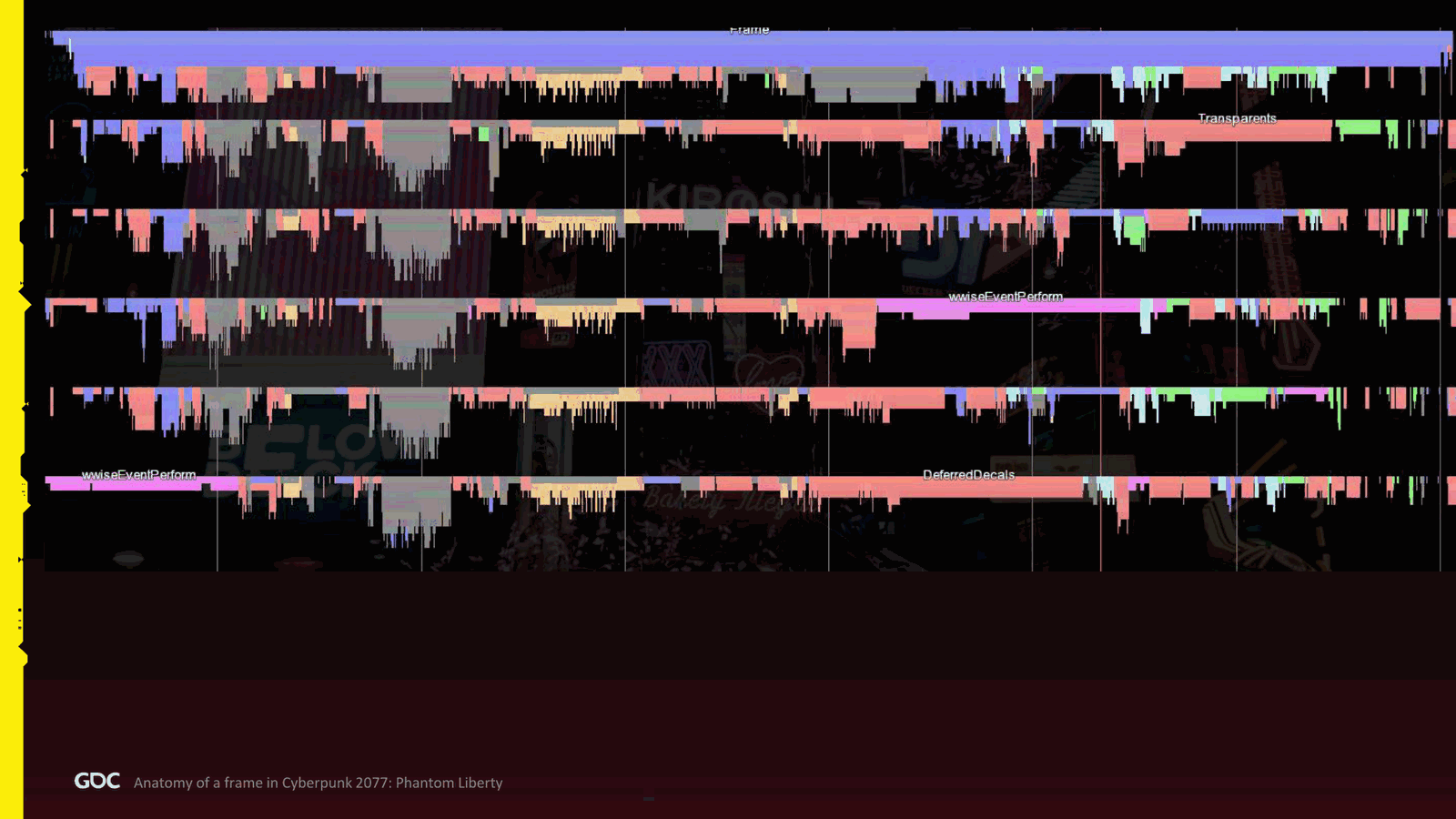
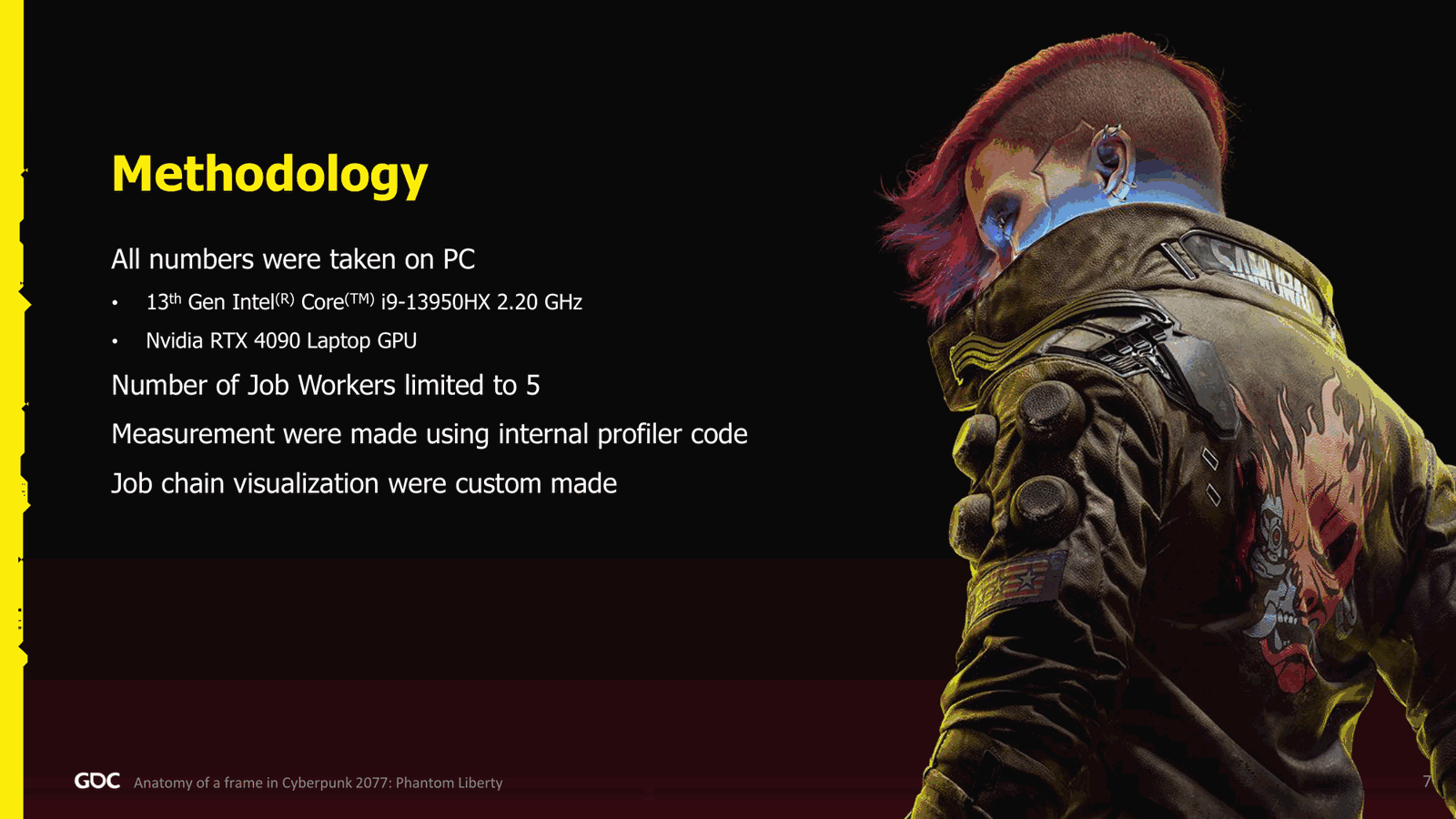
Actual PC broke a few days ago, just before I came here, so now it’s a replacement one, which is probably why I have those technical issues. But yeah, so I had the specification of the PC at least, and pretty much all the capture I did was using only five job worker plus main thread. Why? Because it fit nicely on the screen, and also I was able to get pretty close to 16 milliseconds, 60 60 hertz, with quite good usability of the CPU. All the measurement we made with our own in-game profiler.
And finally, when you will see the job chain, which I will go more in detail when we see the first one, I really tried to make it in the profilers, but there was so much chaos that was impossible to see the dependency. So I decided to go with a more artistic visualization of the job chain, which you will see. Now the agenda. So we’ll start with the strong.
Slide 7 — 00:06:12
📌 要点汇总
- 2019年1月,从魁北克度假返回波兰后,发现PS4构建版本存在60毫秒延迟、15 FPS性能问题
- 该问题导致后续开发中出现大量性能优化工作,影响了开发者的头发和胡须状态(幽默表达)
- 由此引出对帧结构、系统模块及性能优化的深入讨论
Structure of the frame. Then we’ll go with the key few key system: world streaming, gameplay, animation, physics, audio. Briefly on the graphics, and we’ll close with scalability and performance in general, and maybe some takeaways. So let’s start with the frame structure. So short story about this: in 2019, in January, I came back from vacation. Quite nice holiday. I was actually from where I’m from in Quebec. Came back in Poland, fresh.Happy to go back to work. So, installed the build, latest build on PS Four, and we were at something like sixty milliseconds, yes, six zero, fifteen FPS. And I was like, okay, what the hell is going on? And from there on, this is why now I have my beard is white and I don’t have much hair. So, basically, what I did.
Slide 8 — 00:07:02
📌 要点汇总
- 通过使用便签纸,发现PS4系统在帧处理上缺乏预算和结构
- 当前系统延迟达到66毫秒,引发团队重新审视问题
- 团队通过便签纸协作,设计出更高效的系统架构方案
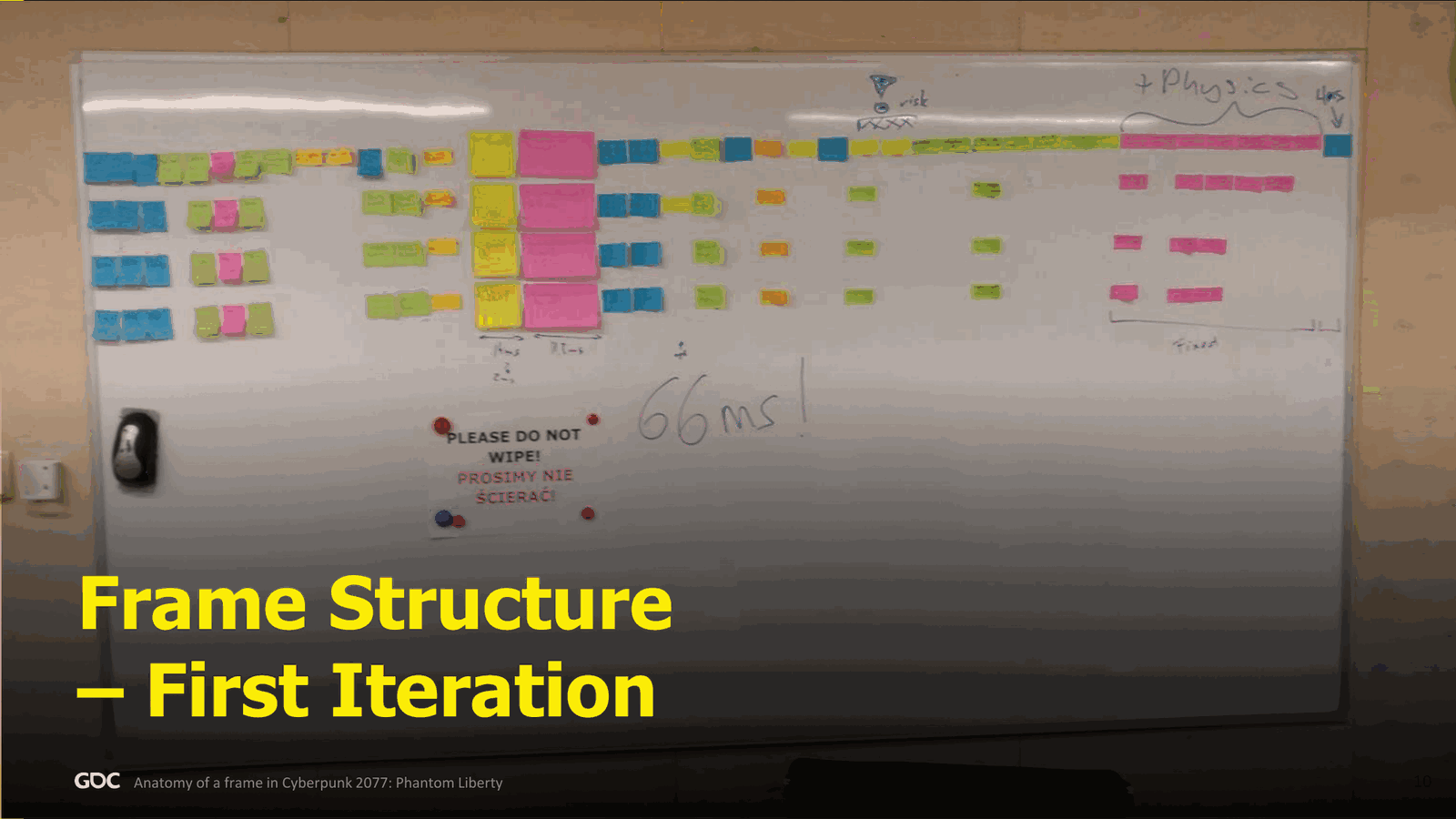
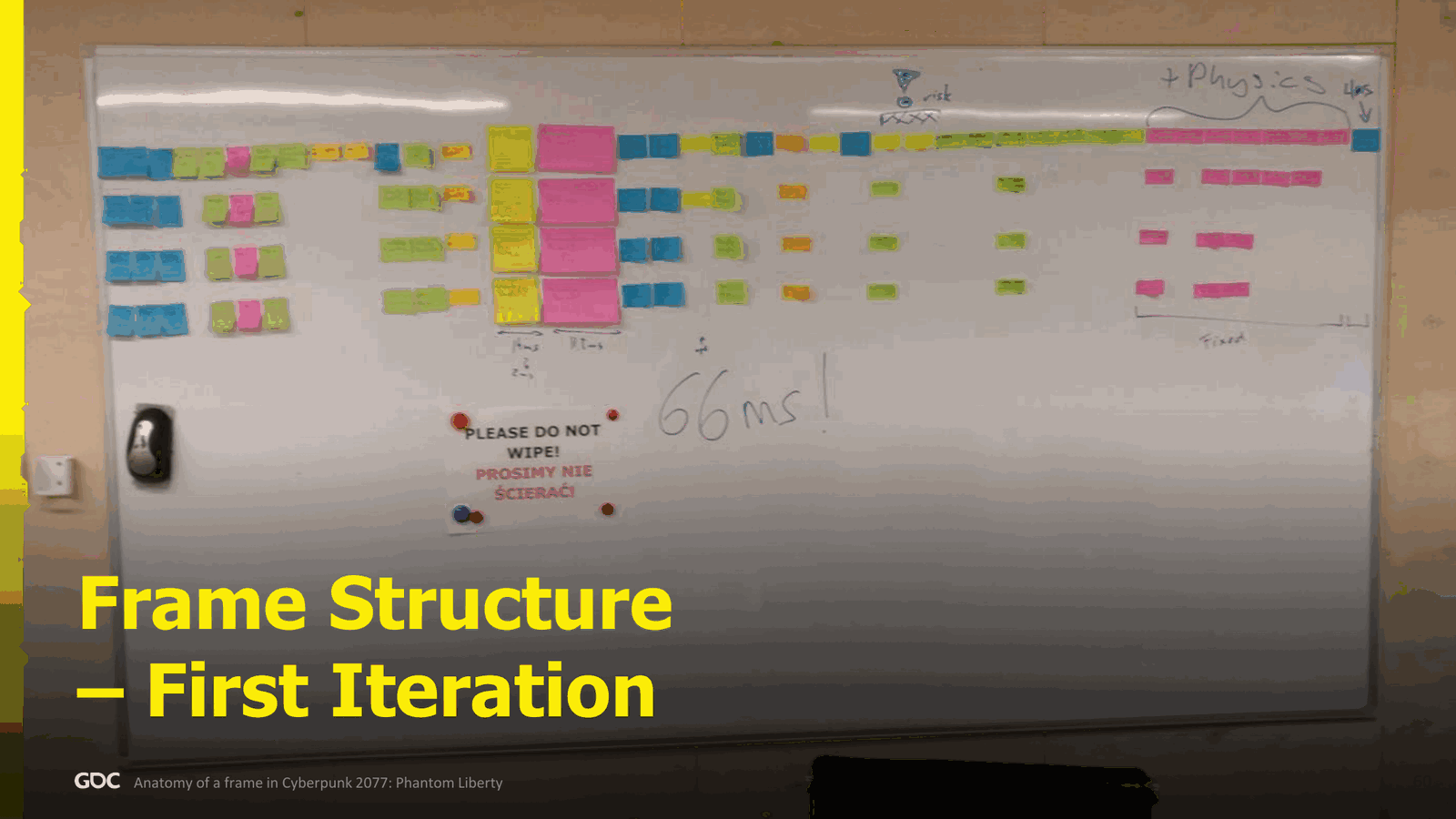
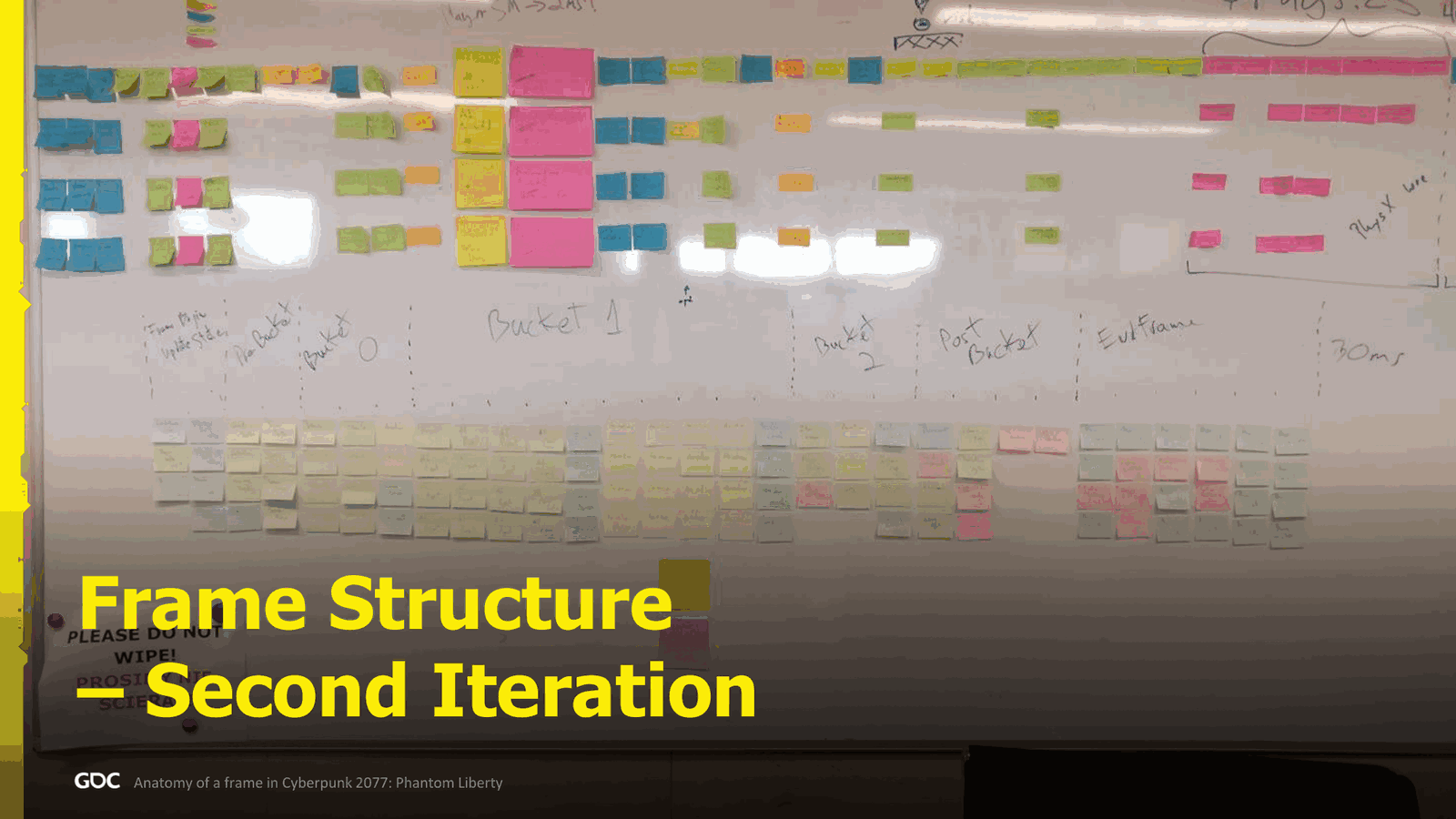
To try to figure what was going on, I took a bunch of Post-it because I realized that when I was profiling, no one actually knew what was going on at all in the frame—like zero, no budgeting, no structure. So, took a bunch of Post-it, went into a conference room, and I started to actually visualize what we had currently on PS4. And as you can see, I wrote in big. This is my GTE handwriting: 66 milliseconds. Then I took all the people, all the tech leadership, and we just sit down and we look at it, and we’re like, “Well.”All right, we need to do something about it. And what did we do? Well, we still used some post-it. It was before COVID, right? So it was a bit simpler to get everybody in the room. And then we ended up with something like this. So we took a bunch of post-its and we started to design how the perfect vision that we had for all the system we had working together in a beautiful, dirty.
Slide 9 — 00:07:53
📌 要点汇总
- 每个 CPU 核心分配了约 30 毫秒的时间预算
- 渲染部分使用了多线程,额外分配了 13 毫秒预算
- 代码结构设计更紧凑,减少冗余和空洞部分
- 通过线程划分,实现了对解压、反序列化等任务的并行处理
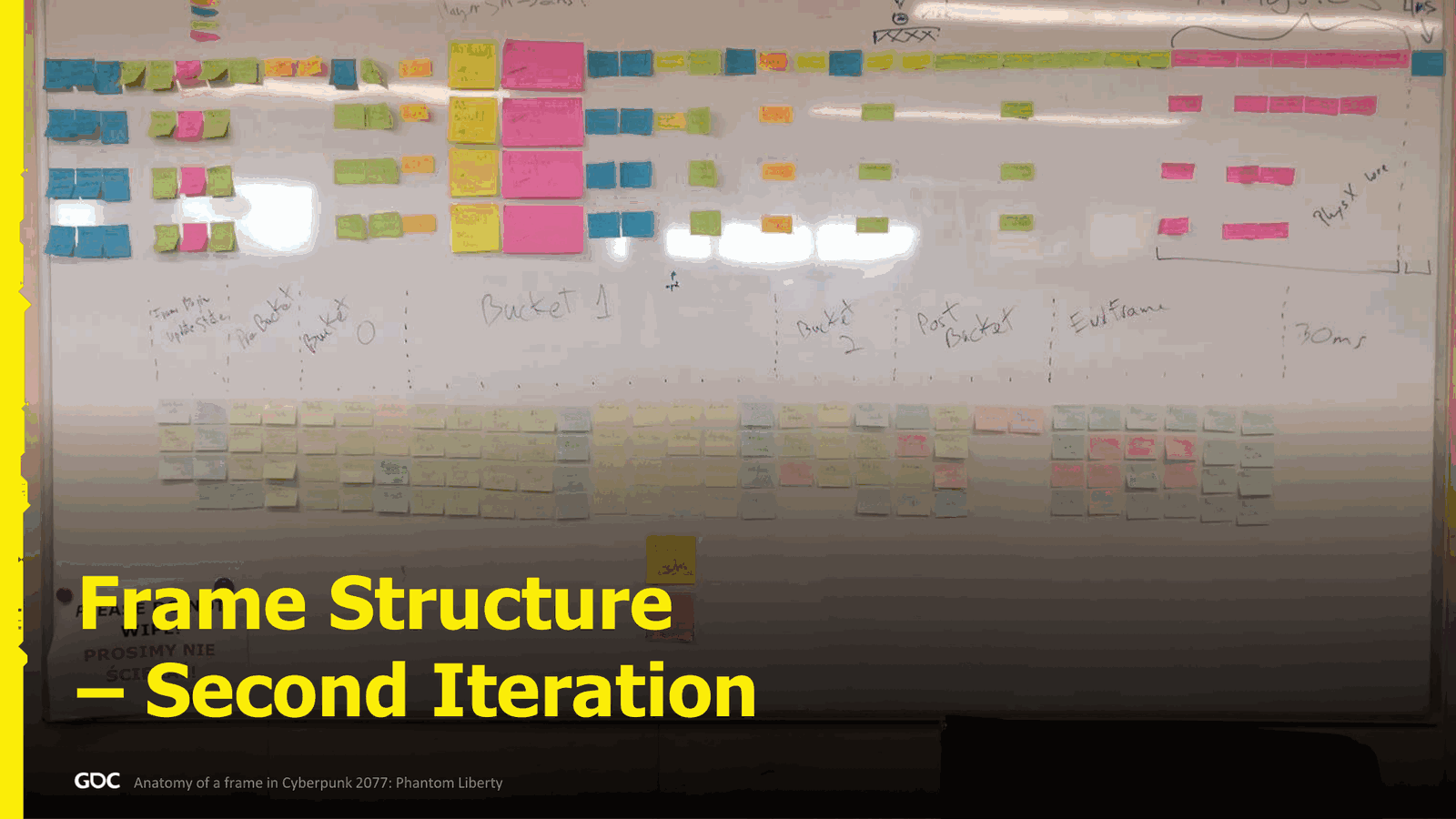
Milliseconds. How we’re going to deal about the dependency? So we already started to design the structure. Now you can see a little bit like again my bad end writing. Like the first is the frame begin. At the end you have the end frame, and then you can see that it started to be more compact and pretty much not too much holes. There’s also only four lines. Oh man, it’s hard to see on the. Sorry about that. There’s only four lines because we also said that one of the CPU will be more or less 30 milliseconds will be budget.
For the rendering, because at this stage we already had something quite multi-threaded, and another 13 milliseconds, like another core, probably for everything else, like decompression, deserialization, spawning, all those kind of other stuff that can be happening at any point of the frame, with about 13 milliseconds budget. So this worked really well.
Slide 10 — 00:08:43
📌 要点汇总
- 将整个帧划分为多个更新组(update group)进行处理
- 首先更新车辆,然后依次处理角色和物体,以确保位置的正确传递
- 相机更新是帧处理中的关键步骤之一
- 实体状态的添加、删除和依赖关系定义在更新过程中被处理
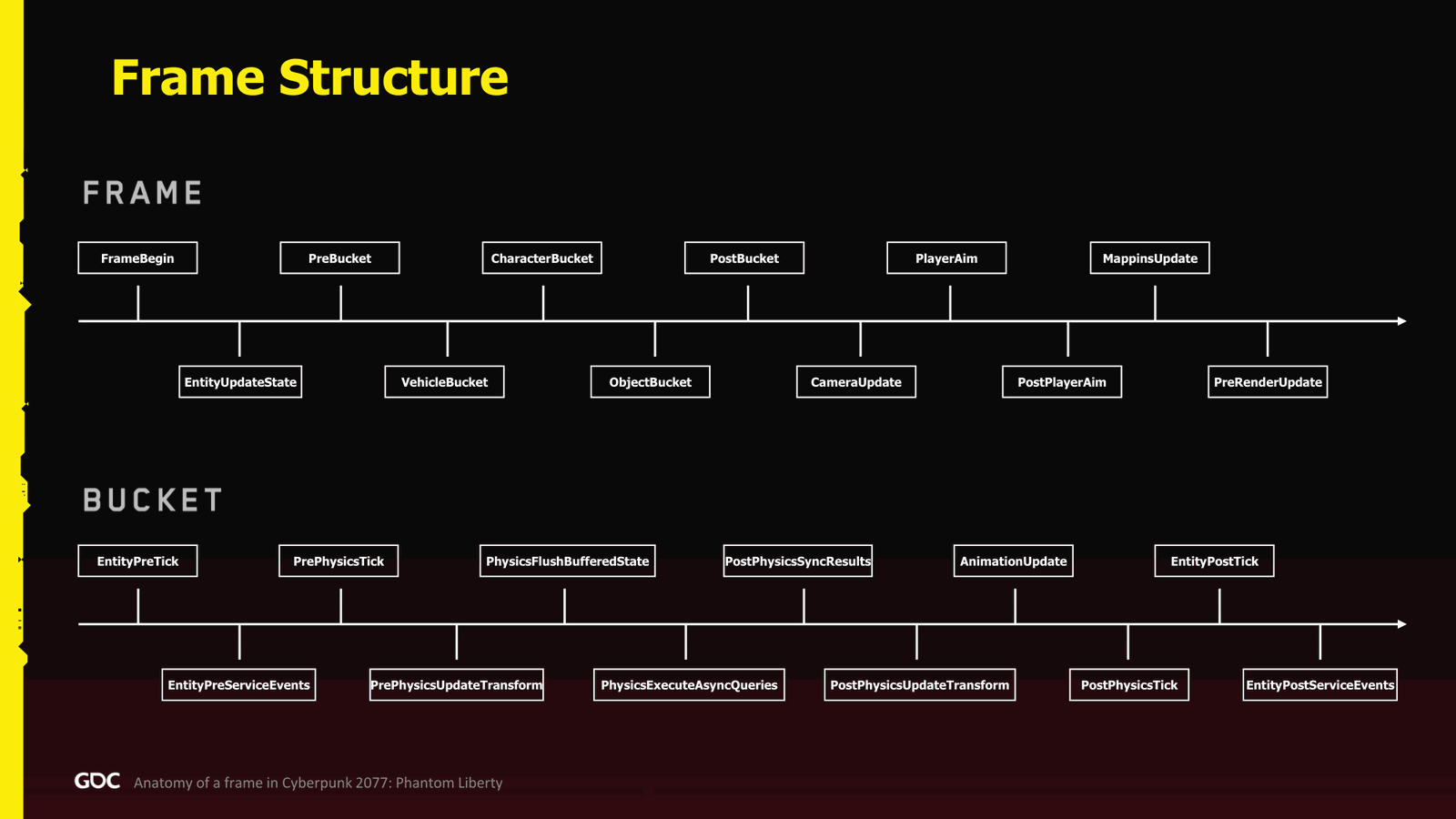
Now, what do we ended up finally in the game? So, for some of you that actually watch quite a few presentation, might have seen that in famous Jason Gregory and Uncharted Two legendary presentation. It’s kind of the same, which is we divided the whole frame into what we call update group. So, we have classical frame begin. We have update entity update state where we basically this is where we process all the states of the.Entity when we add, remove, and then a bunch of buckets where defining the dependency between entities. So we update all the vehicle first, and then we follow with the characters in the object because usually they attached. So we process one after the other. So the position cascade, and then camera update, which is quite important as you probably all know.
Slide 11 — 00:09:33
📌 要点汇总
- 根据相机位置,可以执行预渲染更新和中间的UI更新组
- 模拟和准备下一帧在最后阶段进行
- 车辆、角色和物体被分组到不同的更新组中
- 更新组在性能分析工具中用颜色区分执行时间位置
- 暗蓝色代表中间阶段的更新组
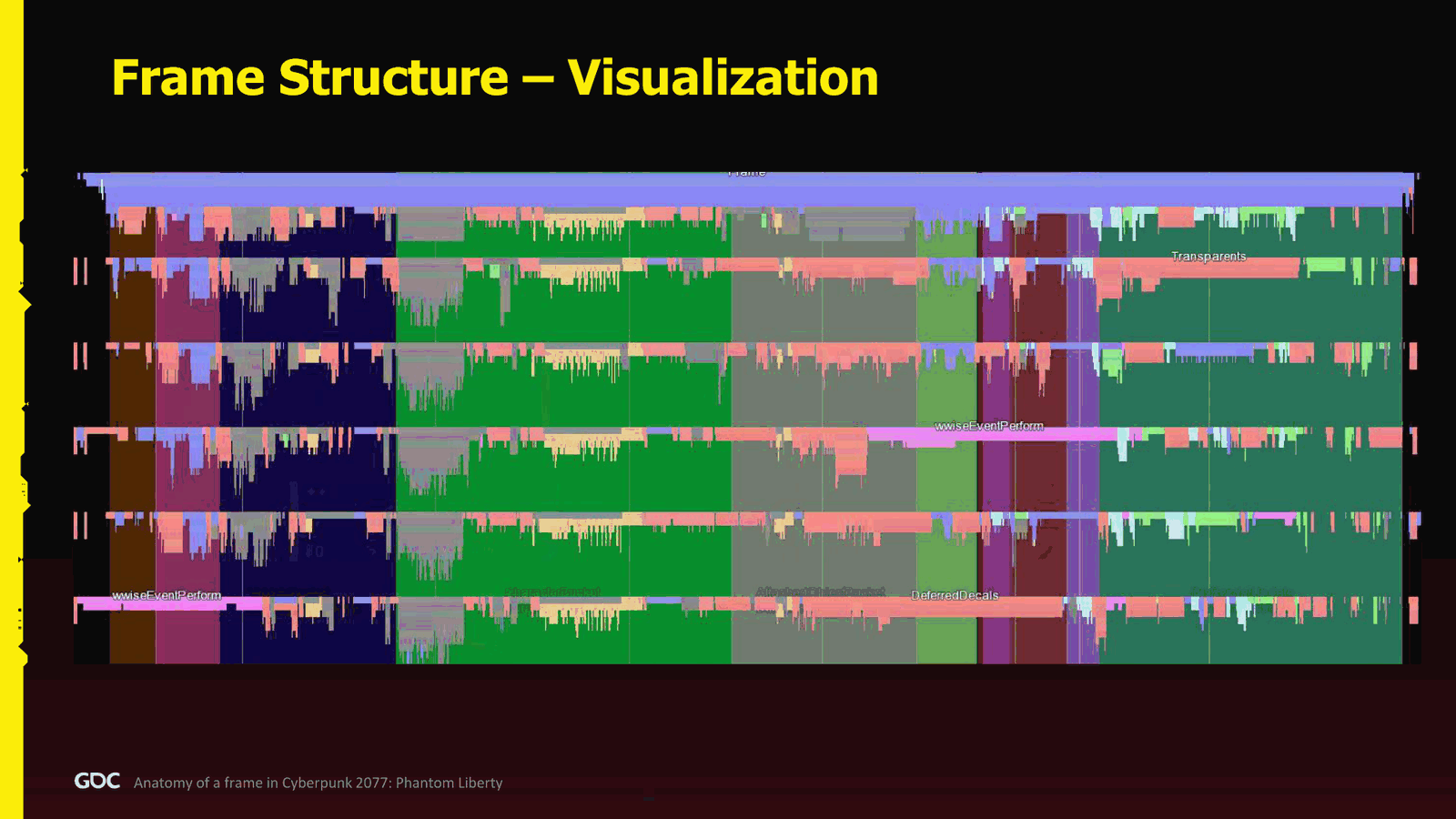
When we know the camera position, we can do quite a lot. And the end pre-render update, and in between we have probably all the update group that were mostly used for the UI. And at the end for simulation and preparing for the next frame. So yes, at the in the beginning, in the middle we have the vehicle, character, and object bucket, and those are segmented into more update group. Again, nothing too new if you ever watch Jason Garry’s presentation. So divided the whole entity of.dating to various group. How does it look like in the profiler? Well, here I have some the major update group with a color to isolate where in the frame it fits. So the first one is, of course, the begin frame, and the last one is the pre-render update, and in the middle, the dark blue.
Slide 12 — 00:10:23
📌 要点汇总
- 绿色和灰色代表车辆角色和物品桶
- 工作系统的目标是分离主线程和渲染线程
- 不再使用传统的单线程主线程和渲染线程
- 所有任务都应作为 job 处理,避免自定义线程管理
- 游戏开发人员可以构建自己的 jumpchain
Which is almost black for you. The green and gray is the vehicle character and item bucket.
Quick, very quick overview about our job system. If you want to know more, my colleague David Blog did a presentation at this year GDC, which goes very in depth. Maybe too much, depends. Or if you really want to go deep, because he went very, very deep.
So the main goal was to untangle the main and the render thread. I really did not want to have a classical single-threaded main and render.Thread anymore, so that was one of the goals we had with the job system.
We wanted everything to be a job, no more custom thread that you need to synchronize and you know figure out how is going to are you going to manage them not to steal your CPUs.
We also wanted to have all the gameplay people to be able to build their own jumpchain.
Slide 13 — 00:11:14
📌 要点汇总
- 游戏开发人员对多线程系统不熟悉,需要简化实现方式
- 最终实现了包含 2000 到 5000 个任务的作业链(job chain)
- 主线程负责调度初始任务链,其他线程作为普通作业工作者
- 任务之间存在依赖关系,需按顺序执行
- 线程在任务完成后等待并触发后续操作
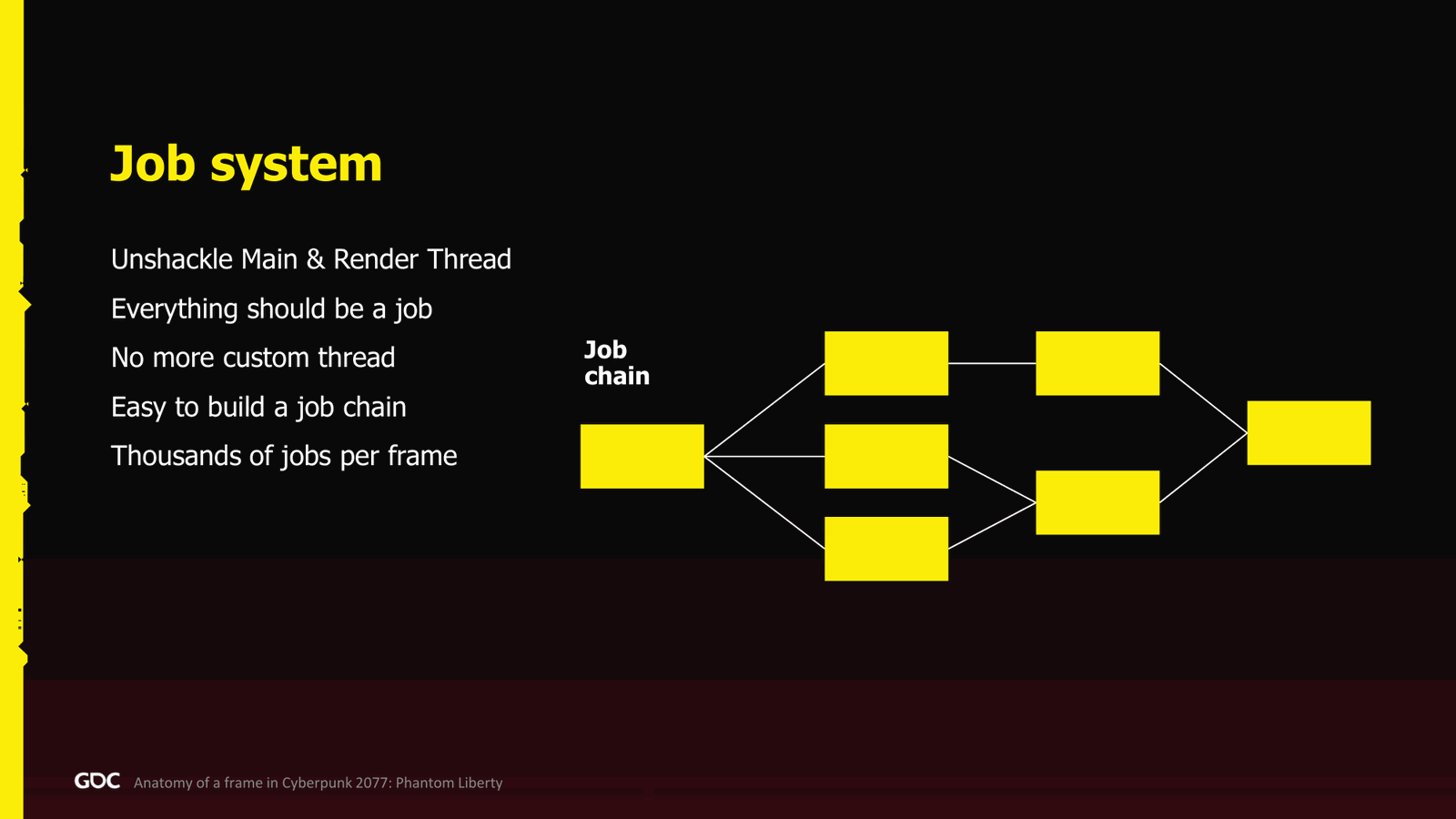
Because sometimes the gameplay, they’re not very used to use those kind of systems. They think in a very different way than me or some of us, maybe engine people. So he wanted them to finally be able to to think about how to do their system in a more multithreaded way. So he needed to be very simple. And in the end, we had something like two to five thousand jobs, maybe more, depending on the case. So yeah, if I say the word job chain, what I mean is basically a whole chain of job and all the dependency. This is what.We mean by that in the presentation. So, what kind of thread? We ended up in the main thread. We still had it in the end, but it simply just scheduled the first big job chain, which has all the update group, and then it acts as a regular job worker, stealing some jobs from the others, and at the end, it just waits for the completion and kicks the.
Slide 14 — 00:12:04
📌 要点汇总
- 添加了其他工作线程,通常最多扩展到12个,之后性能略有下降
- 保留了异步I/O线程,部分中间件未适配工作系统
- 添加了自定义线程用于遥测功能
- 系统分为“世界系统”和“游戏系统”,分别对应世界生命周期和游戏整体生命周期
- 系统间通信需注意线程安全,但无强制规则保障
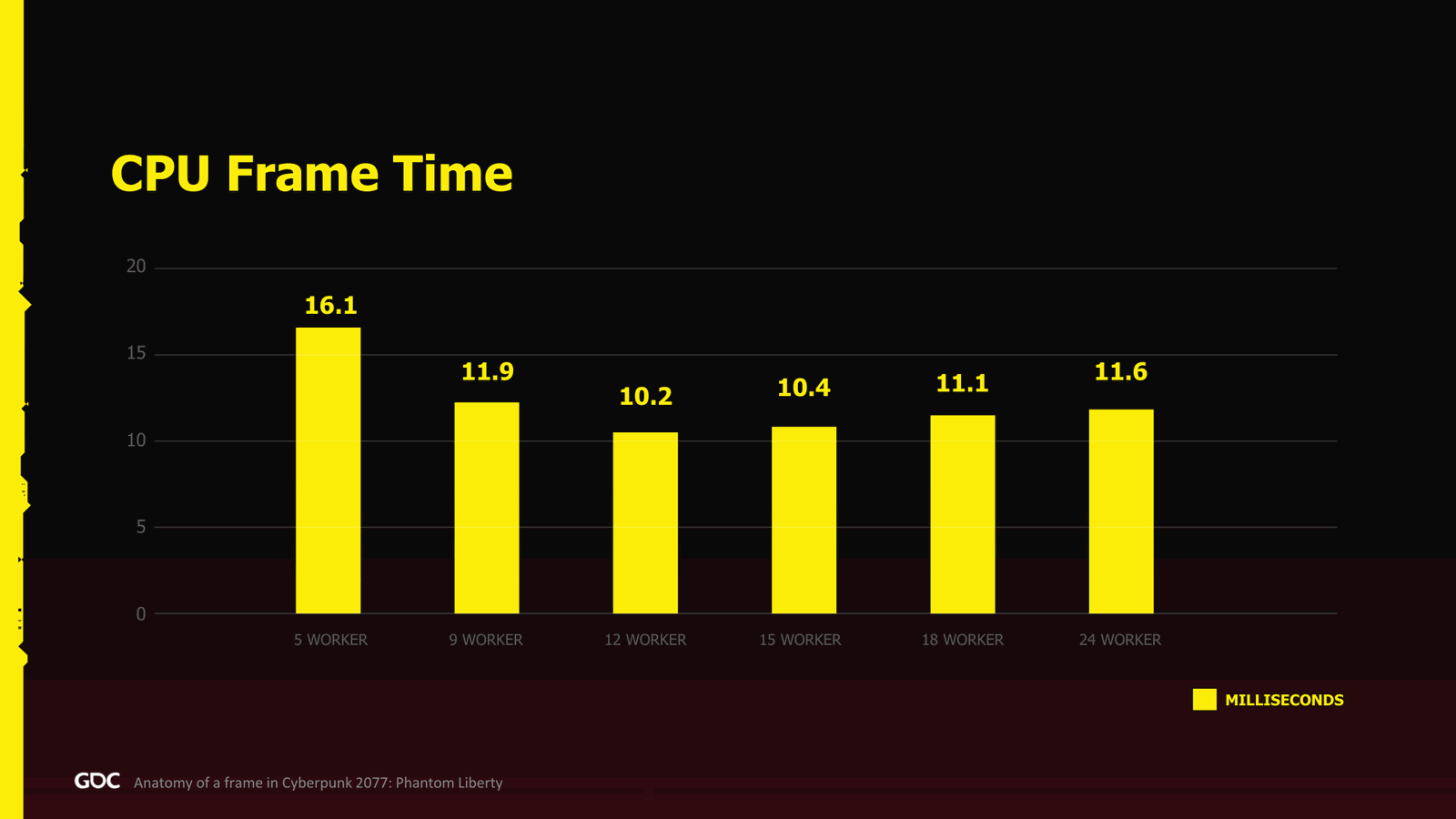
Then we add other job thread. Most likely, in the most of the case, it was scaling up to twelve. After that, we start to lose a bit of performance, but I will address this at the end.
We still had async I/O thread. Some of the middleware we did not manage to fix to use our job system.
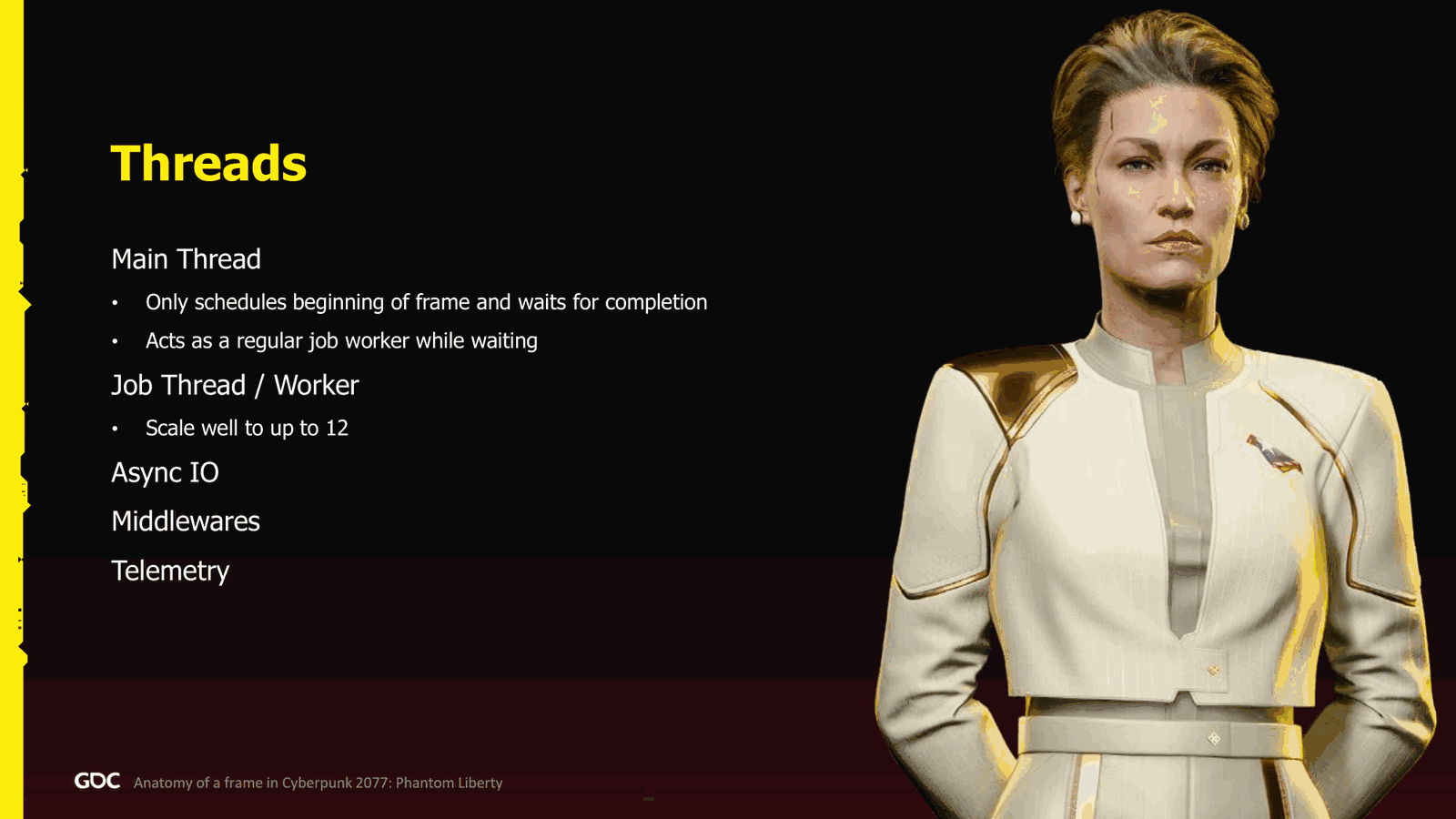
And telemetry, we add a custom thread. Other thing we had when I said the word system, what do we mean? We had two kind of a system. The first one is the world system where.were limited to the lifetime of the world, and the game system were the whole life of the whole game, and these were the main method to register to the frame update.
Those systems could talk to each other, but we had to be very careful about thread safety. We didn’t have any way to; there was no mandatory rules.
Slide 15 — 00:12:54
📌 要点汇总
- 系统间通信需要开发者明确安全与错误保障的权责分配
- 提供了一个简短代码片段用于注册到特定更新组
- 通过一个名为 registrar 的对象实现系统创建时的注册机制
- 可指定在特定更新组(如 pre-bucket、character bucket)中执行特定逻辑
- 在 pre-PhysicsX 更新组中执行射线检测(raycast)
- 世界流(world streaming)是该系统的一部分
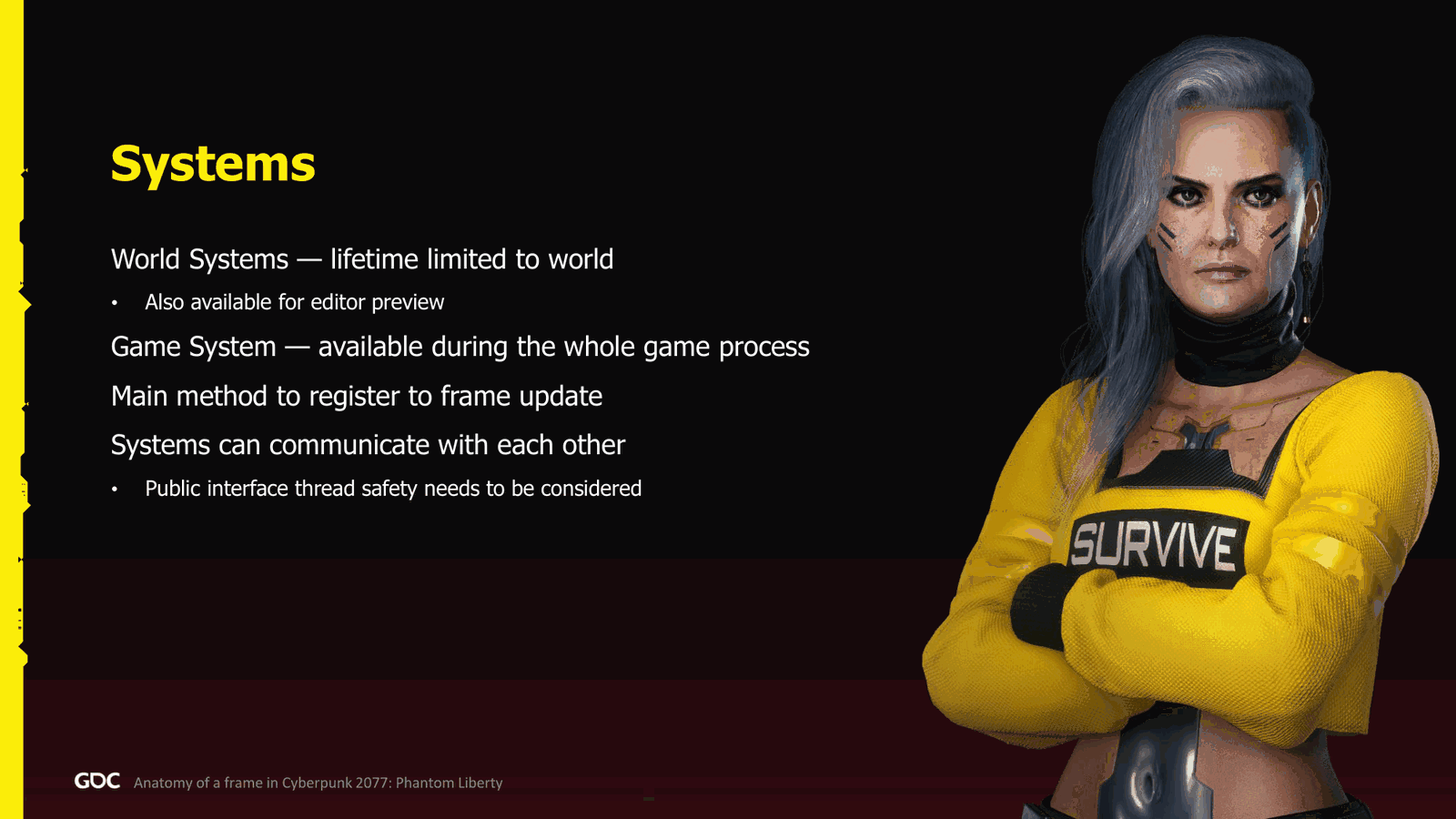
For communication between the system, it was the developer had to figure out what does the trade safety and bug guarantee gives to the others. Quick code snippet here, which is probably the only one in this presentation. So for some people that like it, I’m sorry. So people that don’t like it, good for you. This is how we register to a group. Basically, there was an object called the registrar that we pass to every system when they are created, and you can say, okay, I want to be, I want to run this lambda in.This update group. In here, it’s the pre-bucket. We want to run the update component for the audio, and then in the character bucket, during the pre-PhysicsX update group, we want to run some raycast. Very simple. All right, world streaming. So we have.
Slide 16 — 00:13:44
📌 要点汇总
- 系统分为三个主要部分,其中第一个是井流系统(well streaming system)
- 井流系统负责决定哪些区域(sector)需要加载或卸载
- 区域(sector)以立方体形式表示,包含位置、资源和可见距离等信息
- 初始时系统在帧开始时运行,后改为帧结束时运行以避免阻塞帧
- 系统运行时可循环处理,允许更灵活的时间管理
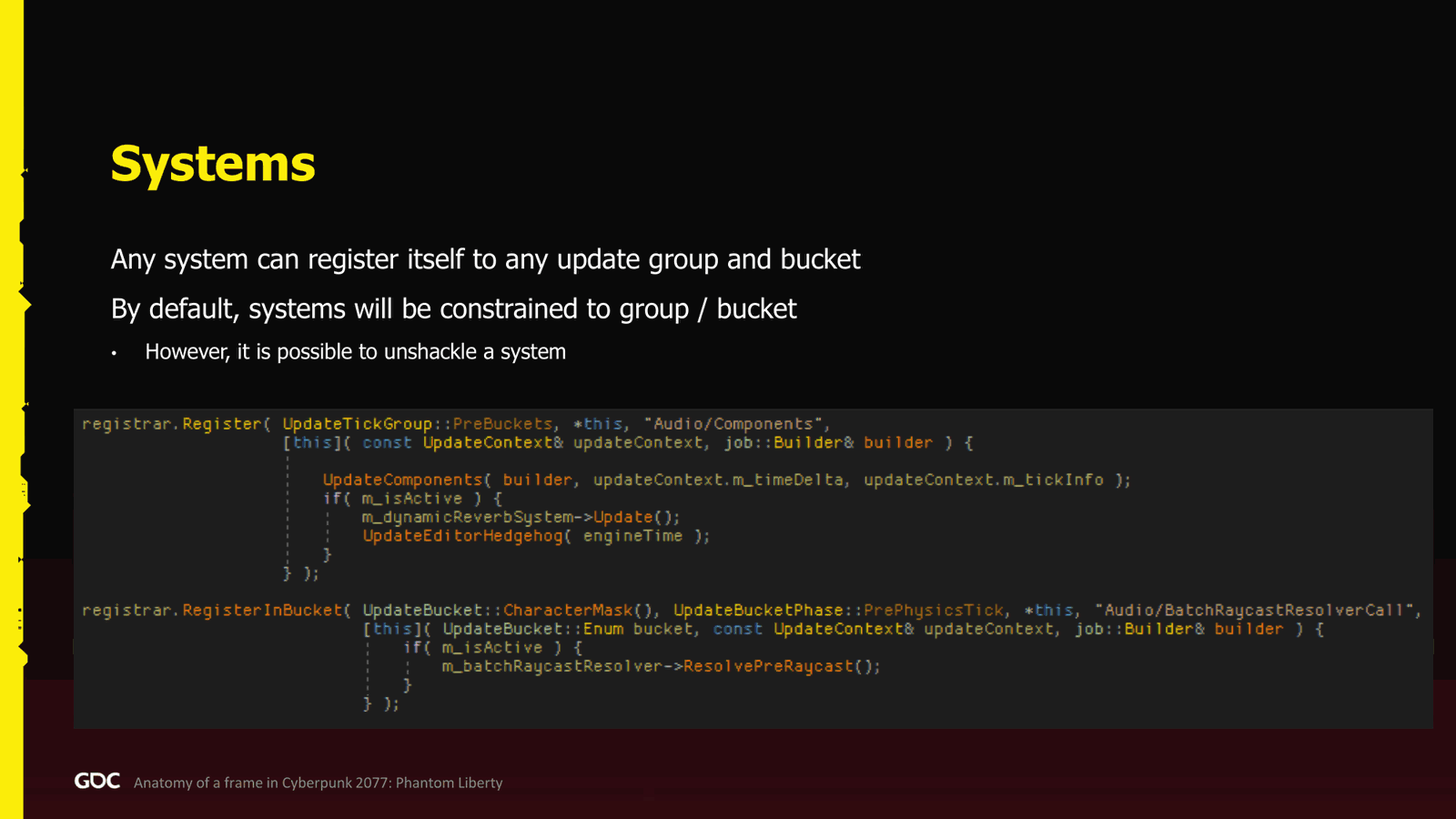
Three main system there. The first one, the well streaming system. Well, simple name. This one is responsible to decide what sector needs to be streamed in or out. What is the sector for us? It’s basically a cube. We have all the payload representing those position in the well. So a payload could be a mesh. It has a position. It has a resource. It has a distance, a distance where we want it to be visible from the player or streamed in.And then we load those big chunk of data, and then from there we can finally decide what we need to stream in the game. Fun fact: we at the beginning we had this at the beginning of the frame, but then we realized that the only thing I need is the camera position. Therefore, we put the system at the end of the frame, and we loop around, so we can take as much time as we want. We don’t need to block the frame.
Slide 17 — 00:14:35
📌 要点汇总
- 节点流处理负责决定哪些节点或负载需要流入或流出
- 节点流处理直接继承世界流系统的逻辑
- 实体系统用于处理实体的附加、分离和生成,如自动售货机或自动驾驶车辆
- 更新组用于管理流处理的当前状态,便于跟踪进度
- 演示中用黄色高亮当前所处位置,避免观众迷失
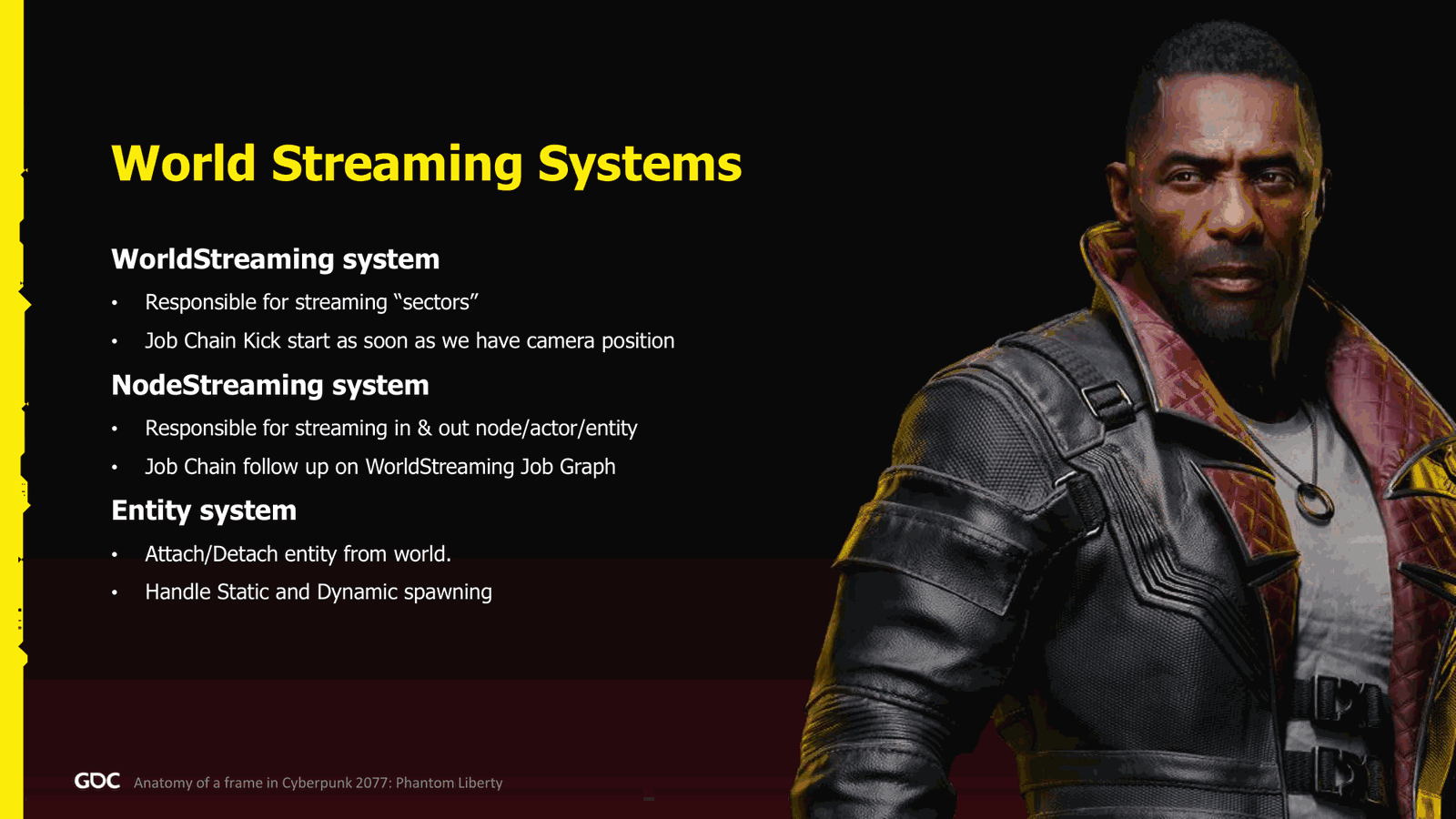
To do this process. Second one was the node streaming. This one is the one that takes those nodes or the payload and now decide which one needs to be streamed in, streamed out, and how. It followed directly the world streaming system. So when the job chain of the world streaming finished, this one kicks in.
Finally, the entity system. Very simple. It handles how to attach, detach entity, how to spawn them. So it handles like how to spawn, let’s say, a vending machine in the game. Or autonomous vehicle.
So, now on the top, I hope that is visible. This is the update group, right? And from the presentation, I will highlight in yellow where we are, so that you guys are not too lost in the frame. So right now, for the well-known streaming, we are in the player aim.
Slide 18 — 00:15:25
📌 要点汇总
- 黄色方框表示单线程任务
- 多个方框重叠表示并行四线程任务
- 灰色或白色方框表示可随时完成的“fire-and-forget”任务
- 系统从扇区流式传输开始,决定哪些扇区需要加载或销毁
- 每个节点都会并行检查,生成对应的位图(bitset)
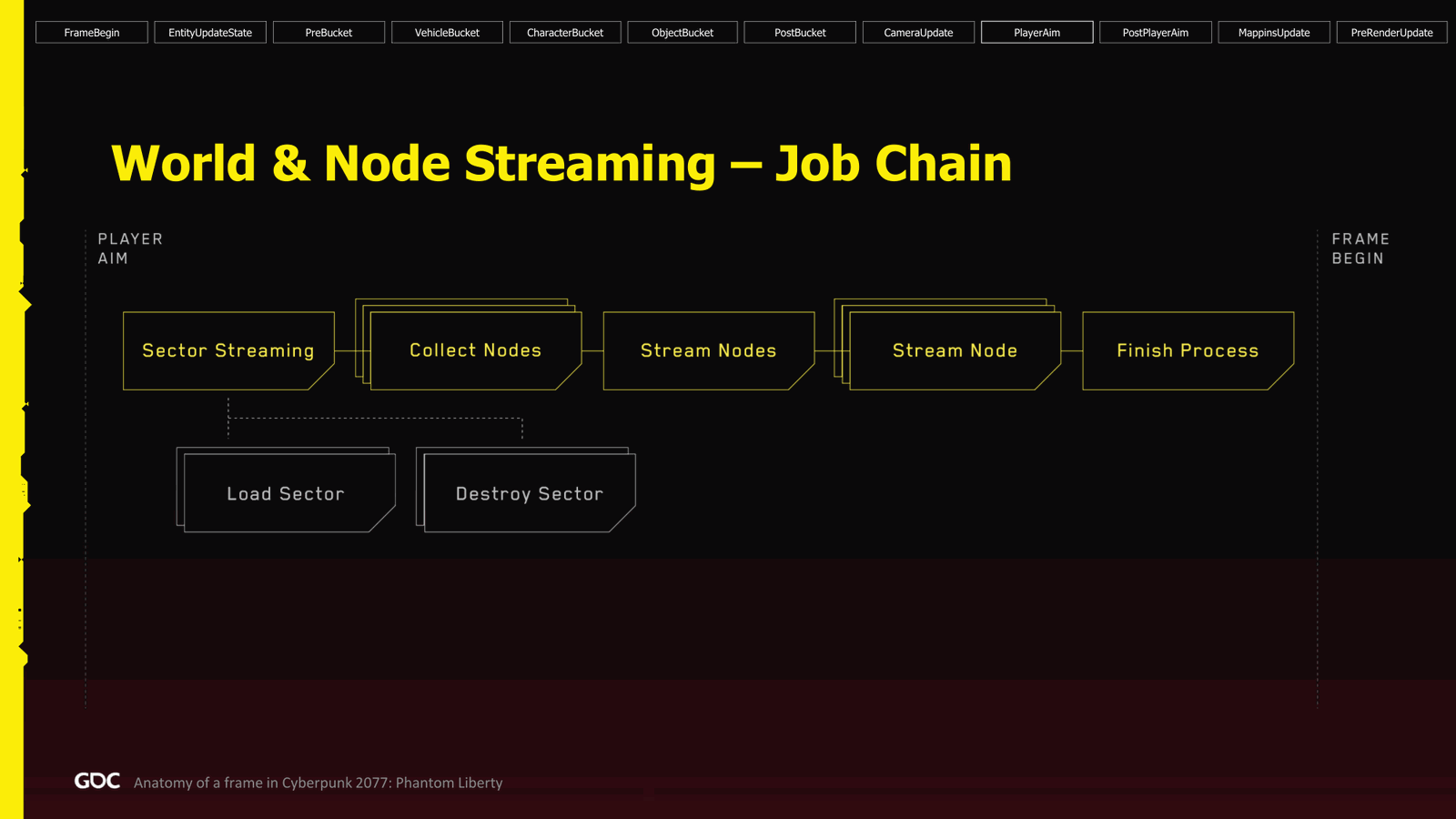
Of the group where we kickstart the process, for the visualization of the job chain, when you have one box yellow, it’s a single-threaded job. When you have a box which has multiple box overlap, it’s a parallel four, and the grey one or white for you, maybe they are like a fire-and-forget job that can finish whenever they want. So for the system, we start with the sector streaming, where we decide which sector we need to steam in and out.
From there, we can fire the fire-and-forget streaming of those sectors, so we can load or destroy those sectors. From there, we check every single node, and I say every single node. We do check every single node in parallel, which one needs to be streamed in, and which one needs to be streamed out. We generate those bitset.
Slide 19 — 00:16:15
📌 要点汇总
- 每个任务并行处理,各自加载网格和资源
- 每个任务处理约10,000个节点
- 单个任务耗时约15微秒,整体处理耗时约100微秒
- 并行执行使任务时间分布较宽,但效率较高
Right, and from those masks, we can now figure out which one we need to pass to the next process to stream node. So we go parallel for every single one. We go, okay, now it’s your time to load your mesh, load whatever resource you have, and finally we accumulate the result about what is finished for the next process, which is attaching.
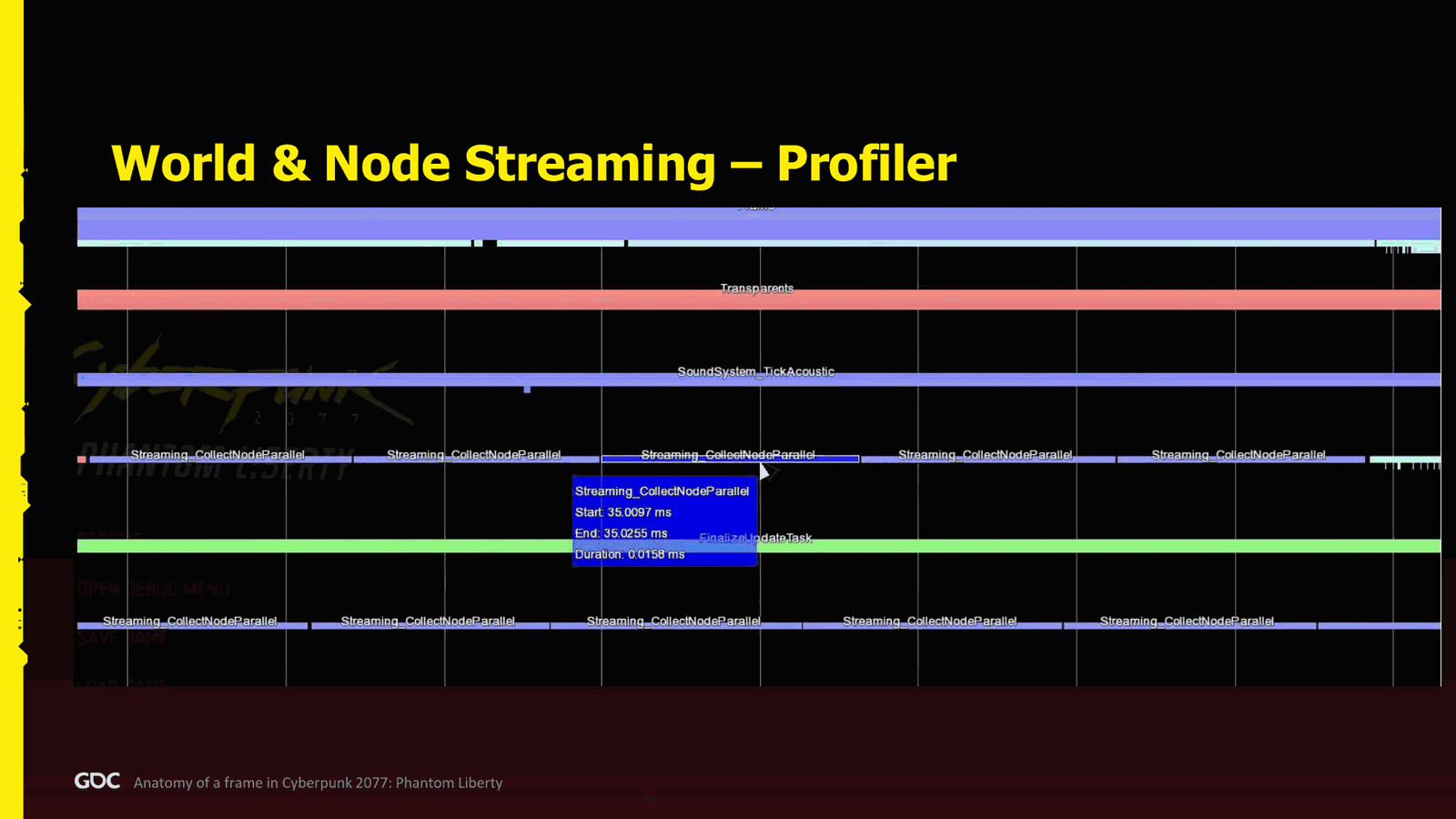
So in the profiler, if I zoom in more closely to the this specific process here, this is the.Streaming where we collect the node, one job was taking about 15 microseconds. This goes really quite wide.
In this example, we don’t see that as wide because other jobs are running in parallel at the same time. But it was pretty good. From every single job, we’re processing something like 10,000 nodes, and as I said, we’re doing every single node, so the process was taking about 100 microseconds.
Slide 20 — 00:17:05
📌 要点汇总
- 旧一代主机上完成整个流程仅需数秒,表现良好
- 每帧开始时进行节点管理,包括节点的附加和分离操作
- 节点附加和分离操作均并行执行,无串行操作
- 约 80-90% 的节点可并行处理,剩余 10% 因实现难度高而放弃并行化
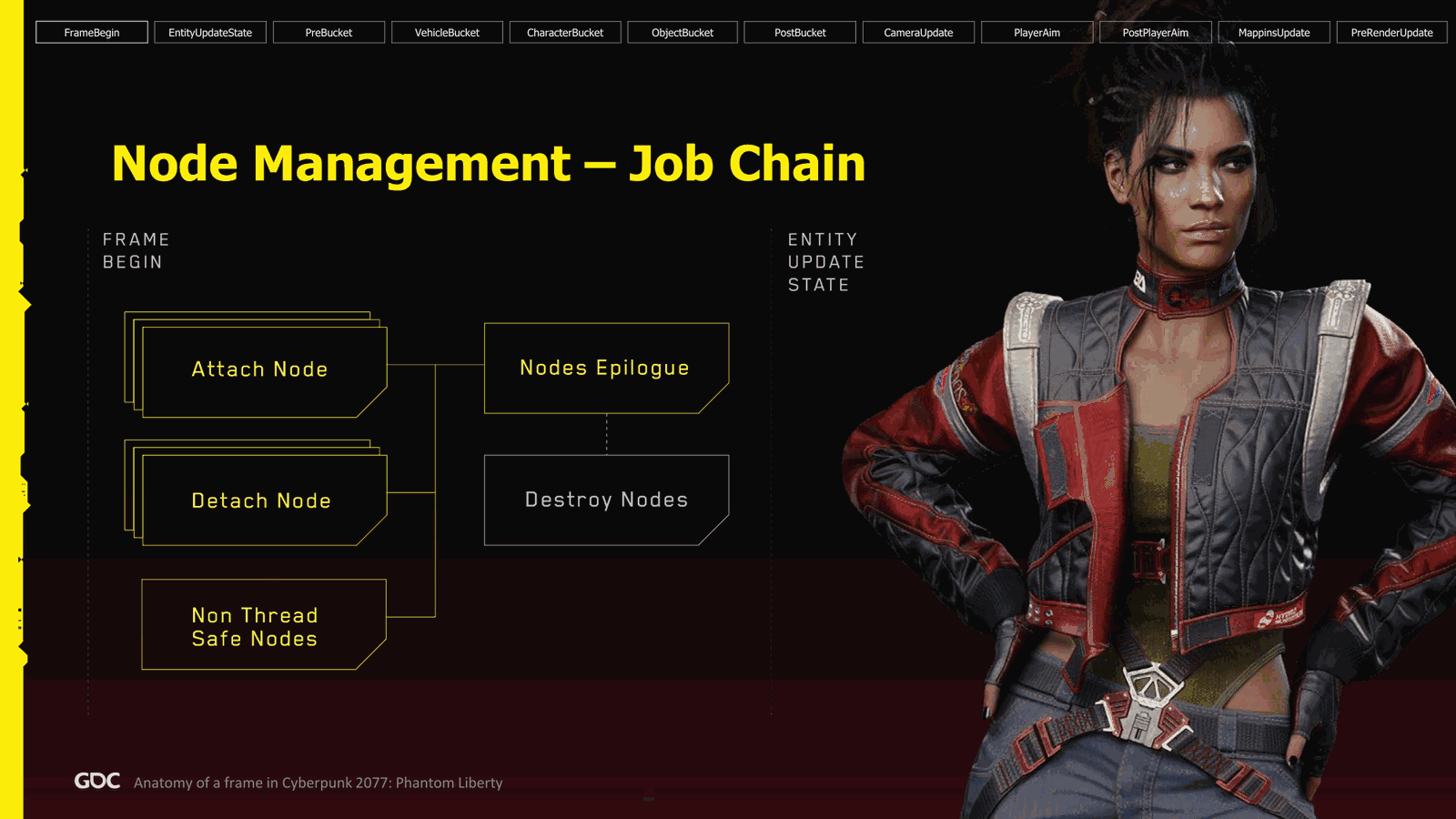
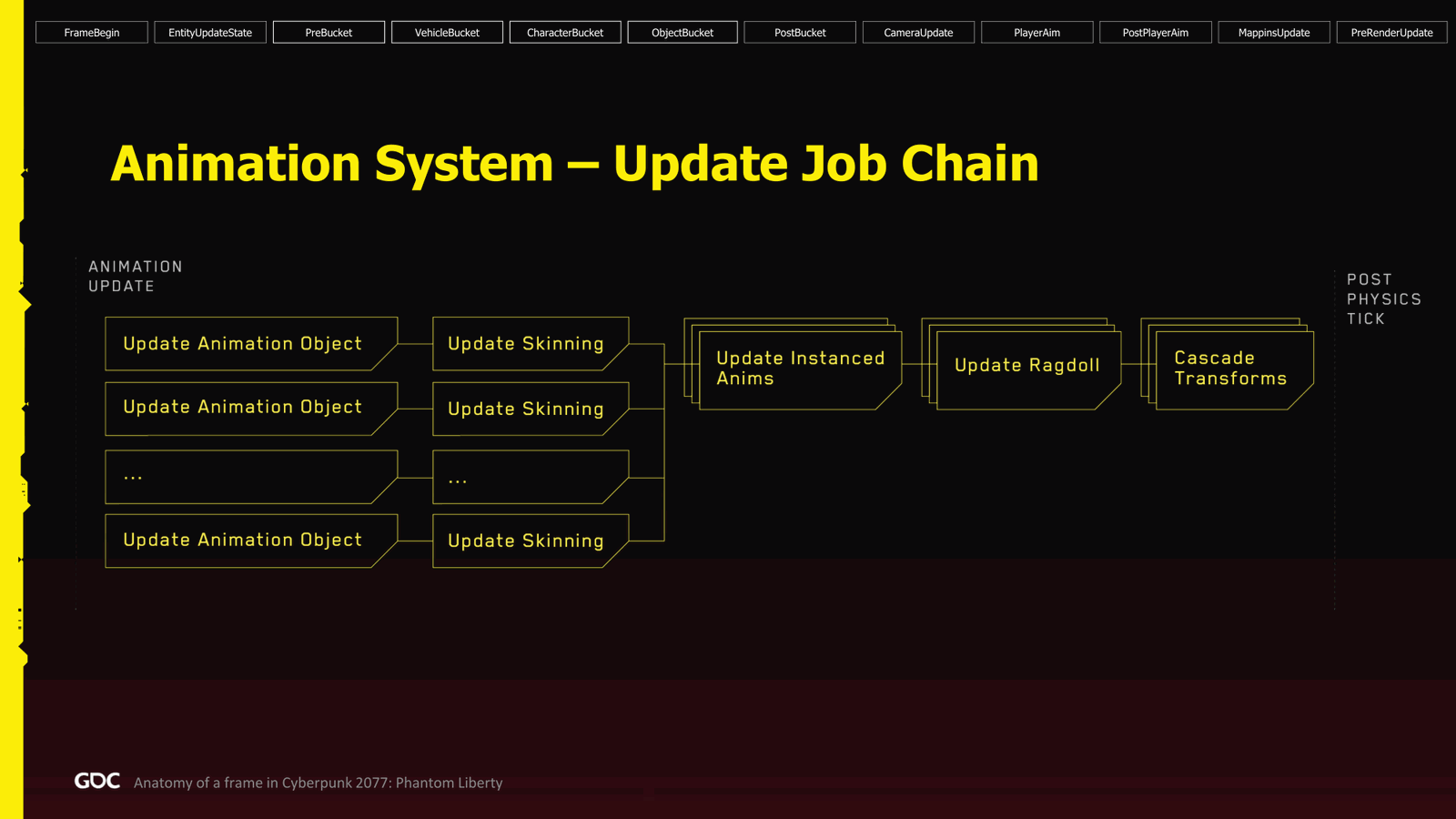
Seconds on old Gen console to do the whole process, which is quite good. Next step, we go back to the beginning of the frame, the frame begin, and we do the node management part. First thing we do in parallel, we do all the attach and detach of the node. So when the node is ready to be in the world, we call attach on it. Basically, we’ll register, is for example, render proxies the renderer, so it can be now rendered, or remove it, and so forth. All of them goes in parallel.Nothing in serial. The little detail in the bottom is the non-thread-safe nodes. So about 80 to 90% of the nodes were made in parallel, but the last 10% we kind of gave up because it was so so much effort to make it in parallel versus just you know okay we have one job.
Slide 21 — 00:17:56
📌 要点汇总
- 采用单线程处理节点,确保流程顺畅
- 节点分离后异步销毁,避免影响主帧性能
- 实体系统处理实体更新状态,控制生成请求数量以防止CPU过载
- 每帧生成多个实体,但需限制数量以维持性能
- 通过单线程事务处理实体属性变更,如武器附加或外观修改
Process all those nodes single-threaded way. Perfect. We move on, and the rest is parallel. It fits perfectly on the frame. I’m happy. And finally, when we’re done, when the nodes are detached, we kick them in a fire and forget to be destroyed asynchronously, so not to bug the frame.
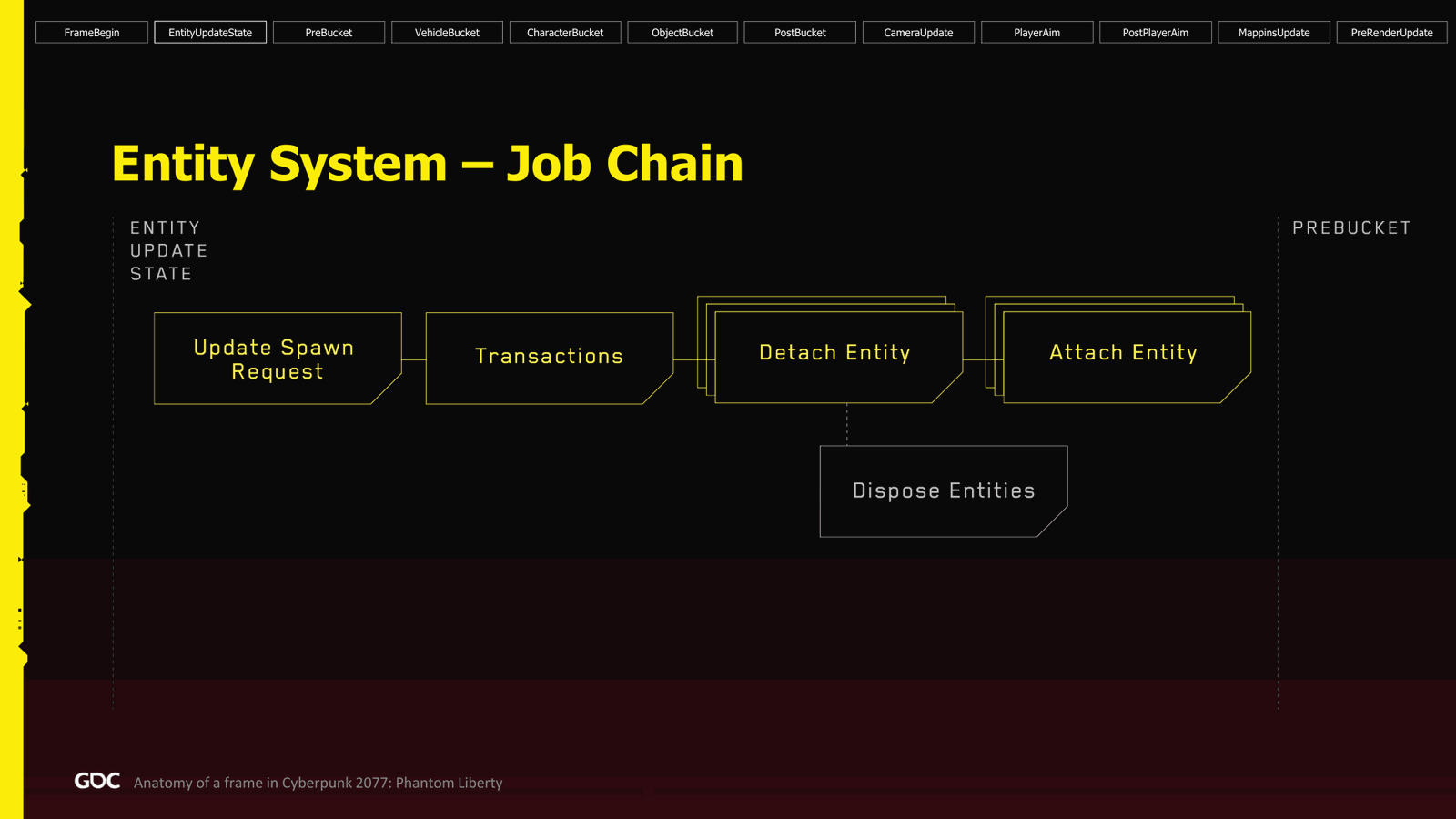
So now we go to the entity system, which is the next phase: entity update states. So the first thing we do, we figure out how many spawn requests we have. Because we were kind of throttling them a little bit, because if we spawn too much, it can definitely kill the CPUs and the performance. So we’re sending quite a few every frame. Try to make sure we don’t have too much. From there, we do the transaction in single-threaded way. The transaction where I need to attach a weapon to the player, or I need to change an appearance.
Slide 22 — 00:18:46
📌 要点汇总
- 所有实体的复杂操作均在实体所在位置执行
- 实体分离和附加操作按顺序处理,附加操作可并行执行
- 保证所有附加或分离操作在同一帧内完成,无论数量多少
- 实体销毁时创建“fire and forget”任务,避免阻塞帧处理
- 视频中未展示大量附加/分离操作,因其对帧率影响较大
of a of a character or any complex operation on the entity, we do it there. And after that, we process all the entity that needs to be detached, followed by all the entity that need attach in parallel. One guarantee we’re giving to the user or the person spawning is that when you call attach or you schedule it to be done attach or detach, it’s done the same frame, regardless of how many I have. So if I have a hundred, they will all be done in one frame. Finally, when the entity is marked to be destroyed, we also.Create a fire and forget job, so we don’t have to block the frame, destroying those entity. So in the video I show, there was not a lot of attach and detach entity. Why? Because they’re super heavy, and if I’m starting spawning, then you will the frame rate will drop. So I didn’t do it. I kind of acted a little bit, so we.
Slide 23 — 00:19:36
📌 要点汇总
- 脱离过程耗时超过300微秒,对性能影响极大
- 当任务数超过核心数时,可能导致严重性能问题
- 优化困难,每次优化仅节省少量时间,效果有限
- 资源流处理在后台低优先级执行,避免影响游戏或渲染线程
- 即使优先级最高,仍需进行流量控制以确保系统稳定
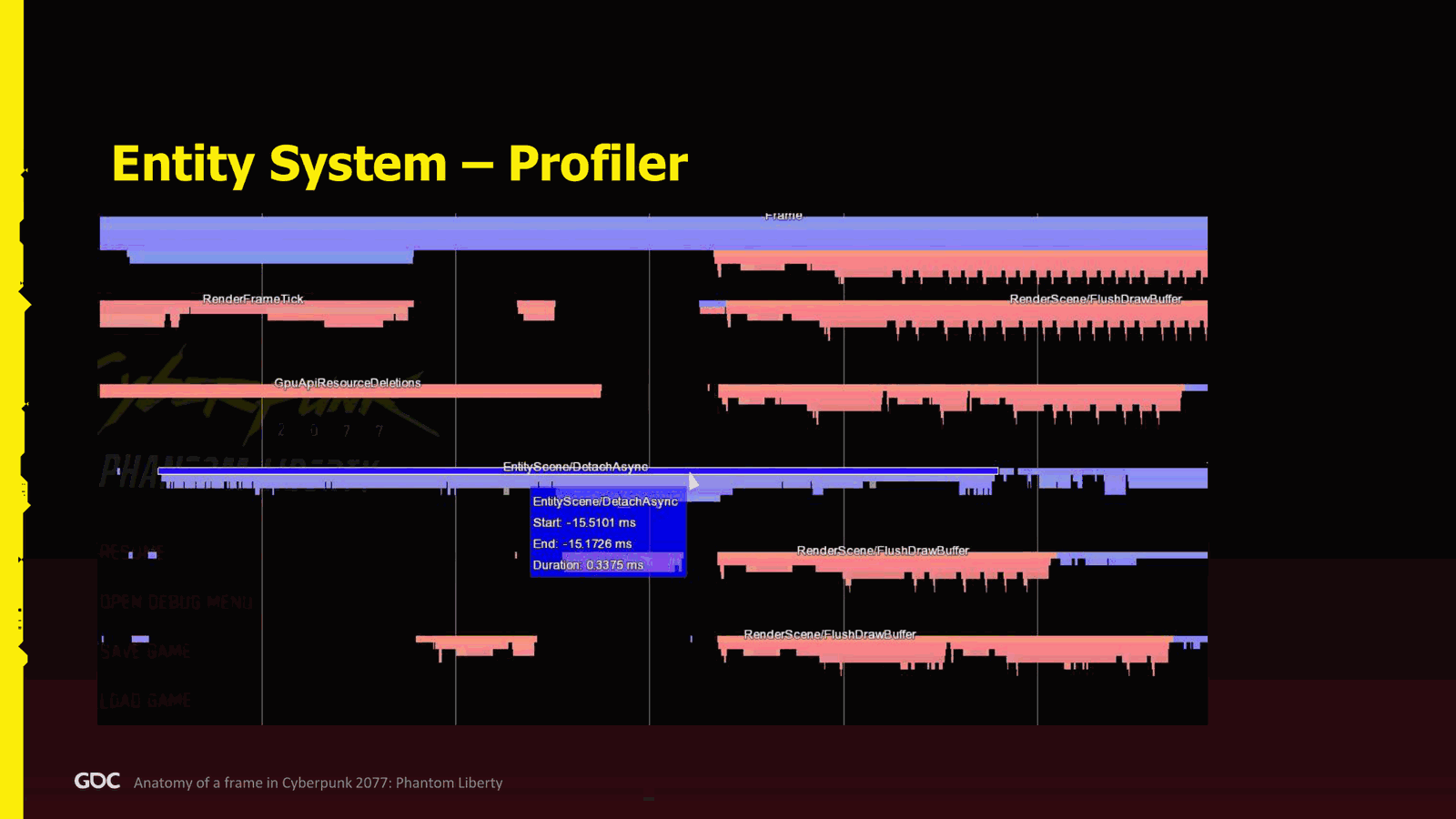
But I scroll a little bit in the past to show you one of the detach process here, and as you can see, it takes 300 plus microseconds, so extremely heavy. So if we have more than the number of core that you have, you can get in problem. You can get in serious trouble. Also, to optimize was very hard because it’s kind of death by thousand needle. There’s so many thing happening that every time you optimize, you just save a few nanoseconds or microseconds, and we didn’t manage to get.Process very, very well.
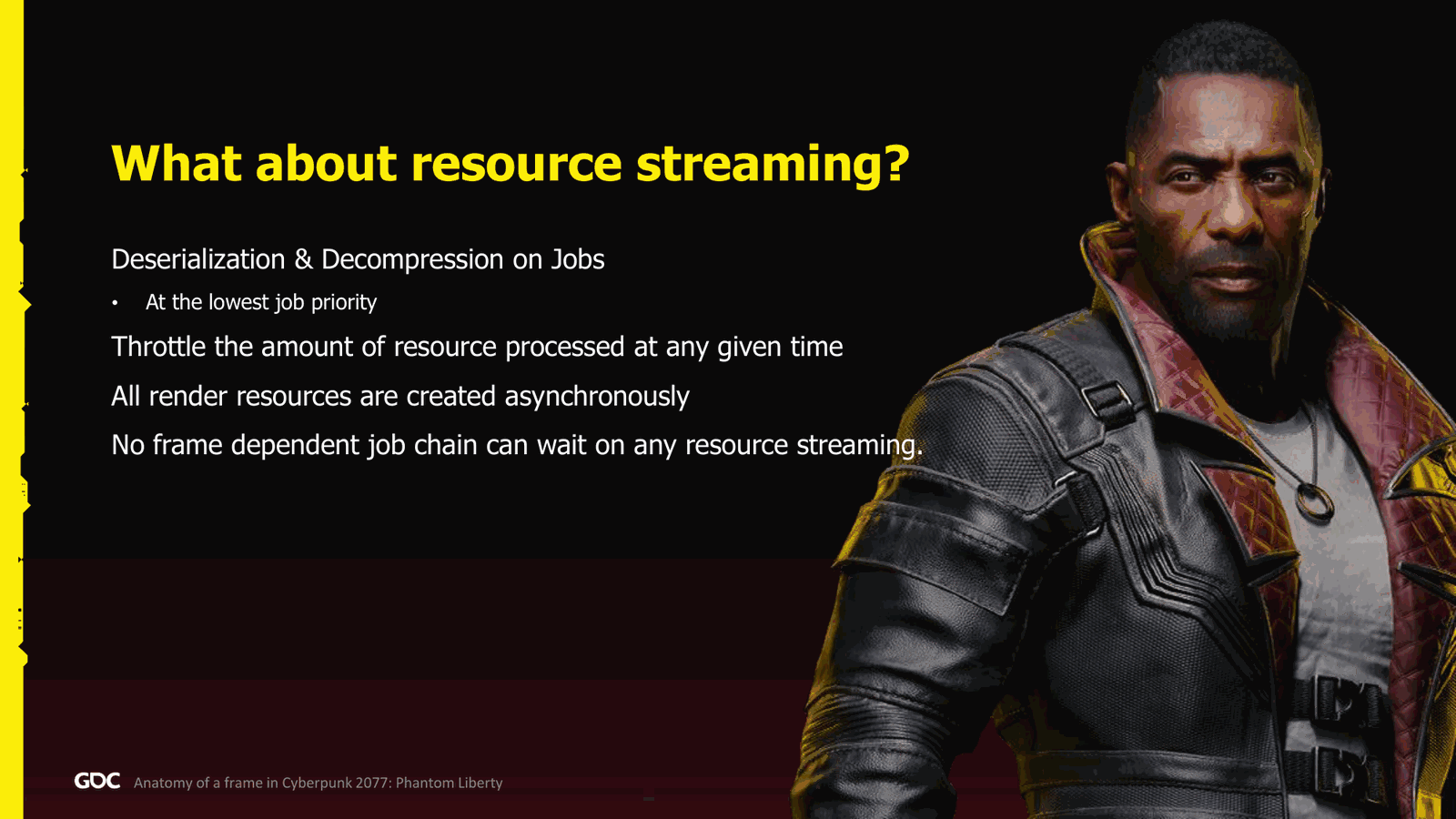
So, what about the resource streaming? Well, all the decolorization and decoporation went done on job, and they were done at the lowest priority, of course. So, done to keep not to steal the control from the job worker from the game or the rendering because they were less important. We do throttle because even if we have highest priority, we
Slide 24 — 00:20:26
📌 要点汇总
- 多任务同时运行可能导致CPU资源被完全占用
- 所有渲染资源的创建必须异步进行,不能在帧内执行
- 帧内仅进行资源注册,不实际创建渲染资源
- 任何作业链都不能依赖资源流,否则可能导致帧阻塞
- 强制获取资源(如立即加载网格)可能导致帧延迟甚至数秒卡顿
- 机械硬盘读取速度慢,更不能接受同步资源加载
- 曾有多位开发者误操作导致性能问题,需大量教育纠正
- Profiler 中提供了资源相关分析工具以辅助优化
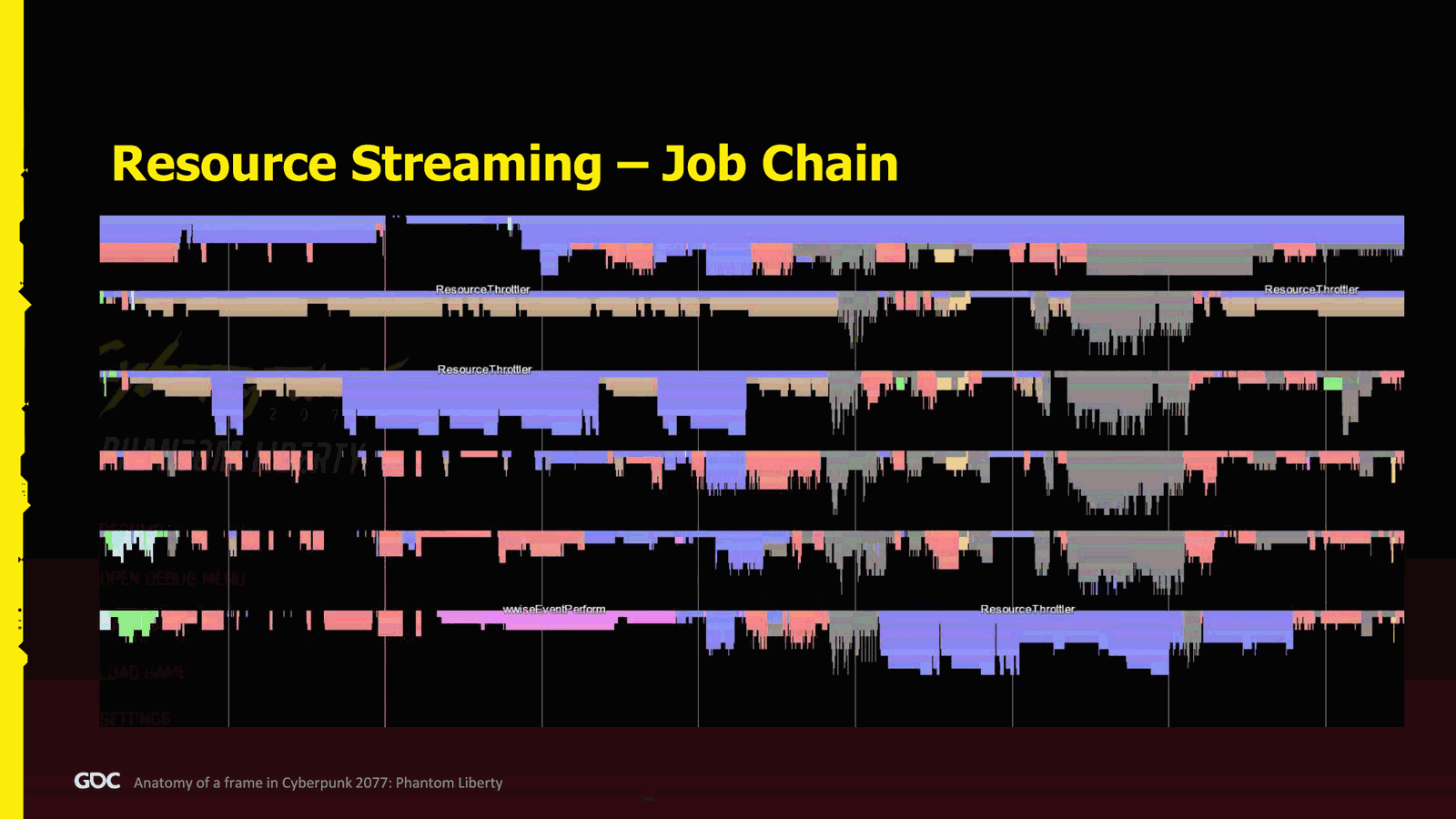
It can steal all the CPUs if there’s too much going at the same time. Important: all the render resource we did everything async, not in during the frame because they are too expensive. So usually during the frame, when we attach or something like that, we just do a simple registration to the renderer, and we don’t create the render resource. And finally, no, and I repeat, no job chain can depend on any resource streaming. So you cannot say, “I want this mesh now.” I’m going to block the whole frame. Thank you. I’m.Continue. It cannot work because it can take seconds, right? Or depending on your hardware, mechanical hard drive can be very slow. We cannot do that. And it did happen quite a lot that some people, by accident, did. And it it took a lot of education to fix this this mentality in some of the of the developer. So here in the profiler, we had what we call the resource.
Slide 25 — 00:21:16
📌 要点汇总
- Strutler 控制了解压和反序列化的数量,同时最多仅处理两个任务。
- 当一个任务完成时,另一个任务会立即启动,保持两个任务同时运行。
- 某些平台仅允许一个任务同时运行,以避免性能下降。
- 车辆系统集中管理所有与车辆相关的内容,包括悬挂、碰撞检测和武器瞄准等。
- 系统还负责交通避让,实现方式较为集中。
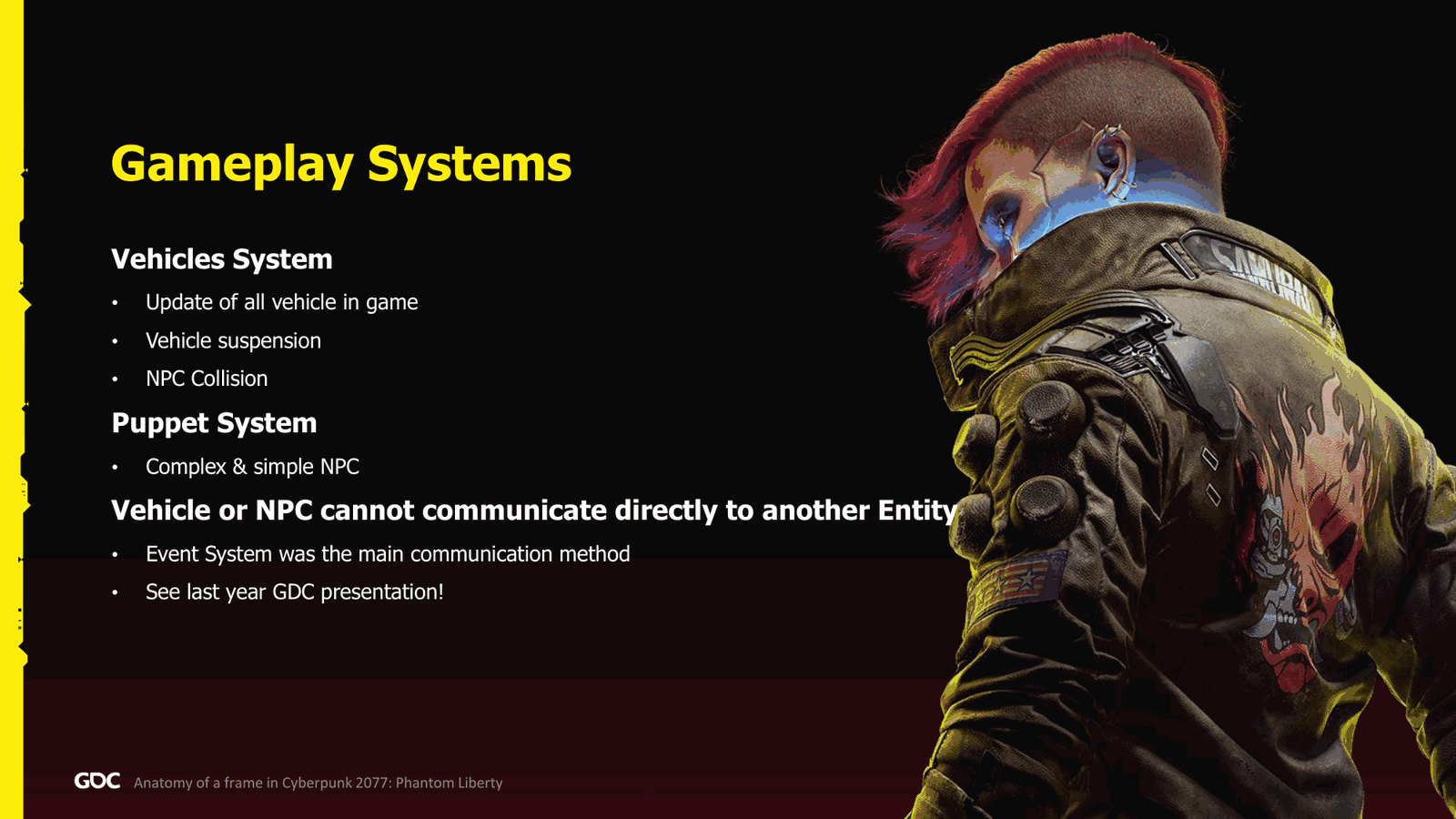
Strutler, which is what managed the number of decompression and deserialization we have, as and you can see, we only have twice at the same time. So in the left, we have two at the same time. When one finish, one on the bottom kick start, and then another one on the top. So always two. And in some platform, we only had one at the same time, also because it can kill performance. Okay, gameplay. So I will go briefly of two systems. The first one is the vehicle. So the vehicle system.Very simply, it manages everything related to vehicle, and I say everything. So it will update all of them. It will handle the suspension of the vehicle. It will figure out if I’m hitting an NPC or the player, and it will also manage the weapon aim. It will manage the traffic avoidance. So it was quite centralized into one big system. Second one is the.
Slide 26 — 00:22:07
📌 要点汇总
- Puppet系统负责处理所有复杂和简单NPC,包括玩家
- 禁止车辆与NPC之间在更新期间进行通信,以避免状态冲突和内存风暴
- 引入复杂事件系统用于实体间通信
- 可参考2023年GTC演讲中的“射击肉袋”示例了解具体实现
Puppet system. This one handles all the complex and simple NPCs, including the player. Very important note: we did not allow any communication between vehicle or NPC and vice versa during those updates, because, well, most likely at some point one of them will be updated at the same time, and if you do change their state, you’re most likely going to crash or create some memory storm. So we introduce a quite complex event system to allow.
To communicate between entity, so if you want more info, I had quite an example in the last year GTC presentation, two thousand and twenty-three, where I present how I we are doing shooting a meat bag, for all the example. So if you are interested, you can check it. So how does it look like now, in the frame? So.
Slide 27 — 00:22:57
📌 要点汇总
- 在车辆更新流程中,首先执行“begin update”以检查是否需要召唤或移除车辆
- 若有车辆待注册,会在该阶段完成注册操作
- 当摄像机检测到远处车辆时,可选择将其传送至更近位置,避免移除和重新生成
- 并行执行“vehicle pre-update”,用于更新AI或自动驾驶逻辑
- 最后执行“fix update”和“suspension”以完成车辆状态调整
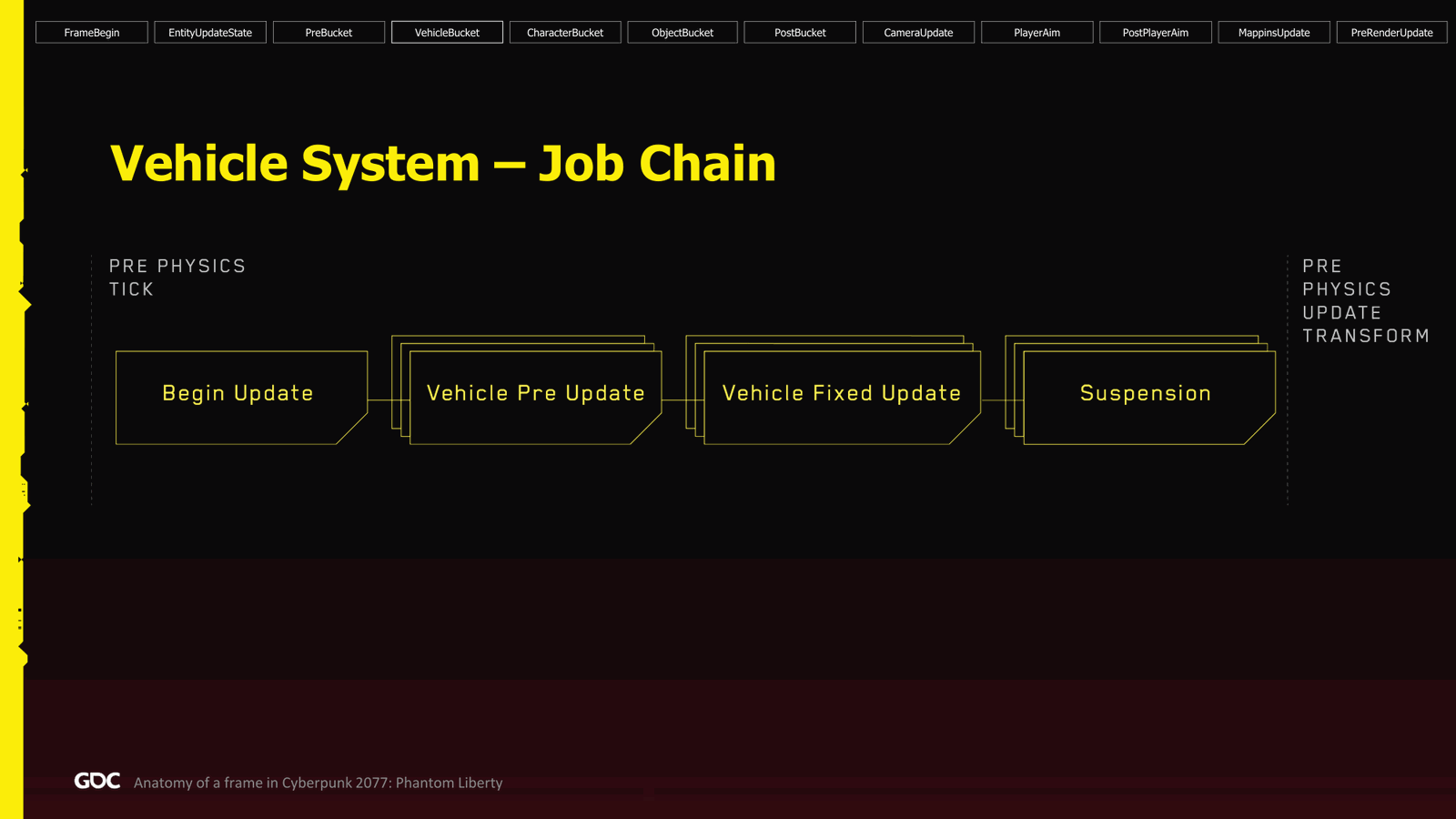
So, for the vehicle, we are in the vehicle bucket, and we start here in the pre-physics ticks. First thing we do, which we call the begin update, here we try to see if we have a vehicle to summon, see if we need to dispawn a vehicle from the game. If we have any vehicle that are pending to be registered to system, we do it there. Sometimes, if we the camera sees and there’s vehicle behind us, maybe we can teleport those vehicles that are too far and put them closer.Rather than disbanding them and doing the whole process, yeah. So after that, we go to the vehicle pre-update in parallel. This one is that if there’s an AI, this is the time to update it. Also, if there’s an autopilot, we follow. After that, when all is finished, by the very the fix update, and finally the suspension.
Slide 28 — 00:23:47
📌 要点汇总
- 车辆悬挂系统通过插值处理,远距离车辆不处理
- 固定更新通过将刚体变化推送到物理系统实现
- 预更新耗时约 0.10 到 15 微秒,固定更新耗时约 25 微秒
- 后续步骤为车辆的后更新阶段,属于物理更新后的处理组
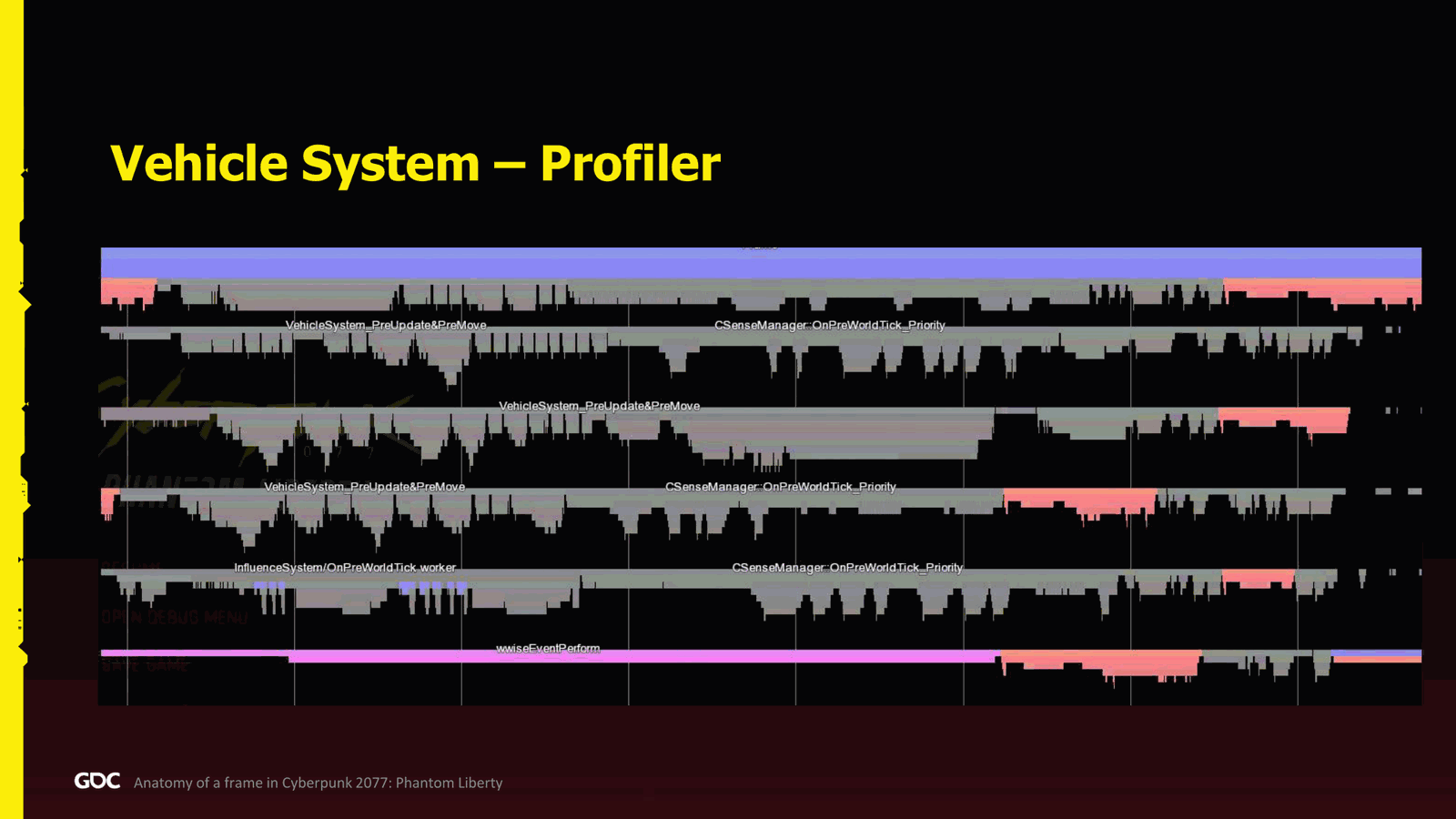
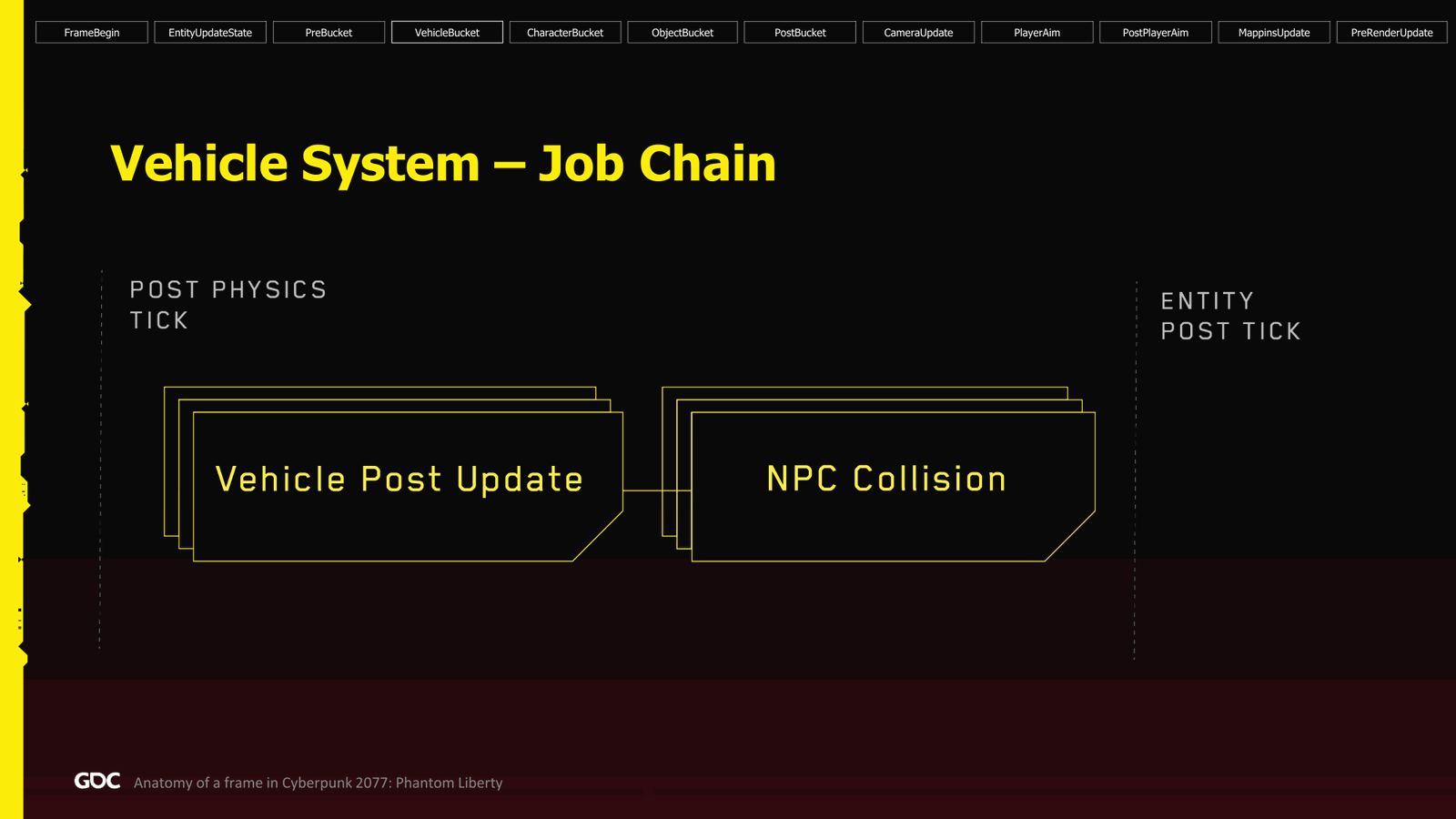
Suspension: basically, we just interpolate, you know, the vehicle suspension. If the vehicle was too far, we we don’t even process this, of course. But for the vehicles that are very close, we do. For the fix update, maybe I should mention also that it was simply just pushing the rigid body change to the physics side. So in the profiler, it’s actually not as bad. So the gray is the process. As you can see, it can use nicely packed CPUs. The pre-update was taking from.10 to 15 microseconds, and the fix update was something like 25 microseconds. So, great. Next step for the vehicle: the post updates. So we are still in the vehicle bucket, and this time, though, in the post physics, post physics update group. So the vehicle post update: this is where we update all the various.
Slide 29 — 00:24:37
📌 要点汇总
- 车辆状态判断包括是否在空中、是否处于战斗、是否需要避让交通等
- NPC碰撞检测需判断车辆是否撞到NPC、玩家、碰撞力度及是否触发物理效果
- 远距离简单碰撞检测耗时约0.1毫秒,近距离碰撞检测耗时约18微秒
- 对当前碰撞检测机制存在优化不满,认为其运行方式仍有改进空间
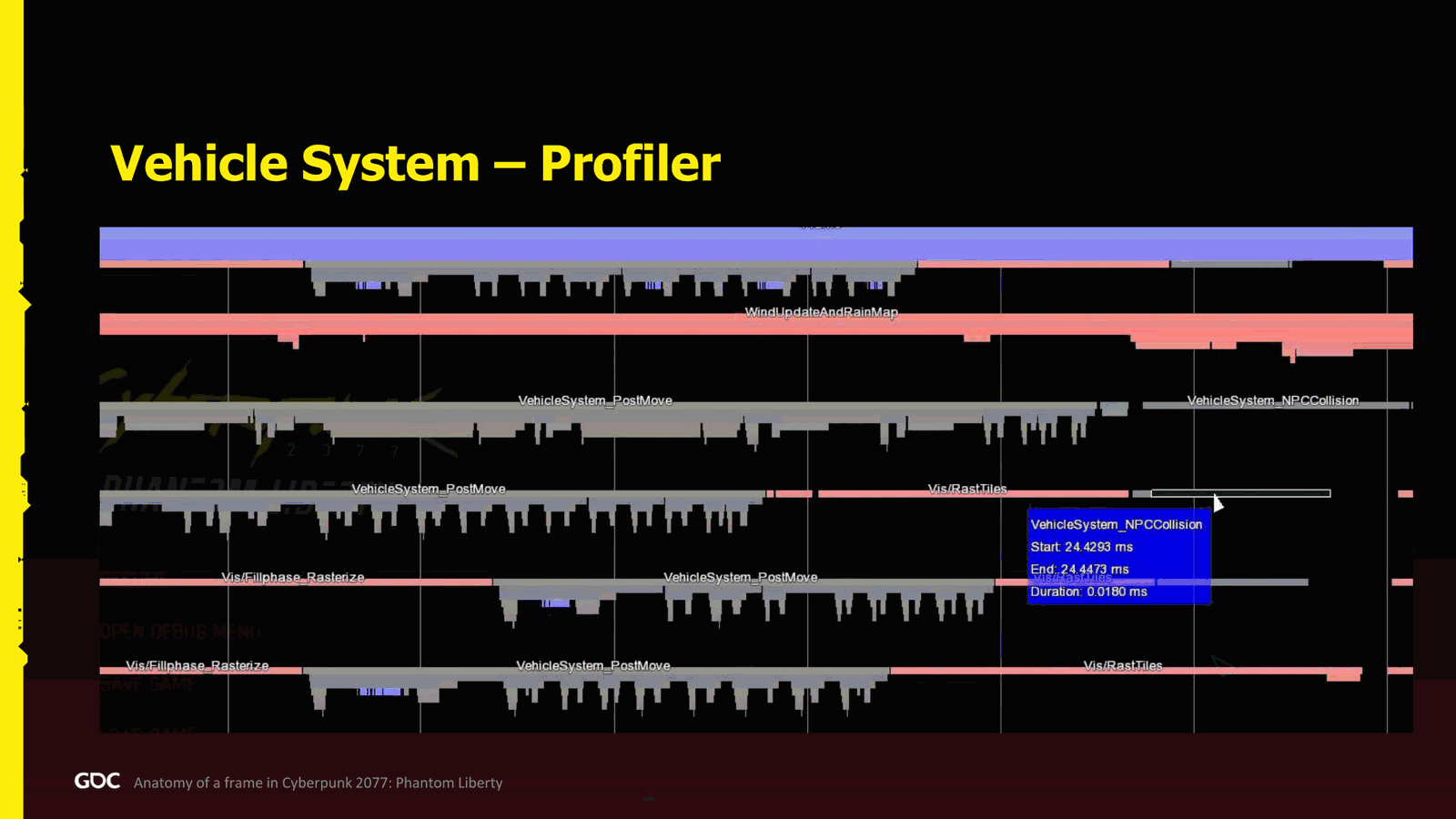
State of the vehicle. For example, if the vehicle is in the air, if you’re aiming in combat, if there’s traffic to avoid, anything related to that. When it’s done, we do the NPC collision. This one is checking well: if your vehicle, are you eating an NPC? Are you eating the player? Did you hit very hard? Do we go to ragdoll, or just a slight bump? And we need to apply hit damage. You name it. So here in the profiler, the post update was taking something like.100 microseconds for a simple one, like the one that are far away. The close one were a bit better. For the collision, something like 18 microseconds. I think we have it here. Yeah, 18 microseconds. But here I’m not super happy actually about how it works because.
Slide 30 — 00:25:28
📌 要点汇总
- 渲染过程填补了CPU处理中的空隙,提高了整体效率
- 角色处理中,复杂和简单角色同时发送,但优先处理复杂角色以优化CPU利用率
- 所有角色处理完成后,进入服务事件阶段,进行实体间的通信处理
- 复杂角色的定义未明确,需进一步解释
You see, there’s a lot of holes that are filled by the rendering. Actually, the rendering is really helping here. Thank God to fill the rest of the CPU. Otherwise, we’ll have a lot of holes. So, not great.
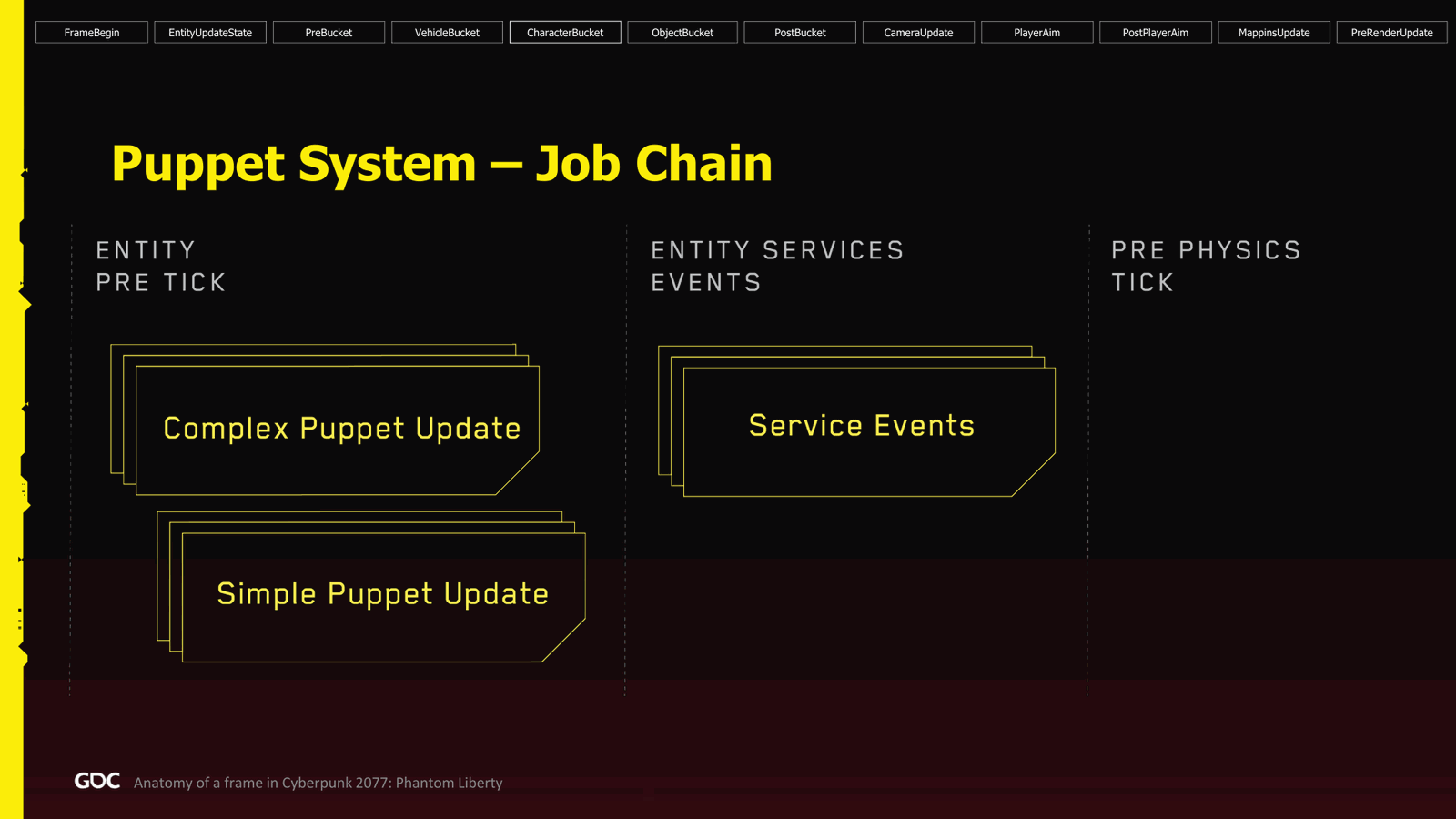
Next, for the character. So, in the character bucket, we start in the entity pre-tek. This one is actually very simple. We send all the complex and the simple puppet in parallel at the same time. However, we do send the complex one first because they are longer, and we do want the simple one to fill the gap on the CPU side.
When they are all finished, well, now we do the service event, which is what I said earlier, where we process. Now it is the time now to do all this communication entity to entity at a specific stage. You might ask, what is a complex?
Slide 31 — 00:26:18
📌 要点汇总
- 复杂系统(如 AI 或状态机)与简单系统在性能上表现相近
- 服务事件耗时 130 微秒,导致帧阻塞,影响整体性能
- 渲染线程在关键时刻避免了进一步阻塞,但问题仍需解决
- 若需扩展至更多 CPU,必须修复服务事件性能瓶颈
Versus a simple. Well, the complex is very simple. That’s an AI or you know a state machine. This is a complex. Otherwise, it’s a simple. So in the profiler, very good. Again, the strategy we had to put the complex one and the simple one really paid off in general. As you can see, they really finish at the same time. So that’s really good. However, here I highlighted the service event. It’s terrible. It’s at one hundred thirty microseconds and it blocks the frame. So.Until this is finished and nothing is really running except the rendering, which thank God saved us there, I will not be able to continue. So, if I want to scale more across more CPU, this will have to be fixed. So, who knows? We will have to go there and see what’s going on there. Animation. So we.
Slide 32 — 00:27:08
📌 要点汇总
- 动画系统是唯一的主要系统,组件自行注册并按桶并行更新
- 通过实例化管理大量人群动画,避免重复计算节省CPU资源
- 仅对可见或靠近玩家的动画进行更新,其余不进行计算
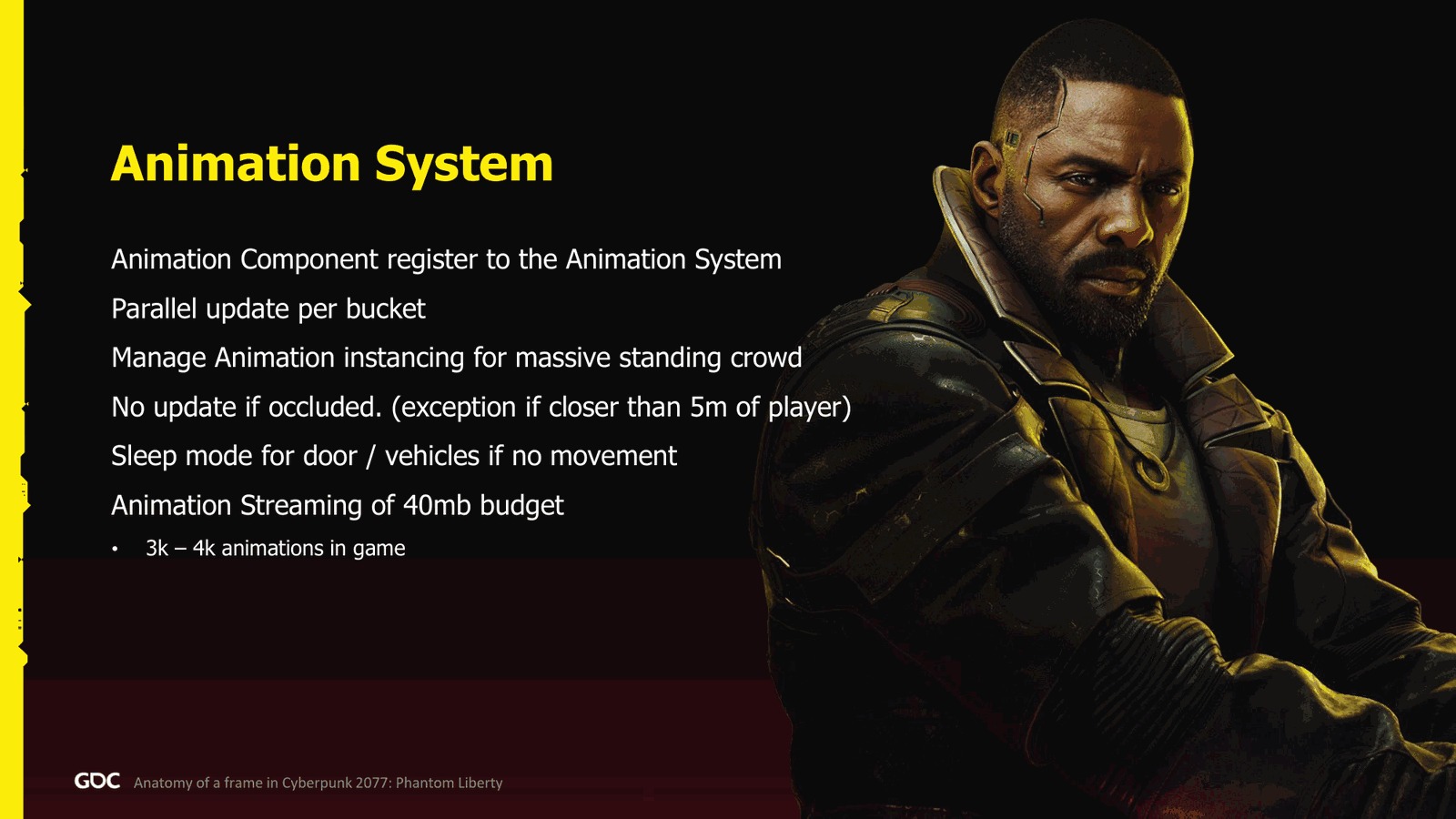
As the we only had one system mostly, which is the animation system, not very original for the name. So, what it does: the animation component register themselves there, as simple as that. And then we parallel update per bucket all the animation component. We do manage here also the instancing. So, for example, if you play the game, there is when you get in Freedom Liberty to the market, there is mass crowd. Or in the original game, there is the parade.Where there’s a lot of also crowd, of course we don’t have unique animation. There are like you can actually see that some of them play the exact same animation. Well, we needed to save some CPU there. For all the animation that we do not see, we don’t actually update them at all, except if they are close, mostly because shadows or other reason. So this we do, and.
Slide 33 — 00:27:58
📌 要点汇总
- 非动画对象进入睡眠模式,不进行更新直到受到外部冲击
- 《Phantom Liberty》与基础游戏使用相同预算,约40MB,包含3000至4000个动画
- 每帧处理分为多个桶(bucket),预处理阶段(pre-bucket)负责动画和物理状态的绑定与分离
- 每个桶的处理流程包括物理计算、异步查询和更新操作
Every object that are not being animated, we have what we call a sleep mode, so we don’t even tick them until there are some impulse happen to them.
For the budget, maybe interesting note because some people ask me about it, it was the same budget for Phantom Liberty than the base game, which is about 40 megabyte, which is about three to four thousand animation in the game.
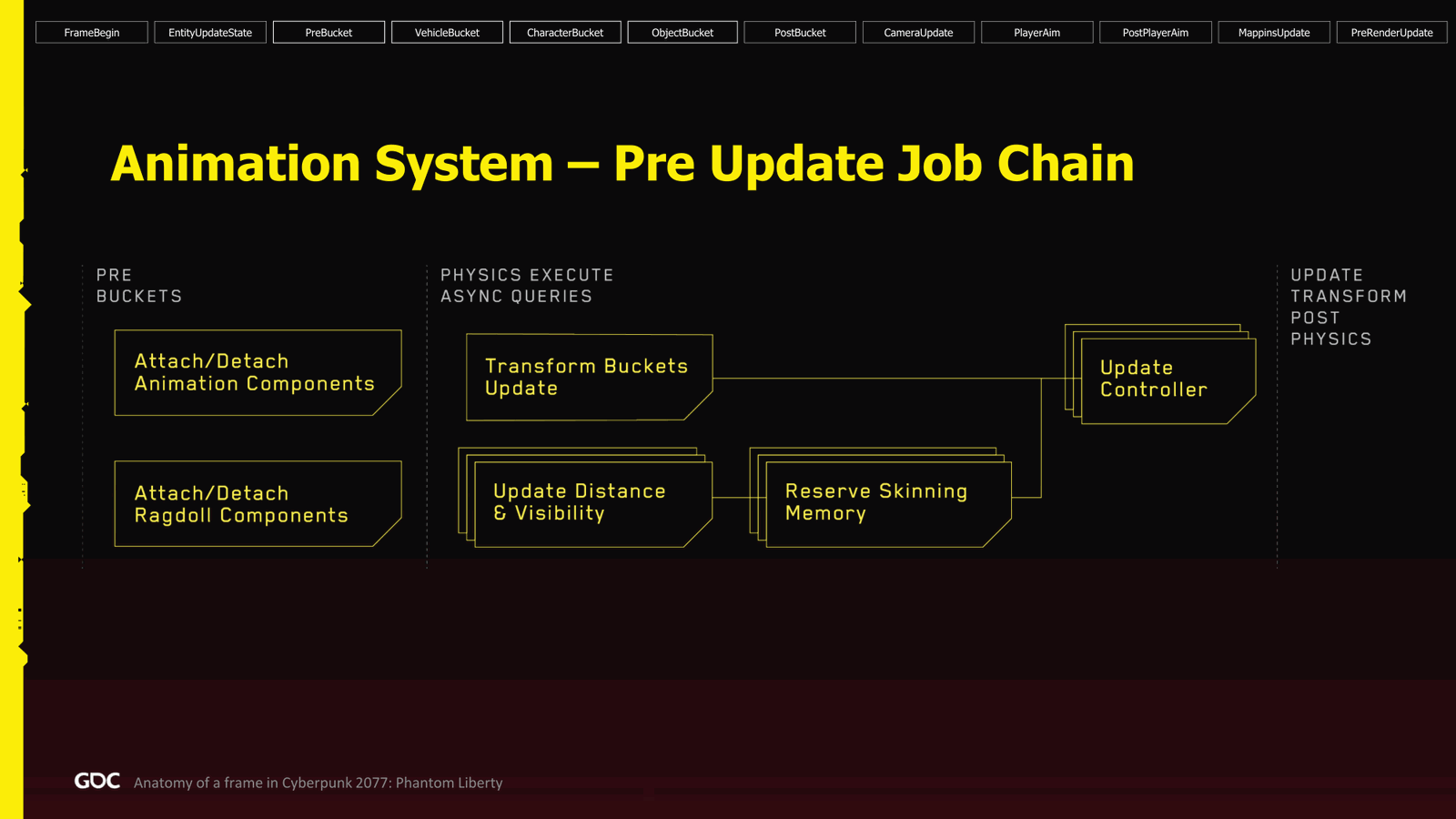
So how does it work in the frame? So we start in the pre bucket, and every bucket has the same.Sequence. So, what you will see is three times, with exception of course the pre-bucket.
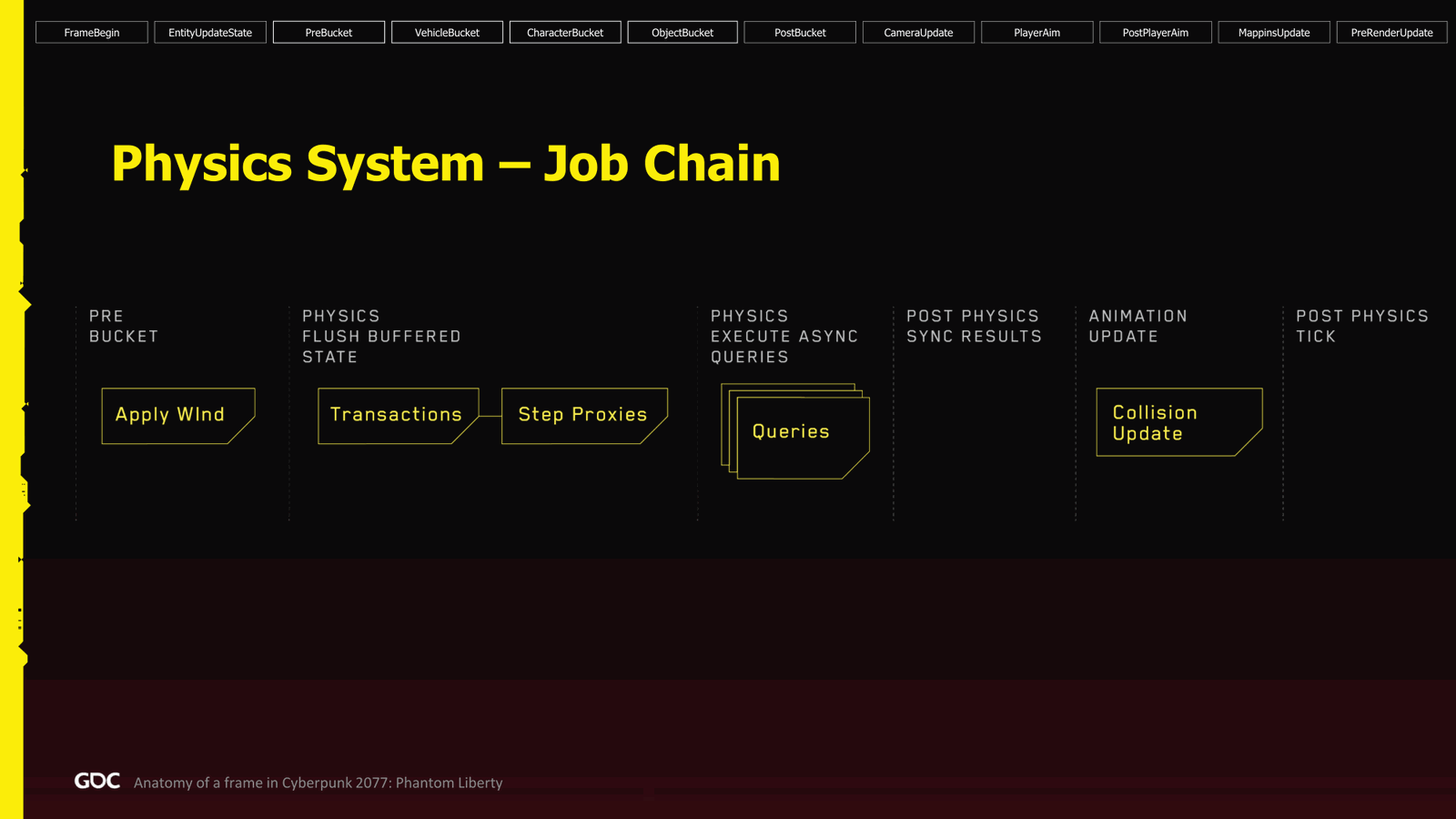
So, the pre-bucket is very simple. We just attach and detach all the animation and ragdoll. They are made parallel. And from there, for every bucket, we start in the physics. Execute async queries. First thing we do: transfer bucket update. What it does? We just need to check.
Slide 34 — 00:28:49
📌 要点汇总
- 计算动画对象的距离和可见性,以确定是否保留内存
- 当内存与传输桶处理完成后,执行更新控制器操作
- 更新控制器处理动画集的添加、删除及参数传递
- 每次更新都会对动画对象进行处理,需关注关键逻辑
If they are key, I need to be refreshed, and we do it there. At the same time, we start the process of figuring out the distance and the visibility. So we compute that what distance the animation object is, if it’s visible or if it’s occluded. When we know, we can do the we can reserve the memory for those object, and then when the memory plus the transfer bucket is finished, then we do the last part, which is the update controller. Here we do, like for example, look at update or we process the anim set that.To be added or removed, or push an animation parameter down the attachment and stuff like that. Next, still in the vehicle character and object bucket, we do the update. So here, every update, every animation object goes to the update process. But important to see here.
Slide 35 — 00:29:39
📌 要点汇总
- 动画更新与皮肤更新是即时连续进行的,无需等待
- 所有动画、皮肤和布娃娃处理均并行执行,无冲突
- 动画更新耗时在 40 到 400 微秒之间,视动画类型而定(如面部动画)
- CPU 使用效率高,不会阻塞帧渲染,处理时间一致
- 通过级联变换更新,确保最终状态正确完成
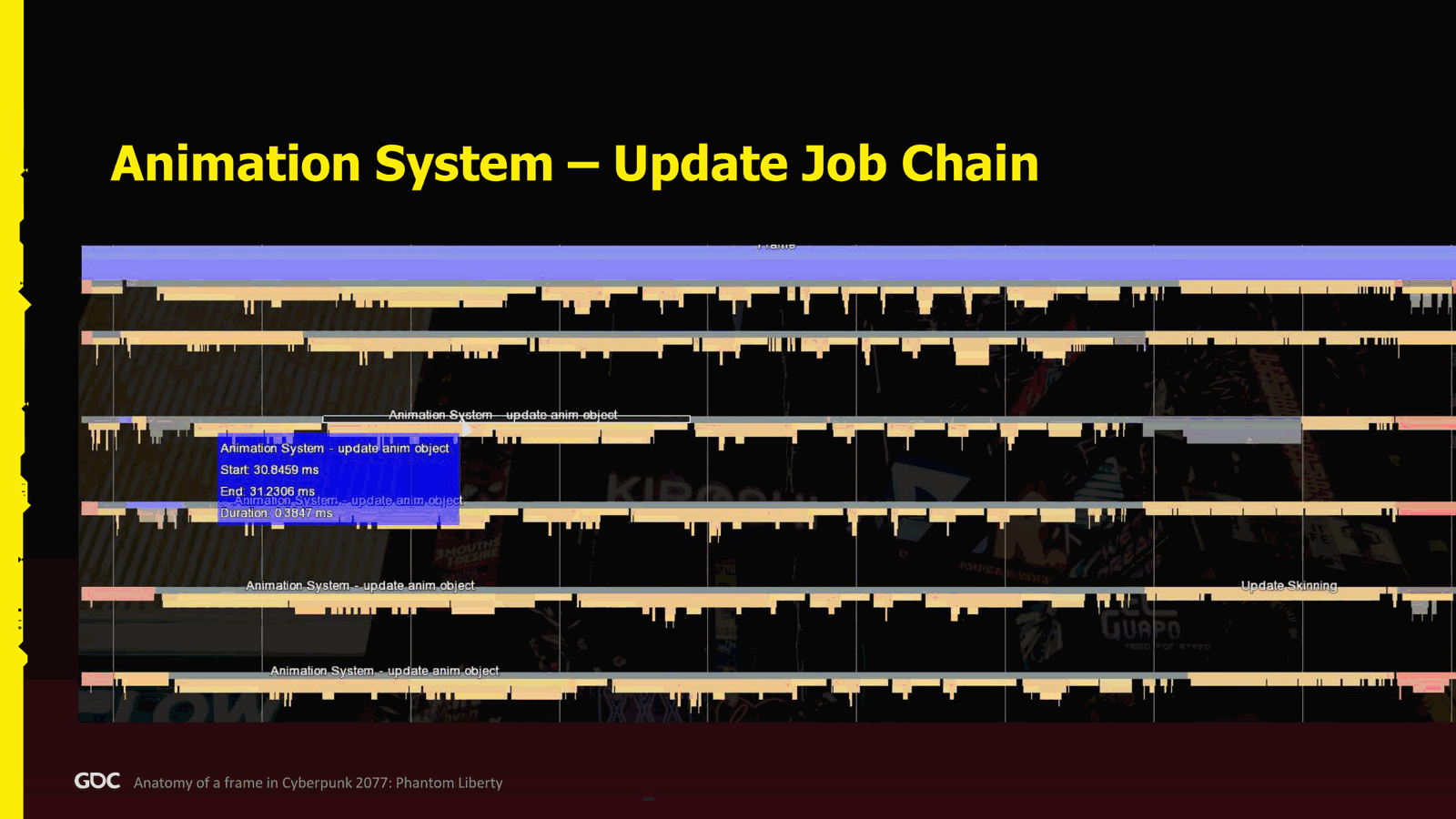
Is that we don’t do all the update followed by all the skinning. No, every time we do update animation, we, when finished, we start the skinning update instantly, and then when all the skinning update finish, we can continue with the update instance animation. So, which is again processing the instance animation. From there, we go with the ragdoll, same process, all in parallel, no problem. Finish, and we cascade the transform change, and we’re done.
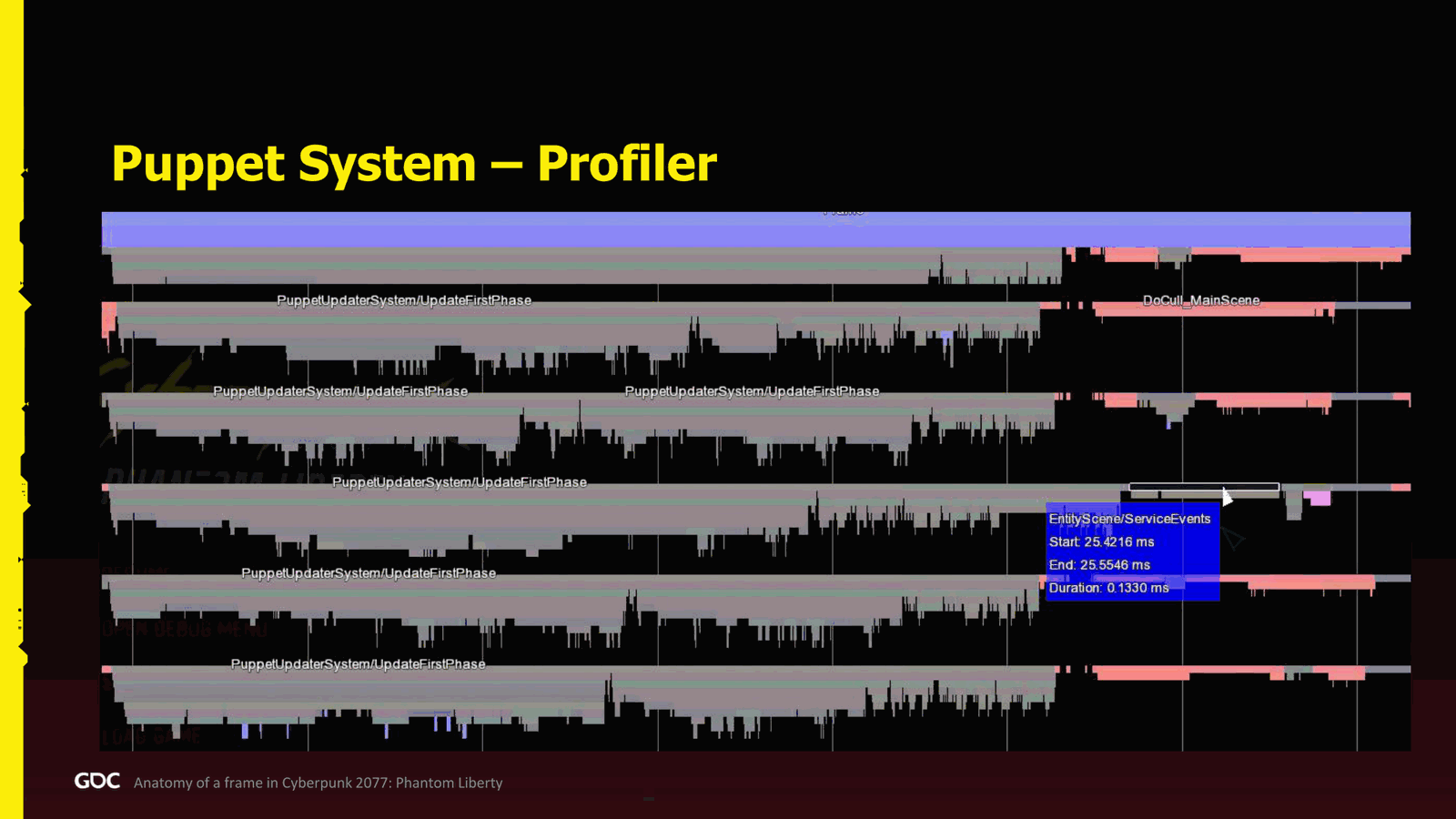
So in the profiler, it’s actually amazing for the animation. They did a very good job. They really use the CPU really nicely. They don’t block the frame. They really finish mostly in the same time. So for the update, animate object, it can take from 40 to 400 microseconds, depending. Like for example, if you have facial animation or.
Slide 36 — 00:30:29
📌 要点汇总
- 皮肤处理耗时在20到200微秒之间,视情况而定
- 物理系统负责所有物理更新和碰撞检测,支持流式加载与卸载
- 碰撞检测是复杂系统的一部分,未深入展开
- 异步查询处理包括广播、重叠检测等,基于PhysX构建
- 未使用自定义或Havok物理引擎,自《巫师》系列起使用PhysX
LD zero stuff like that. The skinning was more between twenty and two hundred, depending on the case, microseconds for the physics. So we had one physics system, called the physics system, not original too much again. So it was managing all the various physics update, all the collision. If we need to stream in and out. That being said, the collision is also another.
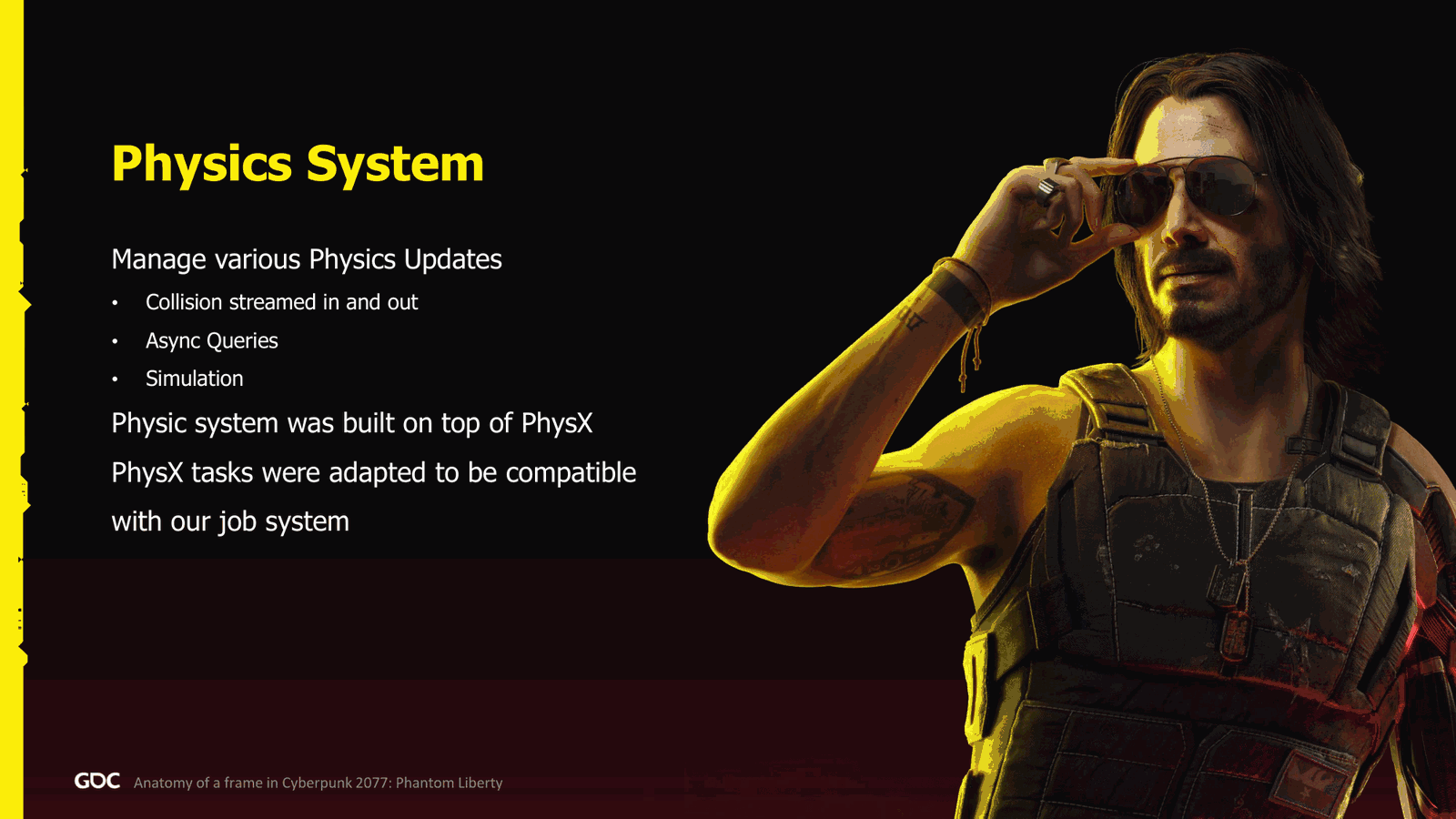
Super complex system, so I will not go too much in detail. Yeah, the async queries are also processed, processed, dead, broadcast, overlap, you name it, and also kickstart the simulation and process the result. It was built simply on top of PhysX. We did not have something custom, or we didn’t use Havok. We use PhysX since The Witcher.
Slide 37 — 00:31:19
📌 要点汇总
- 需要将现有测试系统适配到目标作业系统,过程并不简单
- 每个桶(bucket)都执行相同流程,首先应用 win 参数
- win 参数广播后,对车辆、角色和物体执行相同处理流程
- 首步为事务处理,可能包括坐标原点的调整
Three, so we knew the system pretty well. That being said, we needed to adapt the whole test system they build into be compatible with our job system. So it was quite, it was not that simple. So, sorry about that.
In the pre-bucket and every single bucket after that, we go to the same process. So in the beginning, the first thing we do is apply the win. We just do it once. So if anything needs the win parameters, we broadcast it there, and from there we do the same process for every bucket for vehicle, character, and object.
So first we do the transaction. From there, the transaction could be I need to shift the origin.
Slide 38 — 00:32:10
📌 要点汇总
- 需要处理物理对象的附加或分离操作
- 使用双缓冲机制,需刷新缓冲状态
- 提供了2023年演讲资料,包含实现细节和代码示例
- 事务完成后调用
step proxy对每个物理代理执行步骤 - 并行处理
recast sweep overlap和动画更新中的碰撞检测 - 每个桶(bucket)有不同的碰撞更新阶段,导致实现复杂
I need to attach or detach any physics object. I need to flush the buffer state, so everything was double-buffered. If you are interested about this, again, not to quote this again, but my presentation from 2023. If you download the slide, you can find them online. At the end, I put an annex, and there is how we did it. You can see even the code sample and everything. So, if you’re curious, it’s available for you. So yeah, so when the transaction are finished, we do step proxy.Simply call steps on every single physics proxy. When it’s finished, we go to the queries. So in parallel, we do the recast sweep overlap, and which is weird, but in the animation update, we process the collision update. And every single bucket has a different phase of how we manage the collision update. This is why it’s quite complex.
Slide 39 — 00:33:00
📌 要点汇总
- 旧世代硬件上实现赛博朋克风格时遇到了大量碰撞和渲染问题
- 最终通过优化实现了兼容,但性能表现较差
- 角色动画步骤耗时 120 微秒,导致帧阻塞
- 渲染系统有效利用了所有 CPU 资源,避免了资源浪费
- 查询操作的性能表现不稳定,存在较大波动
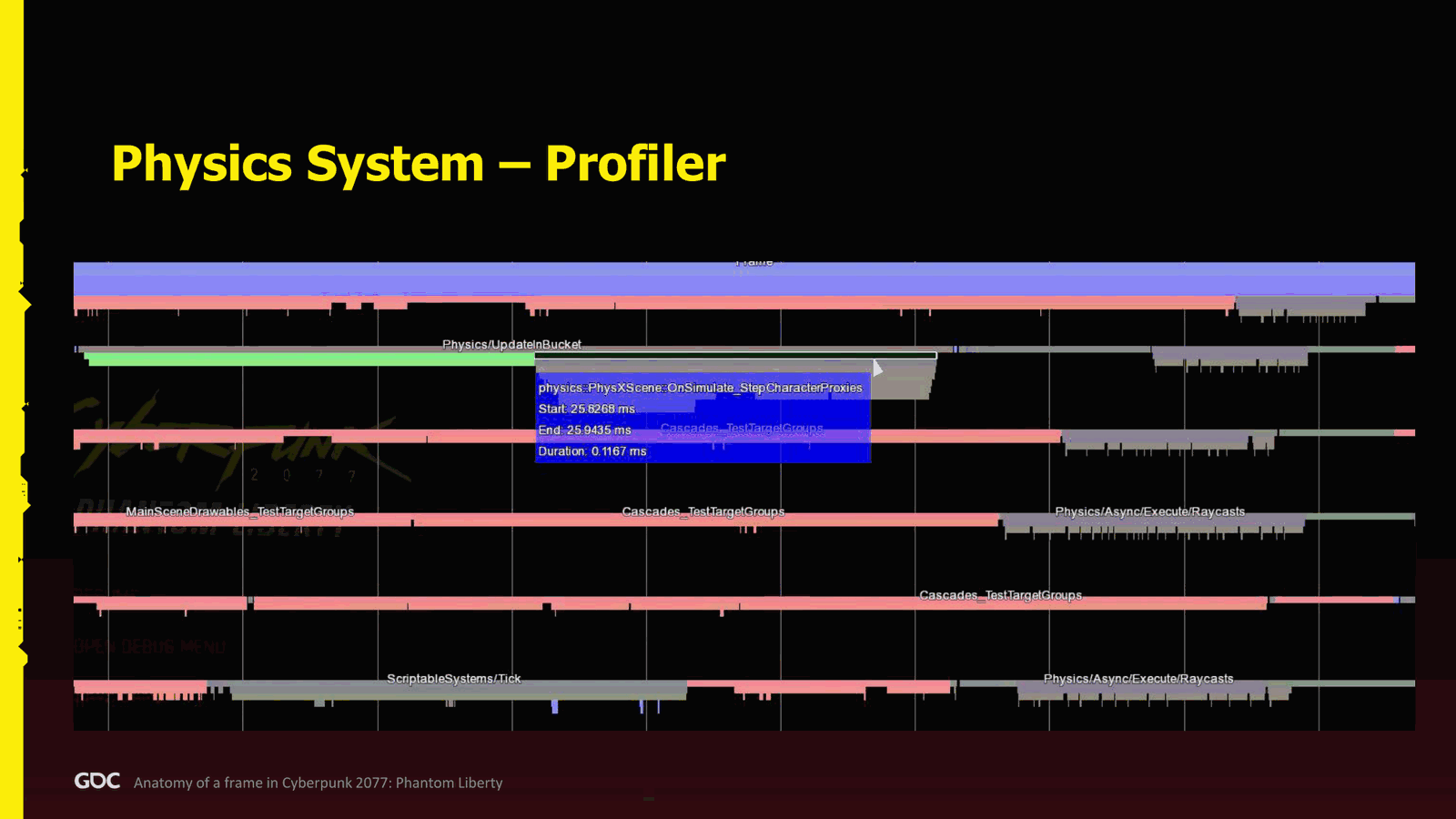
If you saw the, well, some controversy, let’s just say, of cyberpunk, not controversy, we we fucked up a little bit, let’s just say, for on old gen. The reason why it was so complex is because we had so much collision to stream and how to figure out not to fall. So we it took us a while to figure out a good system. We we we managed to make it in the end, but yeah, it’s a legacy result of all this work to make it work on old gen. So in the profiler, it’s absolutely terrible. So.As you can see here, the step character takes 120 microseconds, and it does completely block the frame. But thank God, rendering to the rescue takes all the CPUs, and I’m pretty happy because at least I’m not wasting anything. Then you can see that we follow with the queries, which also are like a bit all over the place. So not, it’s not.
Slide 40 — 00:33:50
📌 要点汇总
- 物理模拟在预渲染阶段进行,受物理限制难以扩展至更多CPU
- 模拟流程包括事务处理、坐标偏移、缓冲区刷新等步骤
- 使用NV时钟进行物理模拟,无特殊配置
- 模拟结束后广播接触信息,供其他系统使用
- 后处理步骤因仅剩一个系统需要而保留
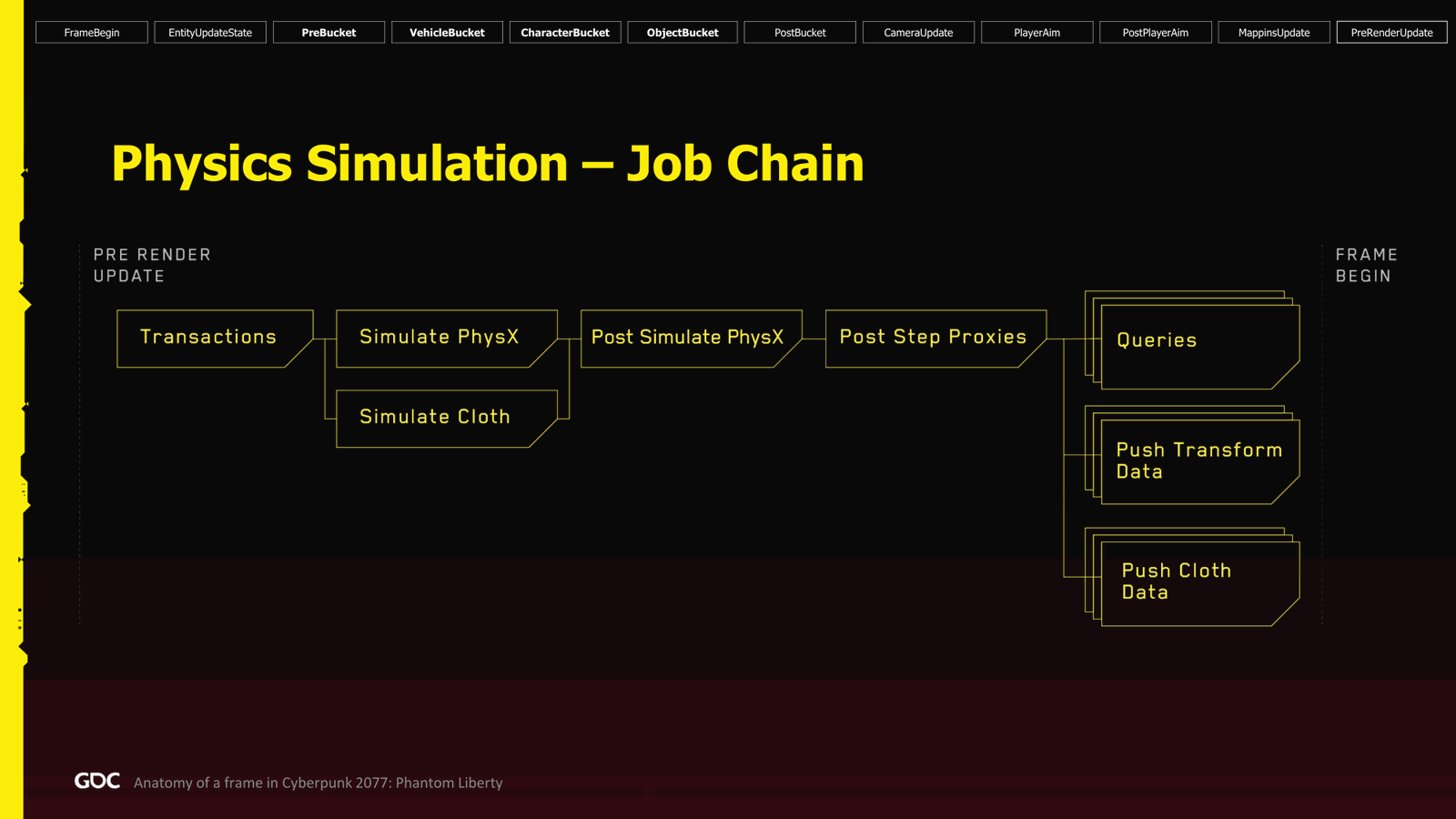
That bad, but not perfect. So yeah, so the physics is not not really good to scale more CPU. So that’s part of physics in the pre-render update at the end of the frame. Now we can do the simulation. So we do the same process again: transaction, as I mentioned, origin shift, attach, attach, flush buffer state, those kind of things, and we kickstart the simulation on physics side and the cloth.
The clock we use NV clock, nothing too special. When it’s finished, we call we do the post simulate physics, which is just broadcasting the contact for whoever needs it. The post step proxy was a step that we added because some system needed it, and I think I checked just before this presentation. There’s literally just one system left that needs it.
Slide 41 — 00:34:40
📌 要点汇总
- 物理粒子系统仅更新位置和速度,无法回退到微秒级
- 通过 raycast、overlap、sweep 并行查询处理碰撞检测
- PhysX 任务在帧末执行,渲染仍有少量工作未完成
- Profiler 显示性能问题严重,存在大量性能瓶颈
- 若需提升性能,可能需要增加 CPU 资源
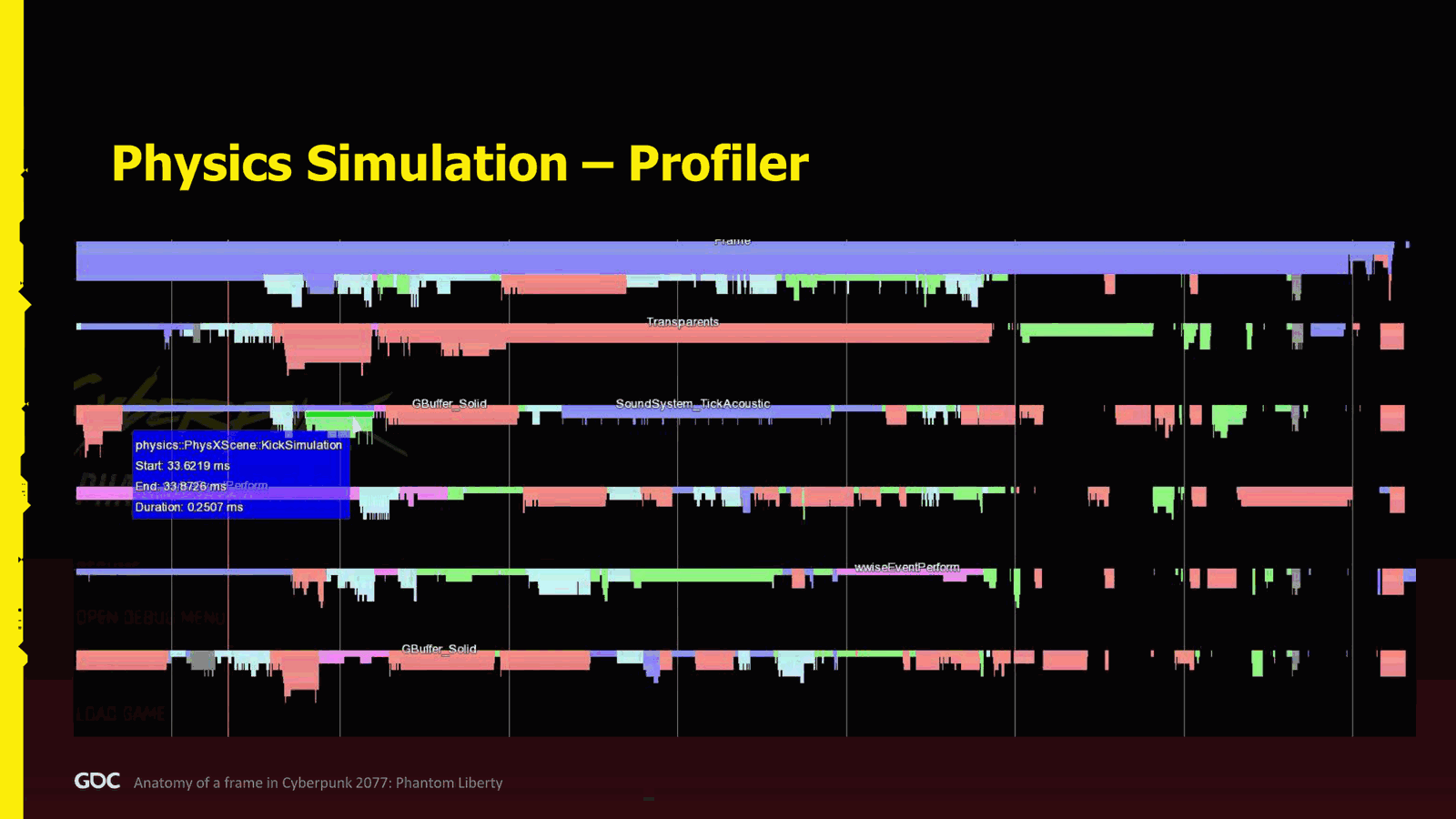
Which is the particle system, the physical particle system, and they just update position, velocity. So if I had to go back and try to scrub maybe a few microseconds, I would probably flush this and try to figure a better way. So yeah, a lot of finding when you try to do those capture deeper. And we end up with the queries again: raycast, overlap, sweep, in parallel. And finally, we push the transformed data resulting from the simulation and also the cloud data, and we are done. On the profiler, even worse.
So this is at the end of the frame. So all the green is PhysX. This is their own job. This is how they manage it. So not happy about it. It’s at the end of the frame. The rendering has still a little bit of work to do. So that’s not too bad. But you can see that already we see a lot of holes. So I guess we can extrapolate that if I want to have more CPU.
Slide 42 — 00:35:30
📌 要点汇总
- 计划在引擎中更深入地嵌入物理系统,并进行重构以提升性能
- 需要投入更多研发资源,不确定是否能实现更智能的解决方案
- 音频系统分为三个层级,第一层是游戏层,负责游戏与音频的交互
- 游戏层使用“hedgehog raycast”技术,通过大量射线检测实现音频交互
- 该技术允许其他系统使用射线检测,提升整体系统兼容性
It will be even more drastic. So, if I had to go forward, probably another another project or something like that with physics. Probably, I will embed physics now more in depth in the engine and start to do more refactoring to make it more closer and try to figure out what to do with those jobs. But probably higher R and D and a lot of work for. Not sure if we will be able to something that clever.
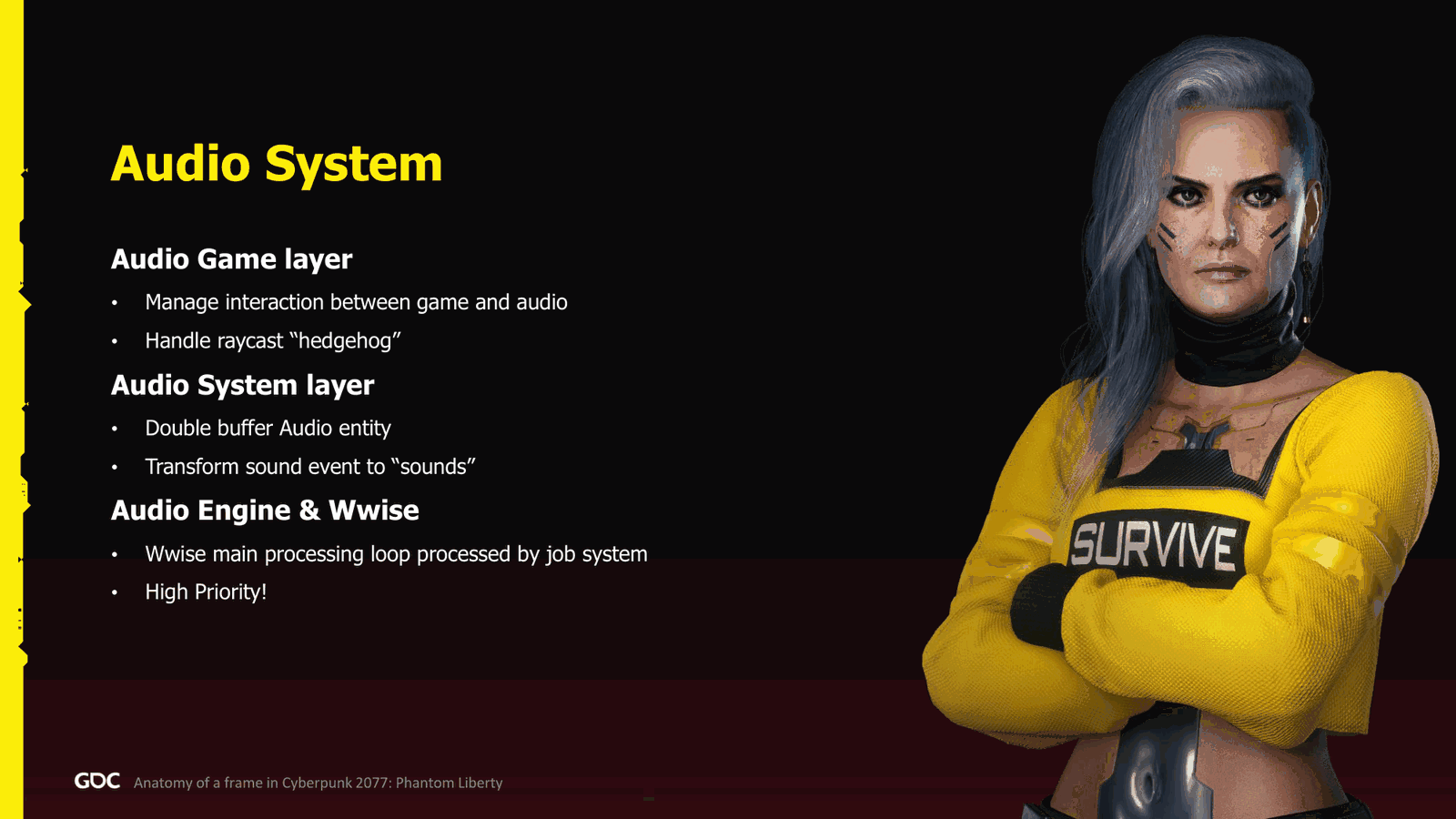
Audio. So, three categories and audio system. First one is the.Game layer. So this is where we manage the interaction between the game and the audio, and also we handle the what we call the hedgehog raycast. What it is? Well, we just cast a lot of raycasts around the characters. The audio does it, and why they do it and why it’s important is because we also allow other systems to use it.
Slide 43 — 00:36:21
📌 要点汇总
- 避免在多个地方重复执行射线投射过程,应统一执行并共享结果
- 系统层使用双缓冲自动实体,实现异步通信与线程安全处理
- 声音事件可转换为实际声音,提升系统响应能力
- WYS 支持自定义任务系统,无需依赖其原有线程机制
- 通过施加压力,促使 WYS 实现自定义任务系统支持
We don’t want them to also do the exact same process of casting raycasts everywhere. So do it once, share, good. The system layer. This is where we have the process of the auto entity. So we have also double-buffered auto entities, so we can do do those communication async in parallel without caring about thread safety, and also transform the sound event to actual sound.
Finally, we use WIS.Interesting about this is that if you use WYS and you have not so maybe a few years version, even two or three years, you will see that you can now hook your own job system to WYS and process it yourself. You don’t have to use their own threading that they provide, which is great. And why? Because we make some pressure, and they finally did it.
Slide 44 — 00:37:11
📌 要点汇总
- 高优先级音频处理主要在预处理和角色音频池中完成
- 音频组件已大部分移出,仅保留部分遗留功能
- 使用简单C风格API,但仍有无法移除的音频处理逻辑
- 例如玩家射击时需音频组件处理枪声定位等操作
- 部分逻辑为遗留设计,未完全重构
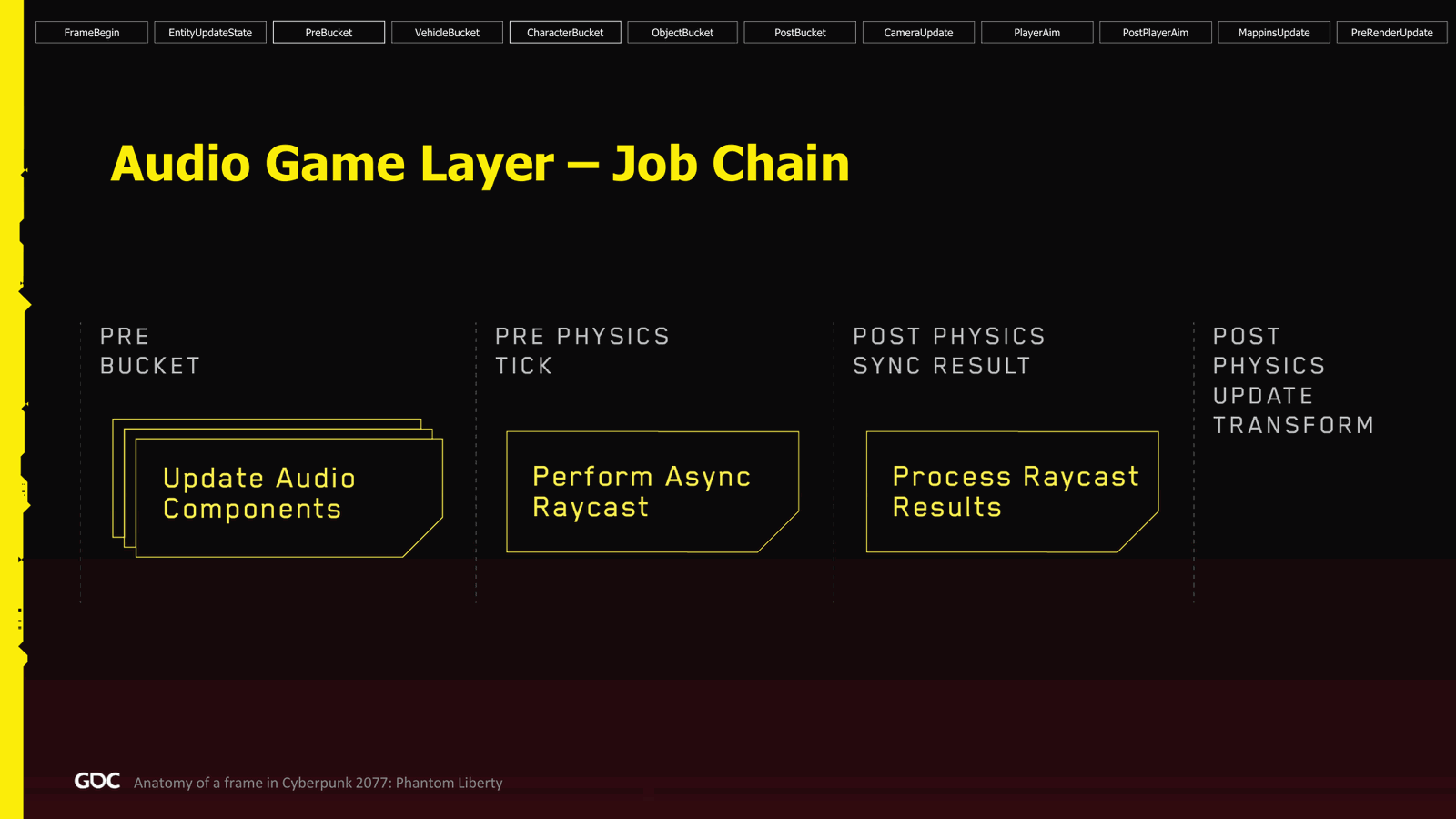
Also, of course, high priority audio always high priority. Why? Well, audio in the frame. So the process is mostly in the pre-bucket and the character bucket. So in the pre-bucket, we do the update audio component. So this is actually an interesting part because this is very legacy for us, because we move almost all the audio component out. We didn’t actually want this anymore. We use like a simple C-style.API that people can use, but we still have some cases we cannot get rid of. Good case would be the player is shooting, but the gun is making the sound. Therefore, I need to ask the audio component to do the sound and positioning and all those kind of things. We could have probably done differently, but it was a legacy remnant of how how things works. So yeah, as I said, the logic was moved from.
Slide 45 — 00:38:01
📌 要点汇总
- 音频组件在开发过程中集成到系统层
- 在预物理计算阶段进行音频头偏移重计算并处理结果
- 每帧结束时通过预渲染更新处理音频系统层
- 音频实体并行处理,采用双缓冲机制确保音频请求正常执行
- 音频系统接收游戏输入并转换为播放声音请求或其他音频操作
- 特定音频子系统(如电台系统)以单线程方式运行,但执行速度较快
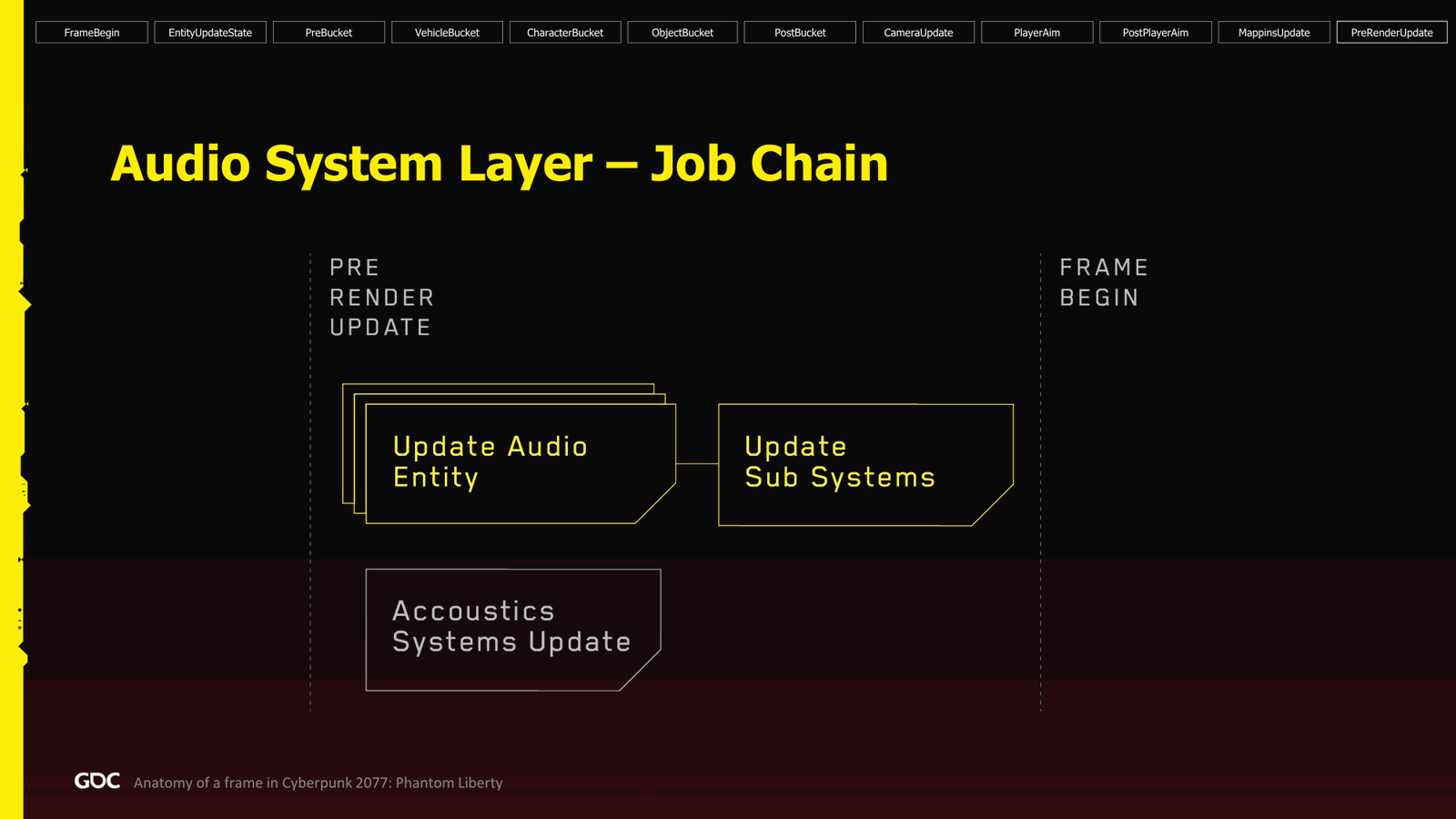
Those audio component to the system layer during development. In the character bucket, in the pre physics ticks, we do the head jog recast, as I mentioned, and process the result following up. Simple as that. Next, at the end of the frame, the pre render update, we process the audio system layer. So here we go to every single audio entity in parallel. As I said, they are double buffered, so even if there is still audio requests being made.Perfectly fine, and yeah, this is responsible for processing the Evan input from the game and transforming it to play sound requests or any other audio action. From there, we go with to the update subsystem. So we had a lot of kind of specific sound system, like the radio system, or you name it, but those were done in a single-threaded manner. But they were quite fast, so it wasn’t too much of a
Slide 46 — 00:38:51
📌 要点汇总
- 项目存在大量依赖关系,解耦工作非常困难
- 单线程处理方式被保留,因收益不值得投入
- 音效处理可异步执行,无需等待,提升效率
- 音效处理在帧开始时启动,循环运行直至完成
- 图形部分目标是打破原有架构,实现优化
Big deal, and also all of them had kind of had some dependencies, so it was very hard to start to unhook them. And again, the effort for the gain was not worth it, so we just kept everything in a single threaded manner.
The acoustic, yeah, the acoustic was an interesting process. It was done completely far and forget way because it can take as long as it wants. I guess until the beginning of the frame, so we kicked it, kick started there, and loop around, and then I think when we start the character bucket again.
Then we just make sure it’s finished. Injured, it’s finished. Yeah, so it goes to the all-acoustic graph, and it can run async and wrap around the frame. So that was good.
Graphic. So, as I mentioned earlier, one of the goals we had was to break the good old.
Slide 47 — 00:39:42
📌 要点汇总
- 使用渲染图(render graph)作为解决方案,实现完全并行化
- 通过 job system 实现多个渲染图的组合与复用
- 可复用节点避免重复执行任务,提升效率
- 渲染图设置简单,能充分利用剩余 CPU 资源
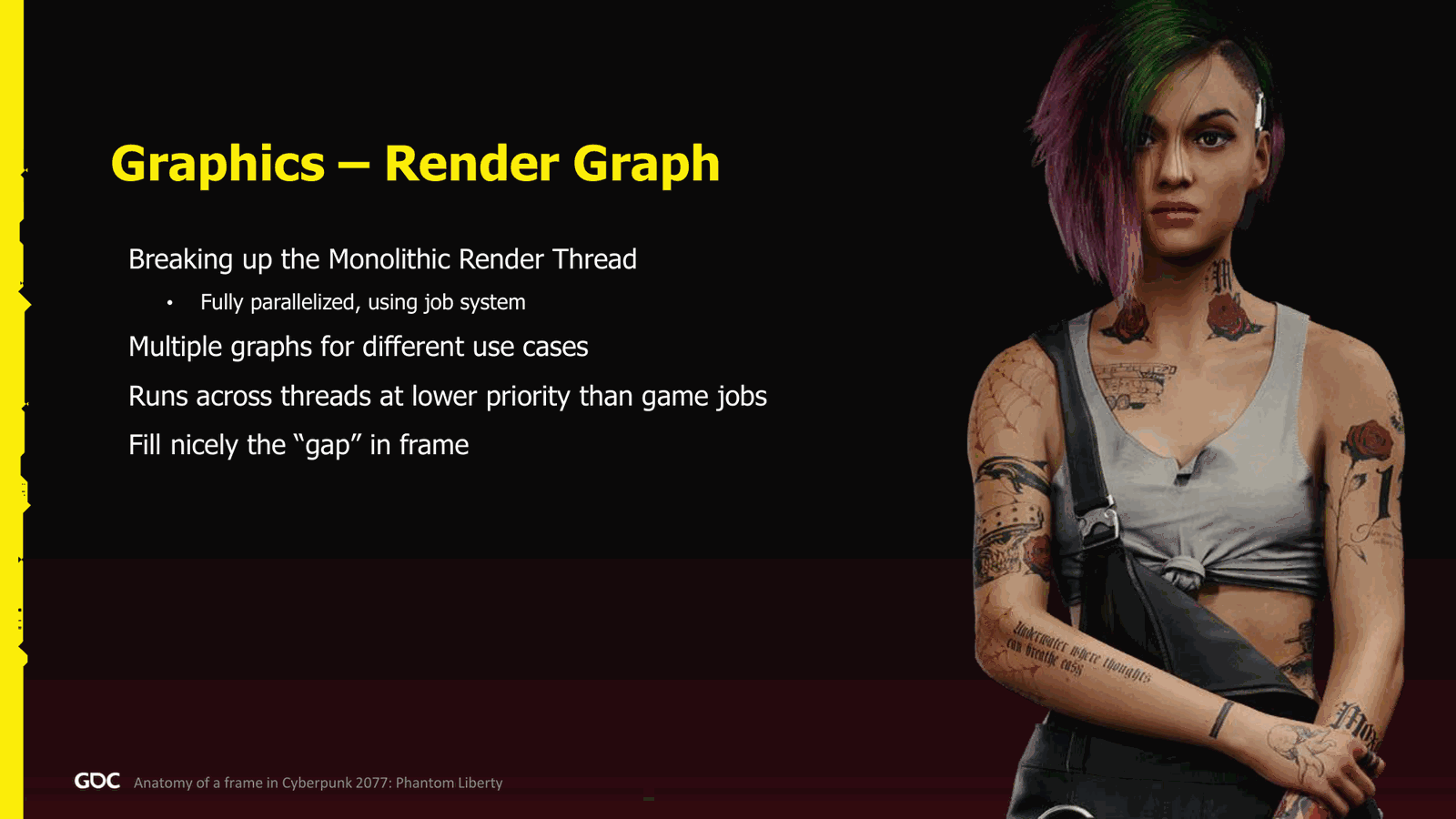
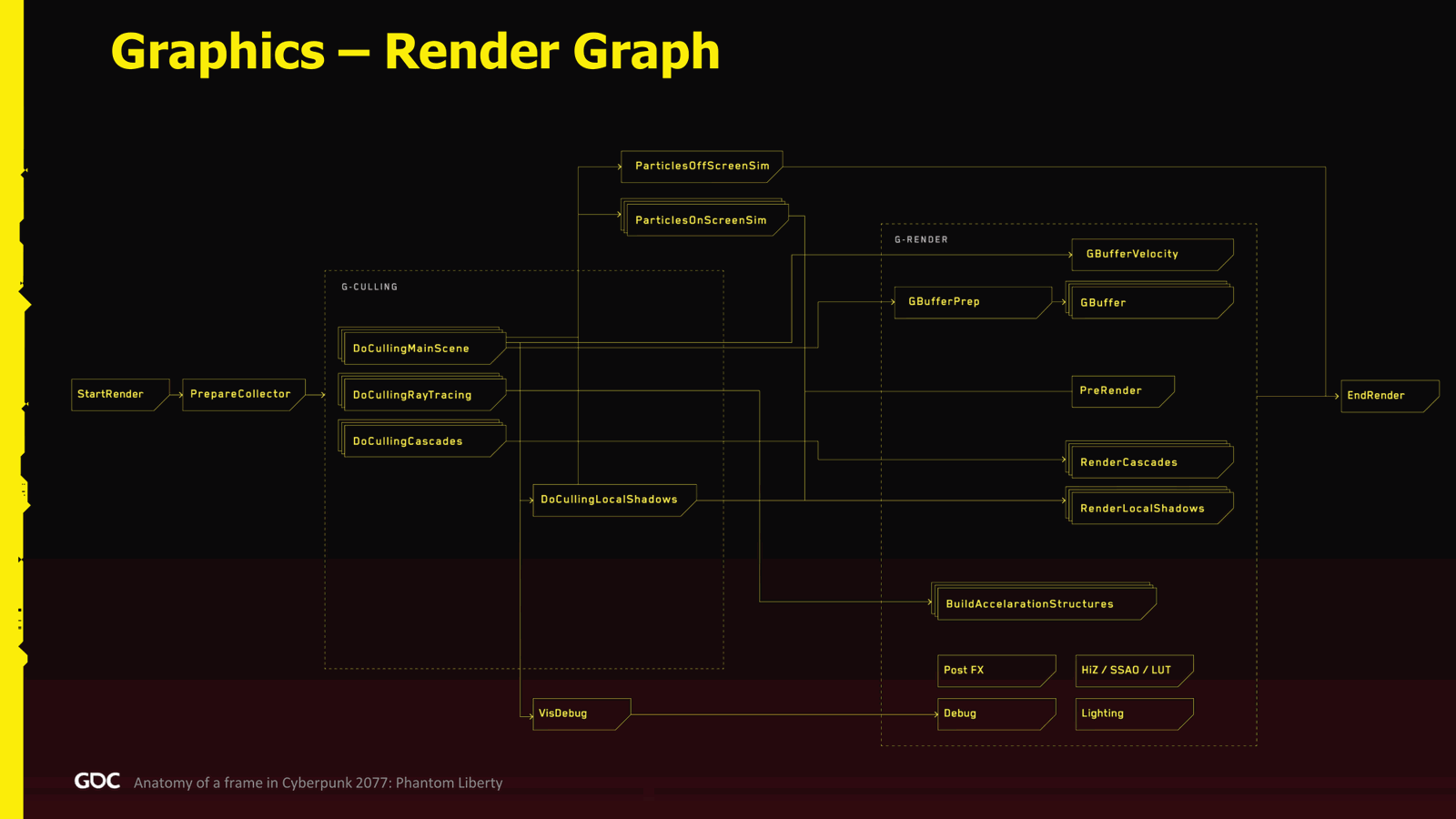
Analytic render thread that you sure you had seen, you know, good old I guess Unreal way or I know for I think pretty much all engine almost have this. Still, it’s very rare to see engine doesn’t have it. I think there’s Itech also is the same than us now. They also they manage to split it into render graph. So yeah, render graph as our solution. It was fully parallelized using job system. We had a bunch of those graphs that we can combine together. For example, if you are ray tracing, no ray tracing, or you have HUD.Menu. You can even reuse some of the the nodes of those graphs, so you don’t have to do the job multiple times. And it was super easy to to to set up and use. And as you saw previously, it magically takes all the CPU that I have left for it. So very nice. So the graph.
Slide 48 — 00:40:32
📌 要点汇总
- 该图示为简化版,但仍显得复杂
- 更详细内容可通过搜索2023年及演讲者姓名在网页上找到
- 附录部分包含10张幻灯片,详细描述构建该图的每个过程
- 演示中未深入讲解,但所有内容已公开
- 在性能分析工具中,该图表现良好
- 通过对比渲染效果可更清晰展示细节
Of the main graph looks a bit like this, so it’s very simplified, but still looks very complex, as you can see. If you want to go deeper, there is a again on the web. If you search for 2023, my name, you will find the slides already public. At the end, there’s an annex again, and I go. I think there’s 10 slides at which I go describe every process or to build this graph. There’s code snippet, everything you can inspire yourself. Actually, I’ll be happy if you inspire yourself and you just tell me that it was helpful.Let me know. It’s all there, public for you. So I won’t go too much into detail here.
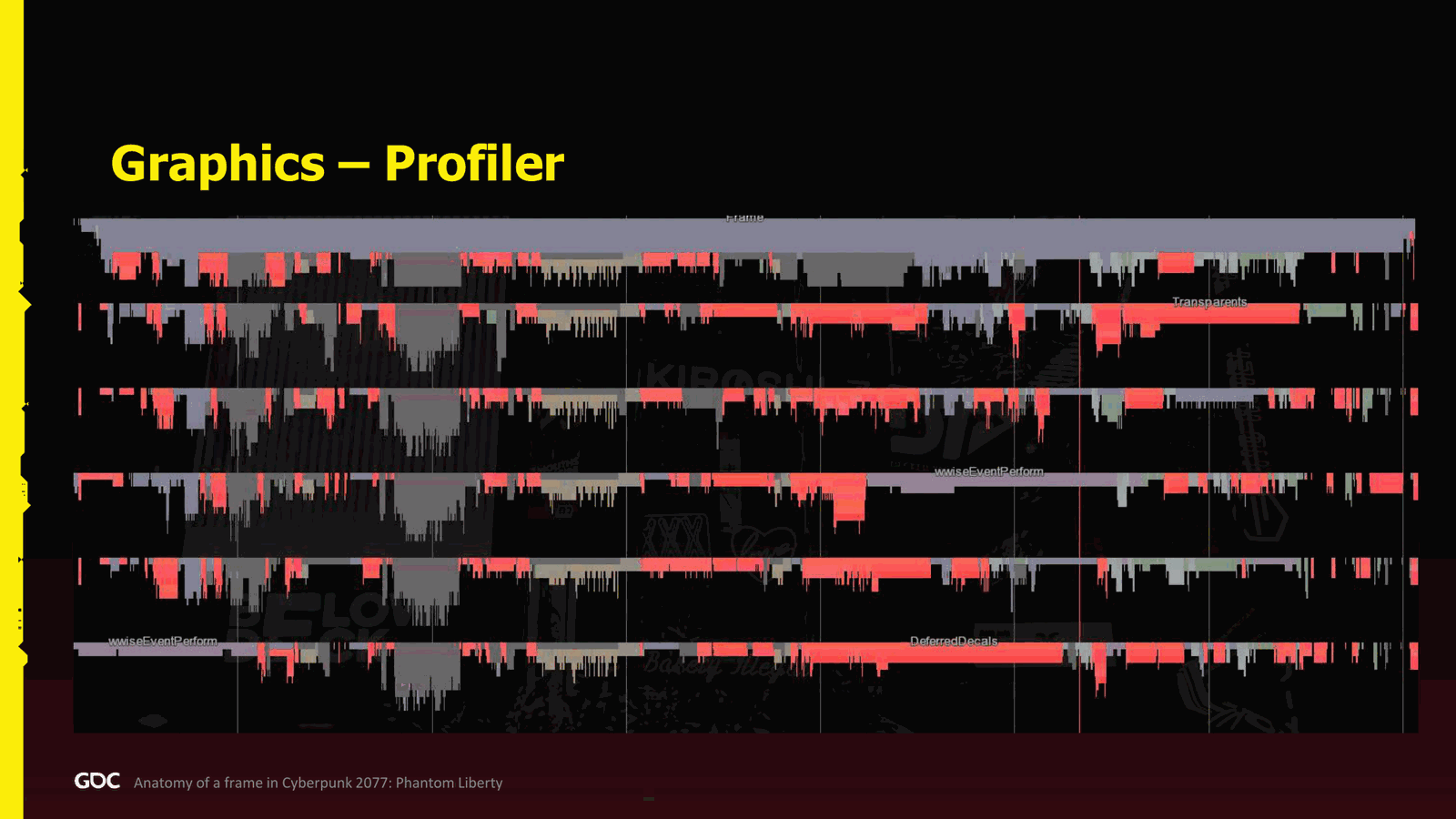
But how does it look like on the profiler? Well, it is very good. So here I made like the same first capture I did. I make a contrast, you know, for the rendering to show more. It’s not super good on this.
Slide 49 — 00:41:22
📌 要点汇总
- 渲染任务优先级较低,避免占用CPU资源,防止阻塞其他系统
- 若渲染优先级过高,会导致资源分配不均,出现未利用的CPU空隙
- 当增加更多CPU时,需评估整体性能与可扩展性表现
Projector, but you can see that it really fills the CPU really nicely everywhere, where there is some gap to be taken. And the reason why also is because we we everything is higher priority than the rendering, which is counterproductive when you think about it. But the idea is that I want all I want the rendering to just keep when there is a space, and not steal the glory of the other system that actually will block the frame. And it works very good.
If I put the rendering higher priority.The hole rendering will squash to the left, and then we’ll have all those holes not being used, which is not good. Performance and scalability. So, if now we try to go with more CPUs with the whole engine, how does it look like? So the original one.
Slide 50 — 00:42:12
📌 要点汇总
- 使用 5 个 job worker 和 1 个主线程,当前帧率稳定在 60Hz,延迟为 16 毫秒
- 若同时进行流媒体或其他任务,系统可能出现性能瓶颈
- 为演示效果,移除了部分后台系统以优化显示效果
- 增加至 9 个 job worker 后,渲染出现轻微压缩,物理模拟表现不稳定
That I did, which is five job worker and one main thread. As you can see, it is very good. Not too much hole to be available. We run right now at 16 milliseconds, so perfect 60 hertz. There’s not too much space though. So again, if I was streaming and doing some other work, okay, we’ll have some itches. But for the sake of being able to show you showcase this on a laptop, well, I I I removed those systems to run, so it looks very nice.
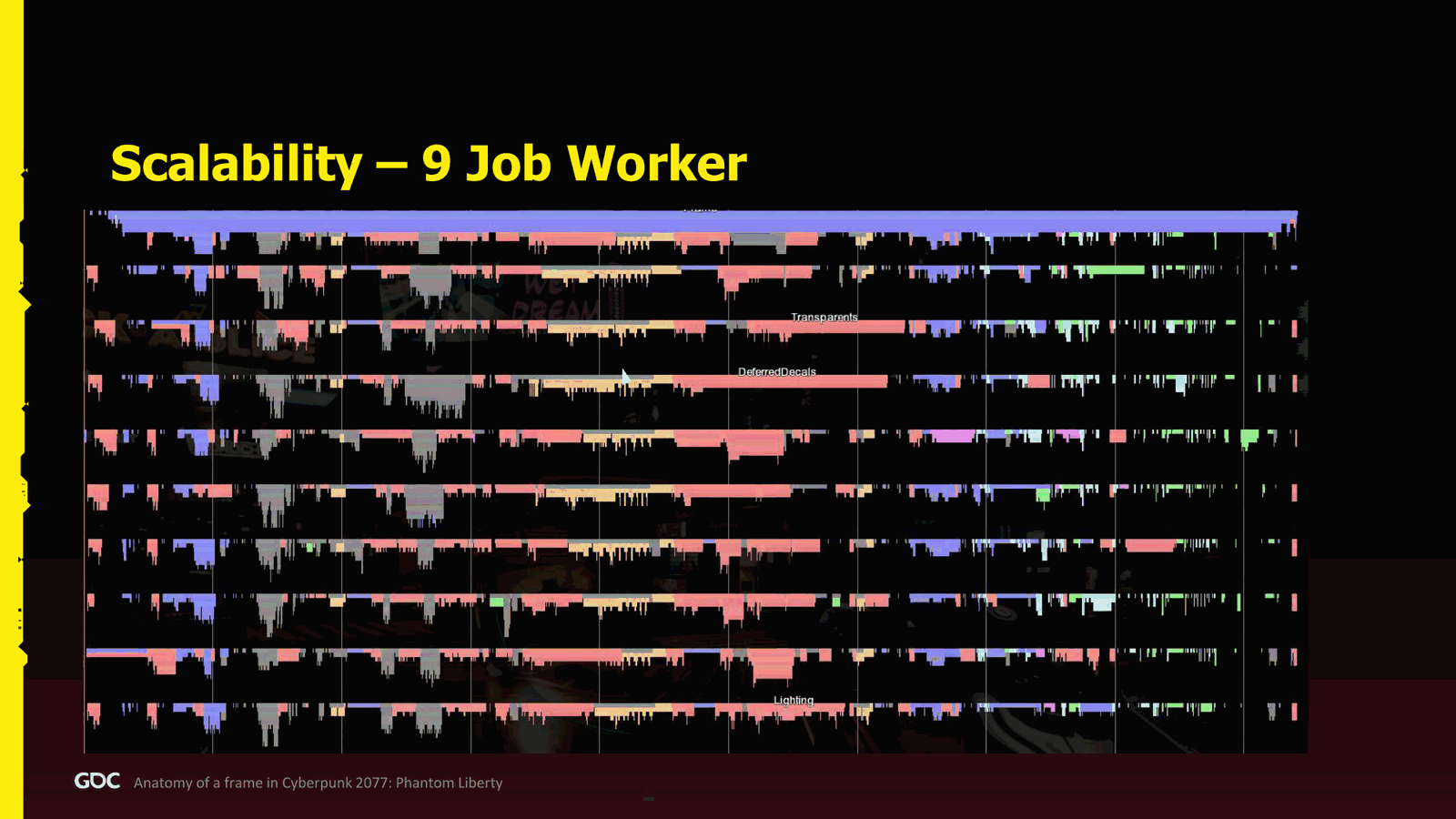
So now I rerun the whole video; it was on rail, and then try to figure out what does it do if I go with nine job workers plus the main thread. So now it’s getting a little bit interesting because you can see that the rendering now start to get squashed on the left a little bit, and now the physics show all this weakness in its all.
Slide 51 — 00:43:03
📌 要点汇总
- 当前 CPU 利用率较低,但帧延迟仍保持在 12 毫秒,表现良好
- 12 毫秒是性能瓶颈,超过后性能提升有限
- 渲染任务提前完成,物理模拟未充分利用 CPU 资源
- 动画结束后存在大量未填充的 gameplay 系统逻辑
- 该配置下已实现 100 FPS 的稳定帧率
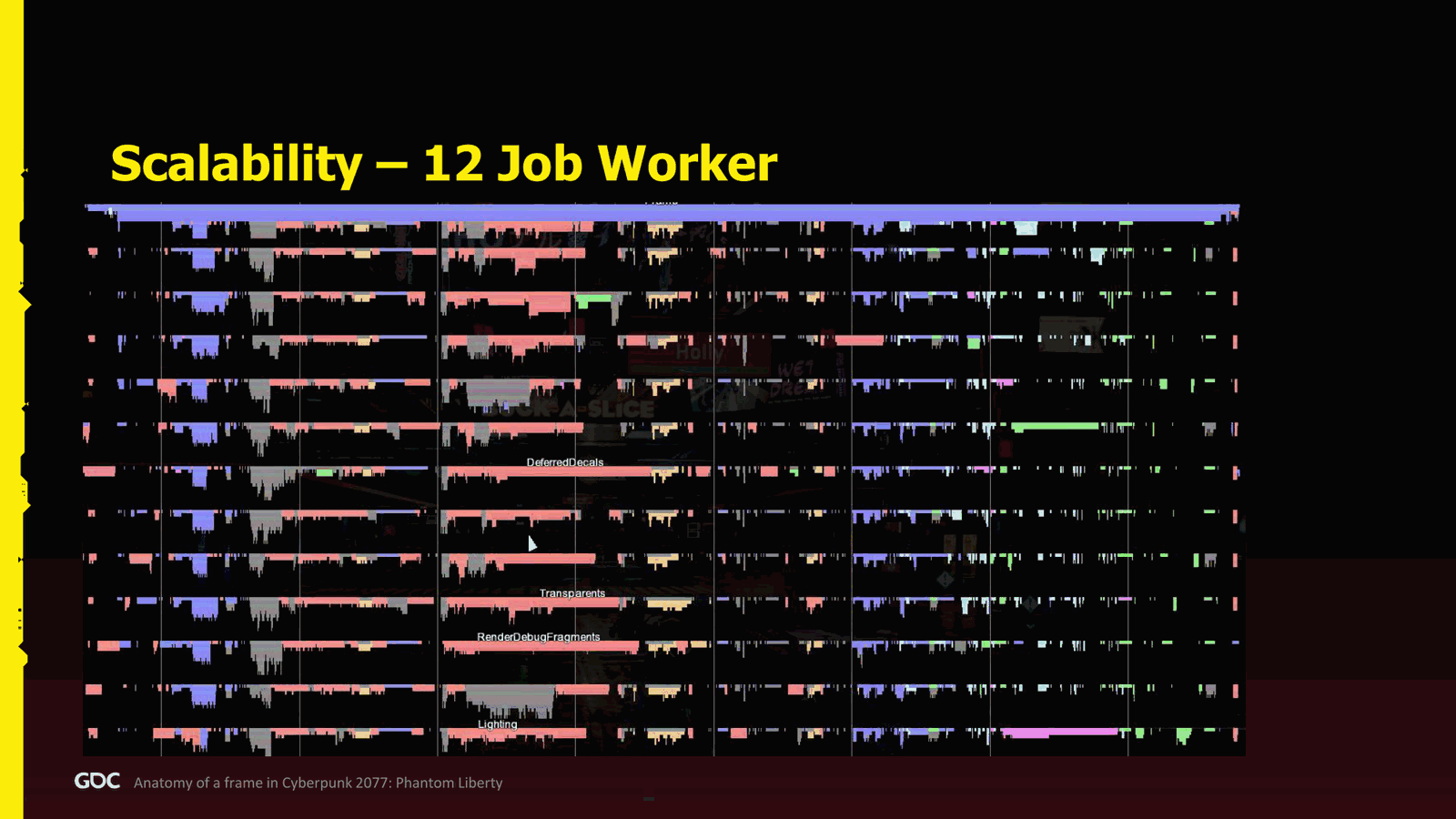
Glory. So you see a lot of holes, and now we get to a point at like, okay, there is a lot of CPU not being used. But that being said, right now we are at 12 milliseconds, so it’s still a very good gain, acceptable. So let’s push forward. Now at 12. Now at 12, this is pretty much the limit that we have, where after that the gain gets reduced. Now we see the rendering is completely like in the left. It finished very early.The physics is completely, you know, left alone. Everything is finished. We are waiting for it. We have a lot of holes just after the animation, also filled with a lot of gameplay system there. Actually, so it’s at a glance, it looks not great, but we are now at 100 FPS on this laptop, the other laptop.
Slide 52 — 00:43:53
📌 要点汇总
- CPU性能在增加工作线程后开始下降,达到性能瓶颈
- 使用效率核心和性能核心的笔记本,性能核心数量有限
- 过多依赖性能核心可能导致帧处理延迟
- 高度的仪器化导致大量原子操作,影响性能
- 增加工作线程后,性能下降问题变得明显且难以解决
So, still very, very good for CPU performance, but we can see that now we are reaching the limit. So, I didn’t go forward with more visualization because it was not possible to see in the same screen. So, here I show you a little bit. If I start adding more workers, we can see that actually I’m reducing performance. There’s a few reasons why. First, well, the laptop that I run it as efficiency core and performance core. There’s eight performance, and after that, when you start using more core, then if you depend on those core, well, if you have something very critical around that core and you depend it to finish your frame, then you have a problem. And the more you have, the more you have to rely on it, and it’s hard to cause. Second, I have very high instrumentation, so I’m spamming atomic operation, so the.
Slide 53 — 00:44:43
📌 要点汇总
- 早期性能开销较大,通过分析发现存在过多原子操作
- 最终移除了所有检测工具,启用了LTO和PGO优化
- 优化后性能曲线趋于平稳,18核后性能不再提升
- Digital Foundry曾做过CPU性能历史对比分析,结果良好
At one point, it also cost a lot, and you can see in the profiling when I got like a classic profiler to see it. Like, yep, there’s too much atomic operation being spam. And finally, I have zero LTO, zero you know profile get optimization that we had in the final. So, if I get all of this, remove all the instrumentation, put the LTO, PGO, plus a better management because we have a way to better manage the performance core. Thelanguage English
Curve will be less drastic, but I didn't have the time to go too deep. But after 18, it's it's over. You will not get any more performance. If you want more, I think Digital Foundry did a few video actually to compare the CPU performance in in the history of the whole life cycle of the product, and they have a very good result. And I'm actually pretty happy.
Slide 54 — 00:45:33
📌 要点汇总
- 项目初期缺乏框架结构可能导致两年后面临严重问题
- 尽管存在一些问题,但PC和PS5等平台表现仍较为良好
- 演示效果良好,但实际开发过程中遇到不少挑战
About it. So, thank you for staying so far. Conclusion. So, it looks very nice when I showcase. Like you know, a lot of thing is great. A few times I will say that something is bad, but in the end, it’s not that bad, right? Because we had very good performance in PC at least, even on on PS5 and other console. But thelanguage English
Definitely, some problem happen, and what kind of problem we encounter? Well, it's very simple. If I go back to the first slide, almost. If you ever encounter this case, where basically you have a very ambitious project, and there's no structure of the frame, you are at this case like two years before shipping, you are in trouble. So.
Slide 55 — 00:46:24
📌 要点汇总
- 系统重构非常困难,应避免过度设计
- 采用简单可行的框架结构,确保团队理解目标和角色
- 使用便签纸、表格和可视化工具逐步优化流程
- 保持务实,优先选择已知可行的方案
- 与团队明确预算和目标,促进协作与沟通
Don’t be us, because this followed us all the way to the old-gen release. And even though we had very good vision, after that, how to do it? Refactoring system is very hard, right? So, please, I have a nice frame structure. Don’t overthink it. Don’t overengineer it. It works. If you have a great idea, actually, I will be glad to see it. Don’t get me wrong. But for us, we try to go to something that really we know is going to work, because we were trying to be pragmatic.
And it works. Define the budget with the team. Be sure that they are aware what’s going on, where they fit in the frame, that you can discuss it. We use the Post-it. It didn’t. We didn’t stay with the Post-it forever. We had after that a more like almost like spreadsheet where we can work easier, and after that we had visualization again, profiler. So we evolve from a more digital form, but still anything to.
Slide 56 — 00:47:14
📌 要点汇总
- 系统可扩展性设计极具挑战,不能低估其复杂性
- 单线程设计看似简单,但无法应对高并发场景
- 提升性能需优化代码或引入并行化,但会带来线程安全等问题
- 避免过度设计,但需提前考虑扩展性以减少后期重构成本
Talk with the team will help. Designing system to be scalable is bloody hard, so let’s not think about the fact that it’s easy. Even though I might have seen easy, it was not. It’s a pain. Usually, the game, the gameplay, and the AI—they, it’s not their fault. Actually, it’s the same with me. You design your system; it’s easy to think in a single-threaded way. It’s super easy. You can design it, test it, it works. But then, okay, now if I run thousand, okay, it doesn’t work. Okay, now how do I make it? Faster. The only way I can make it faster is either the code has to be faster, which is not that easy, because of course I make awesome work, and then I have to parallelize. Oh god, how do I make it? Now you need to think about thread safety issues, dependency, ta ta ta. It’s super hard. So you need to not over-engineer, but also think about it a little bit, because if you want to refactor during production.
Slide 57 — 00:48:04
📌 要点汇总
- 并行化开发可能导致内存风暴和线程安全问题
- 需要大量 QA 和工具支持,开发难度大幅增加
- 早期设计结构合理可显著降低后期风险
- 团队协作对项目成功至关重要,工程师集中讨论有助于解决问题
Your code—it is bloody painful because you have a great idea. Now you make it parallel, and suddenly, boom—you have memory storm, thread safety issues, and then you have a massive game running, right? And now it’s very, very difficult. You need a lot of QA, a lot of tools. It’s very difficult. So, the earlier, the better. But again, not everything is doom and gloom. A few things went well, and again, maybe I already spoiled it. If you have a good structure. It will go well, and here the very interesting thing is that I think Carolina, my colleague, and if you if you are in the presentation, she said about the fact that CDPR is a very used to be and we’re struggling to to get back to this, to be very working together. But this is a very good occasion where, when all the engineer got in the room, and it was not about like okay.
Slide 58 — 00:48:54
📌 要点汇总
- 项目在预算内仅用两三天完成,团队协作高效
- 通过沟通与协商达成一致目标,提升合作效率
- 最终实现并行处理,仅少量任务串行执行
- 简洁的框架设计使整体流程易于理解和实施
Fuck you! I need. Oh, sorry. I hope it’s not PG thirteen, but it’s not about I need this budget and you don’t. No, no, it was about okay. Look, I’m very confident I can make this run in parallel in that budget. You can take this budget. And it was very collaborative. And we ended up this thing didn’t take weeks. It took days. Like I think two or three days, and we’re done. We’re like signed with our blood. Everybody was happy. So just engage the people together, talk, communicate, and negotiate. Now we all have the same goal anyway, right?So it works really well, and I was glad to see this collaboration. So we ended up with a simple frame that was pretty easy to understand, and was great. Everything was mounted well in the end, like everything. Of course, there was a few things running in a single thread, but the job chain, they were all made in parallel.
Slide 59 — 00:49:44
📌 要点汇总
- 多线程实现对游戏性能提升显著,但对游戏设计团队提出了很高挑战
- 渲染系统早期完成,为后续开发提供了重要保障
- 当前系统在多CPU环境下表现良好,具备良好扩展性
- 通过与工程师协作,成功解决了帧阻塞与CPU利用率问题
If a lot of times we were trying to discuss with the engineer, like, okay, I’m getting the frame. I see that the frame is blocking. I have a beautiful jobs, no CPU being used. Talk with the person. We need to do something. How can I help you? How can all the engineer help you? And we were trying to brainstorm, and we did in the end having all multithreaded. And I don’t think I ever seen a gameplay, a game with that ambition, with the gameplay all multithreaded. It was very challenging for the gameplay people, but they did it. I’m sure they are.
Today, very proud of what they achieve, and the rendering was the same. We made it actually very early, and that’s also saved our ass a lot. And yeah, as I mentioned, I think we scale very well across all CPUs. I think that even today, I will even say that we are used, and I’m really, really happy to be used as the poster child of.
Slide 60 — 00:50:35
📌 要点汇总
- (过渡内容,无关键要点)
To scale well in CPUs, I know we could have done better, and I know we could. But I’m always very, very proud of Cyberpunk when I see like other Digital Foundry, other people look at it and say, “Wow, this is great!” And I hope that it can also inspire other people to say, “It is possible. It is not something that it’s too difficult. It is possible with some hard work.” And I hope that I will see some of you guys also use CPUs. It’s like almost my crusade now. And that’s it. Thank you so much.
So that was exactly 50 minutes. So, if you have any question, again, I will repeat again. If you want to do it.
Slide 61 — 00:51:25
📌 要点汇总
- 在资源流处理中,若资源未准备好则不应返回
- 当处理速度过快(如车辆全速行驶)时,会出现资源争用问题
- 高速处理可能导致 CPU 被完全占用
- 在 PS Five 上成功实现了每秒超过 1GB 的传输速率
- 需要进行流量控制以避免系统过载
En français, si vous vous sentez plus à l’aise, c’est parfaitement bien. Je parle français. Un deux. Oui. Je vais le faire en français parce que sinon je vais bafouiller. Vous aviez dit que vous n’attendiez pas. Enfin, le streaming de ressources, il n’y avait pas de wait dessus. Si une ressource n’attend pas, si elle n’est pas prête, attend bien, on ne la rend pas. Qu’est-ce qui se passe, du coup, quand on arrive à un moment où on va trop vite, par exemple avec la voiture à fond, et puis. So.Je vais essayer de répondre en français. Vous pouvez répondre en anglais pour moi s’il vous plaît. If you alarm me, I will answer in English. So there is a few things. As I mentioned, we had a lot of throttling in a few places because sometimes it was going so fast that I cannot. It will steal all the CPUs. So this is especially like on PS Five when you can. We managed to get like one more than one gig a second.
Slide 62 — 00:52:15
📌 要点汇总
- 数据处理速度过快导致解压缩成为瓶颈,需通过限流控制处理速度
- 同一时间仅允许两个任务并行运行,多余任务需排队等待处理
- 任务系统支持在资源完成时触发后续操作,提升流程控制灵活性
- 可在实体生成后安排后续处理逻辑,无需等待当前操作完成
- 实现该机制是游戏开发中最难的部分之一,需提前规划资源就绪逻辑
In some good space, so it was too fast, literally too fast. So the decompression was the problem. So we throttle it. So as I mentioned, we have only two at the same time that can run. More than that, we just allow we wait in a queue, and then we just process as we go.
Also, very important is that the job system was made in a way that you can actually say, when this resource is finished, do this work. So I can literally say, I need this entity to be spawned. I need this entity to be in the game, and then when it’s finished, I want to process this. Code and it was. This is how we did all of this because it took a while for people to figure out.
Oh, I don’t have to wait for this to be ready to do my code right now. No, you can actually just schedule it when it’s ready. And this takes. It tooks. I think it’s the most difficult part for the gameplay was to figure out how to think that yes, it will be ready someday.
Slide 63 — 00:53:05
📌 要点汇总
- 渲染线程与游戏线程是分开的
- 任务系统经历了三次迭代,第一次效果很差
- 第二次尝试使用 fibers,但引擎程序员并不喜欢
- 游戏程序员更倾向于使用 fibers
- 任务系统最终采用 job-based 的方式实现,类似 fibers 的风格
Because again, we trawl a lot, so yeah, I hope that is censored. You mentioned Jason Gregory at the beginning. They use fibers, I believe, Naughty Dog. You have done the same, or the Render Thread? It’s on separate threads. Very good question. So the job system went through three iterations. The first one was terrible. The second one, we decided we’d try fibers.
And me as an engine programmer, I don’t want fiber. But I was like, okay, the gameplay people will want fiber for sure. Like, if I was a gameplay programmer, I want fiber. And the whole job system—if you look again, if you go back to David’s blog this year, he did a presentation, and you will see the—it’s almost fiber-like style, but it’s with using jobs. And then when we went to
Slide 64 — 00:53:56

📌 要点汇总
- 开发过程中曾考虑使用光纤技术,但最终选择传统方案
- 系统设计支持未来可能切换至光纤技术
- 若未来再次使用该技术,光纤将重新被考虑
- 光纤技术虽可能带来挑战,但适应难度不高
The gameplay, they were like, “No, no, we don’t want fiber. It’s fine. We, it’s perfectly fine. We can use what you have.” I was like, “Okay, no, no, I say, no, no, you do want fiber, right? You do.” And it’s like, “No, no, I’m gone. All right.” So I guess it was easy. So yeah, so the whole, we did the whole system in a way that if they want fiber, we can switch to fiber, which is weird, but in the end, we stay with with the traditional job workers. But actually, to be fair, like if we do another game ever with this tech.Yeah, fiber will definitely be back on table, and I’m confident it will not be. It will be, of course, not easy, but not difficult to adapt.
Slide 65 — 00:54:46

📌 要点汇总
- 初始设计过于复杂,导致依赖关系过多
- 建议从简单结构开始,减少车辆、角色和物品之间的依赖
- 需要先观察问题,再优化框架结构中的漏洞
Merci. Merci pour la présentation. Vous disiez au début, enfin, vous disiez en conclusion que c’est important de prévoir une structure pour la frame. J’ai du mal à comprendre comment on fait ça sans avoir observé une première fois que ça ne va pas. Et du coup, où sont les trous et où est-ce qu’on peut améliorer ?
Okay, so it’s a very good question actually. I would say that what we ended up is way too complex, first of all, because it was a result of.
As you said, what we saw, and we didn’t manage to. At first, we have so many dependency that we ended up with this.
That being said, I highly, highly recommend to go much simpler, much simpler. Start with something very classical. You do need some probably independent dependency between vehicle, character, and items.
Slide 66 — 00:55:36

📌 要点汇总
- 系统复杂性增加可能影响多线程性能,应尽量减少更新组数量
- 优先从简单架构开始,再根据需要逐步扩展
- 每个更新组都可能阻塞帧处理,需谨慎添加
- 优化建议:尽快移除不必要的更新组以提升性能
- 对于角色动画,若角色进入视野范围,root motion 仍会更新
- 未来计划与 Unreal Engine 合作,推动引擎优化和技术发展
- 最近 Unreal Engine 有重要更新,由团队与 Epic 合作实现
- 通过与 Epic 及其他公司合作,推动引擎技术更贴近实际需求
This can be defined, and you can even squash the number of update group you have. You need start the frame, and you need you end the frame, and probably the camera. Done. That’s it. Start with that, and then as you go, if you see that there is literally like the complexity of making those system complicated to each other in a multi-threaded way is too much, then you can maybe add one. But I highly, highly say challenge it because one of the reasons we cannot scale too much is because we have too much of those update group, and if I want to get thelanguage English
Scalability faster. I will, I will probably try to figure out which one I can remove as fast as possible because again, every single one blocks the frame if you want to go forward, right? So yeah, start simpler and then scale if needed. But at least start with something that makes sense. That will be my recommendation. Bonjour. For all that animation, you said that you didn't do updates beyond five meters, per se. Yeah.Ben non, oui, si on les voit. Si on les voit pas. Oui, bien sûr. Et du coup, si le perso arrive dans le champ de vision, je suppose que ça utilise le root motion. Est-ce que du coup, le root motion est quand même update ? Oui, oui. Ah oui, d'accord. Pour tous les persos. Oui. Ok. Y a plus de questions ? C'est.Tout une question sur le futur. Alors, j'espère que vous pourrez répondre. Toutes les optimisations que vous avez présentées, c'est pour votre, c'est pour le Red Engine. Alors, les rumeurs disent que pour The Witcher 4, vous utilisez plus de Red Engine, mais peut-être un autre moteur. Comment est-ce que vous, et un moteur, si j'ai cru comprendre, qui est sur étagère. Comment est-ce que vous apportez, comment est-ce que vous prenez cette expertise de pouvoir descendre très bas dans l'optimisation de votre solution, de votre moteur. Comment est-ce que vous l'apportez sur un moteur off the shelf?C'est une excellente question. Prochaine question. Non, non, non, non. Je vais. En gros, c'est. J'essaie de penser qu'est-ce que je peux dire. Ok. Pour nous, c'est inacceptable de faire un pas en arrière de toute façon. Donc, nos prochains jeux, c'est sûr certain que nous on veut être meilleur, sinon plus que Cyberpunk, The Witcher. Qu'est-ce que ça veut dire maintenant avec Unreal ? Stay tuned. I'll say.On a quelques trucs, quelques trucs à présenter. Trop tôt pour en parler, mais ouais, on travaille avec Epic très, très, très proche. Je pense que c'est déjà, ça avait été l'annoncement avait été faite un peu en partenariat. On essaie d'échanger en fait avec aussi tous les autres compagnies qui travaillent avec Unreal notre expertise et on essaie de voir qu'est-ce qu'on peut, qu'est-ce qu'on peut, comment on peut aider en fait la technologie pour venir plus proche de ça. En fait, juste un spoiler alert.Il y a eu un update dernièrement sur Unreal, ça je peux le dire en fait. Puis je pense sur Digital Foundry, on dit que waouh, il y avait une bonne optimisation. Not me, not me, but my team. Donc c'est nous qui avions travaillé avec avec avec Epic pour faire ces changements en partenariat, avec un autre programmeur avec eux, puis on a réussi à mettre ça dans la dans la mainline. Donc on essaye vraiment de pousser la limite avec eux. Avec un peu de chance, vous allez profiter aussi dans le futur.Wow, j'ai fait ça en français. Parfait. Merci.